Quick Start Guide
5
June 2016
2.0 Physical installation
2.1 Initial configuration
If the device was ordered with a factory configured Network ID and Join Key, it
should join the network with no user input. If unsure, the Network ID and the Join
Key may be manually entered to match the Gateway’s.
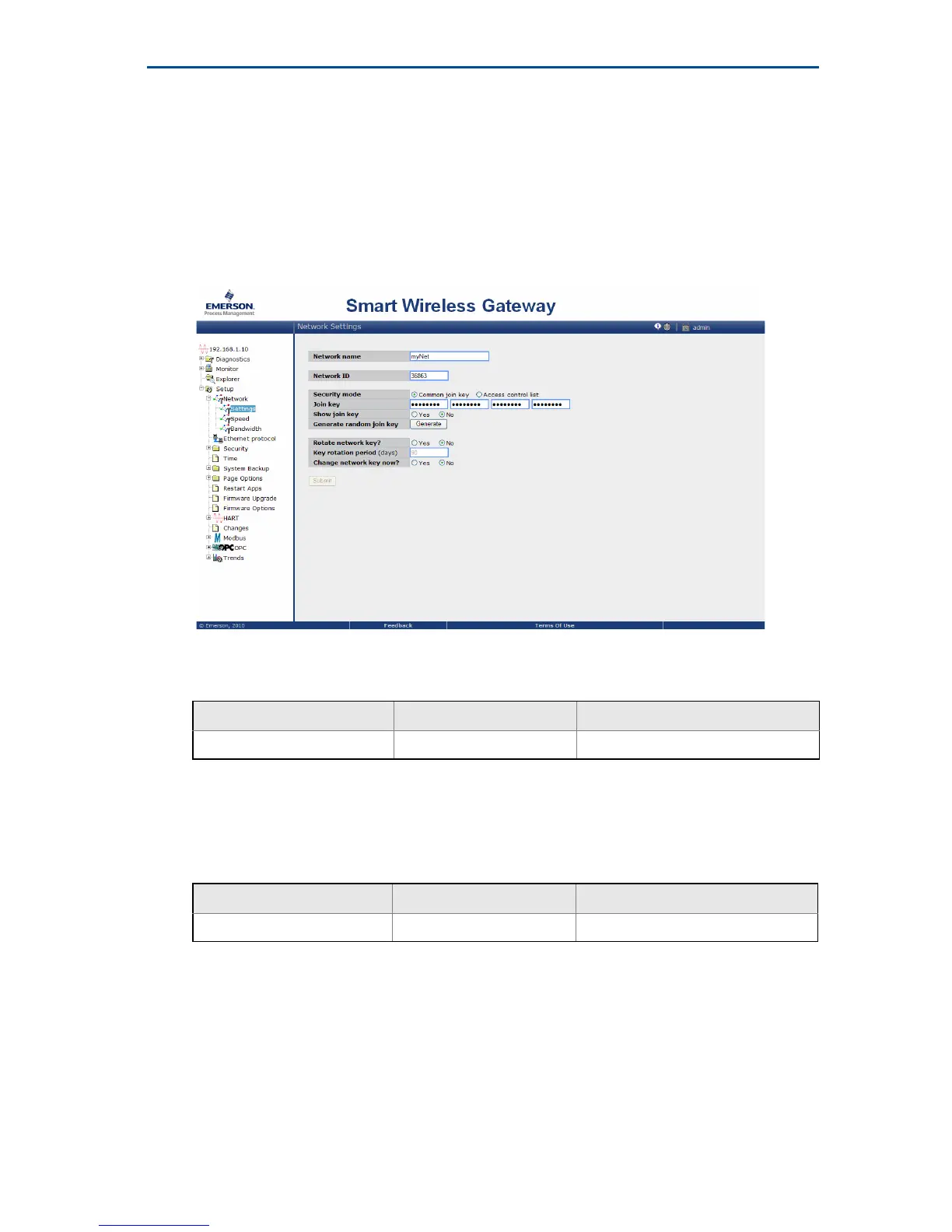
The Network ID and Join Key may be obtained from the Gateway on the
Setup>Network>Settings page on the web server.
The Network ID and Join Key may be changed in the wireless device by using the
following Fast Key sequence.
2.2 Sensor configuration
Sensor inputs can be configured for different sensor types. To verify or change the
sensor configuration with a Field Communicator, use the following Fast Key
sequence.
2.3 Remote mount
The Rosemount 848T Wireless is designed to be installed only in the Remote
Mount configuration where the sensor is mounted separate from the Rosemount
848T housing, then connected to the Rosemount 848T via conduit.
1. Install the sensor according to standard installation practices. Be sure to use
thread sealant on all connections.
Function Fast Key sequence Menu items
Wireless 2,1,1 Join Device to Network
Function Fast Key sequence Menu items
Sensor Configuration 2,1,3 Configure Sensors



 To Next Page