Wireless N Adapter RNX-N150PCx User Manual
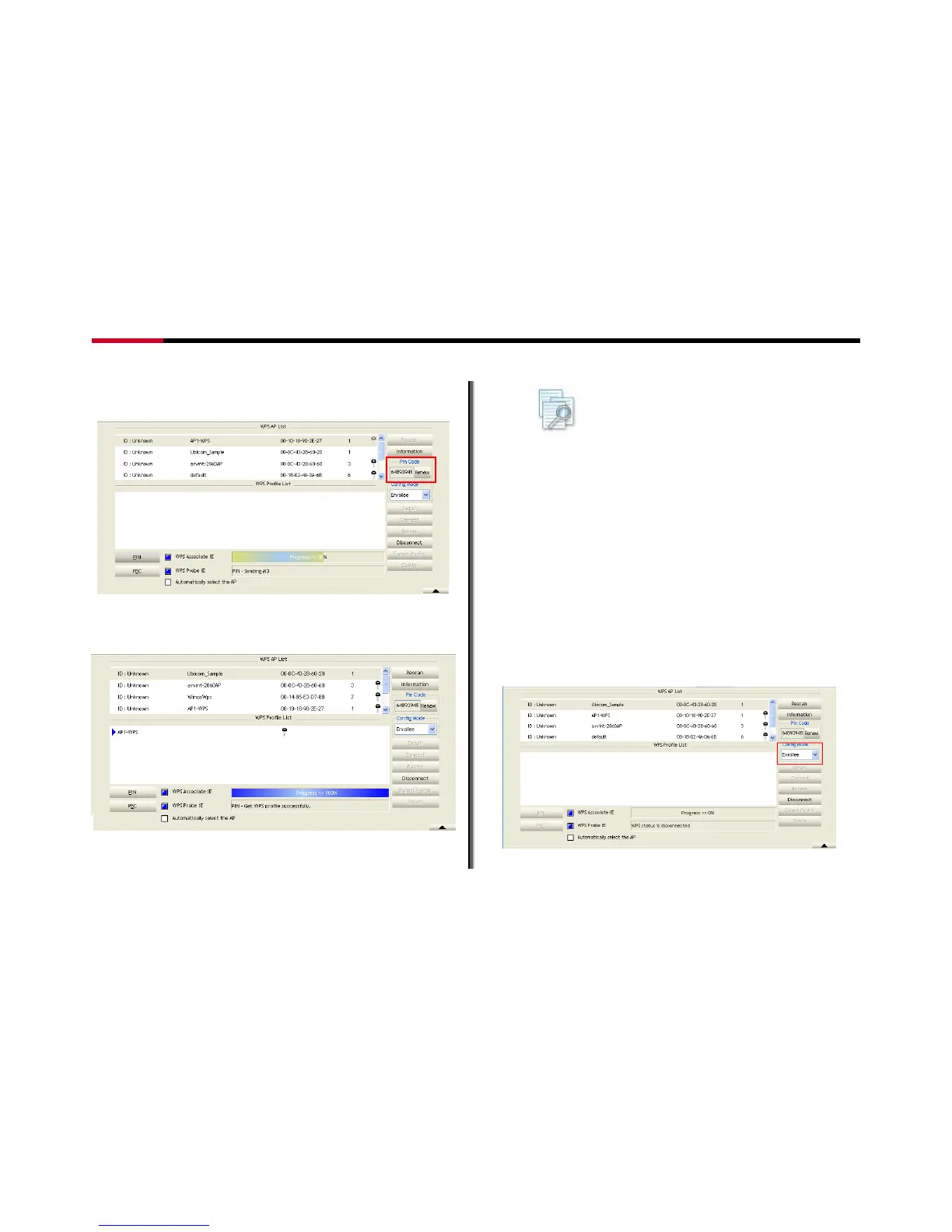
5. You should enter the PIN number provided here to
your AP.
Figure 7-11
6. Once setup complete, you should see the utility
shown as Figure 7-12
Figure 7-12
Note: If you use Microsoft Window Connection
Now as an External Registrar, you must start PIN
connection at STA first. After that, search out your WPS
Device name and MAC address at Microsoft Registrar. Add
a new device and enter PIN Code of STA at Microsoft
Registrar when prompted.
7.2.2 Example to Add to WPS Using PBC Method
WPS connection through PBC Method requires you to press
the button within 2 minutes with the Wireless Router that you
want to connect to.
1. Select "Enrollee" from the Config Mode drop-down
list.
Figure 7-13
- 41 -




 To Next Page