36
BA ROTEX HPSU compact 4 - 09/2013
6 x Parameter settings
6.12 Parameter levels for the mixer module RoCon M1
The parameter levels, parameter priorities, setting ranges and
associated functions are essentially the same as those described
in the preceding sections.
In some cases there exist at individual levels a restricted scope
of available parameters.
The description below relates only to the sections indicated.
Areas where there are significant differences are described in
greater detail.
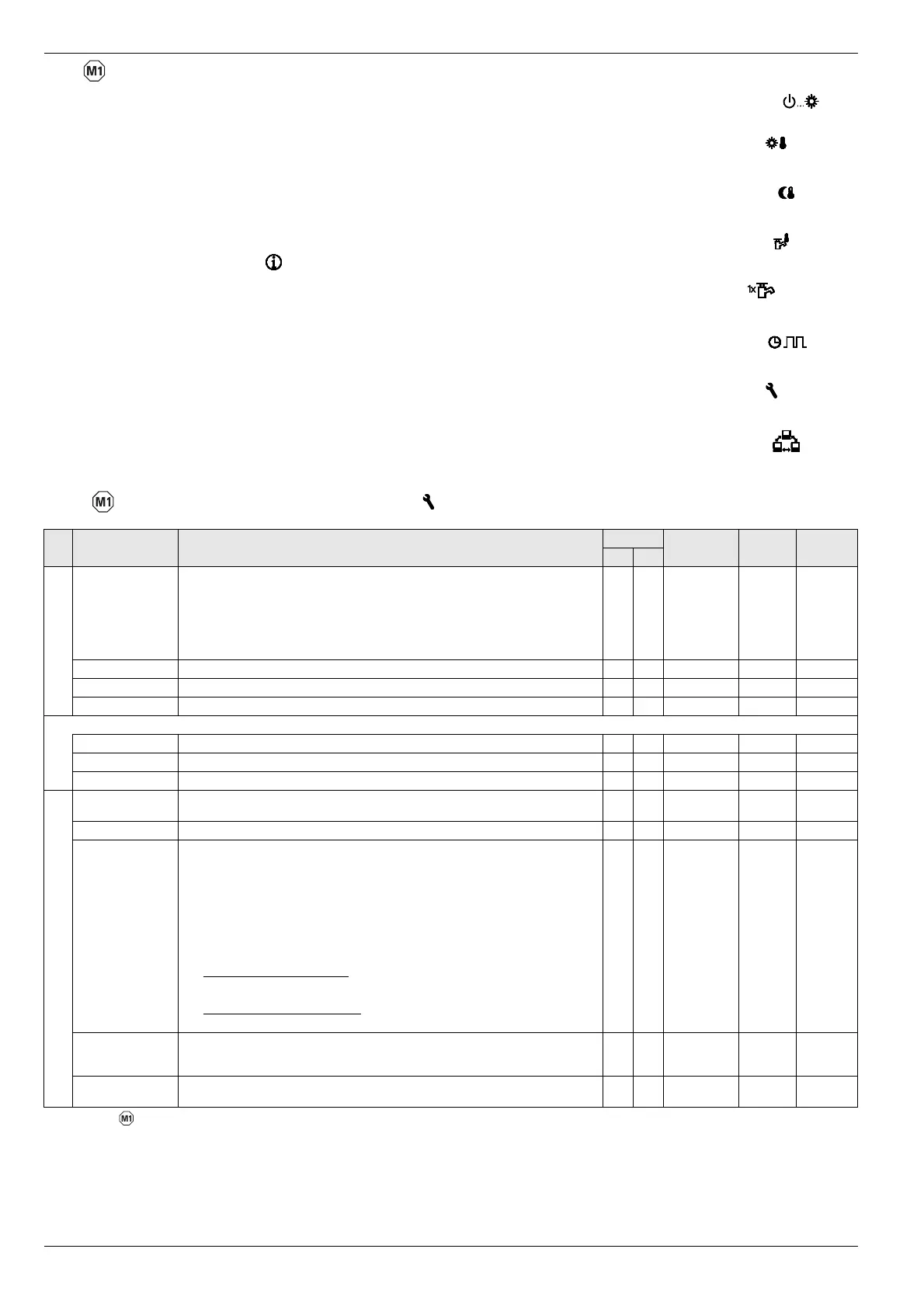
Rotary switch setting: Info
See section 6.10
If the assigned control unit is set to "Mix Valve #X", the displayed
values relate to the assigned heating circuit and to the compo-
nents connected to the RoCon M1. (pump, mixer valve, ...).
When the assigned control unit is set to "Living Room", the
[T-Room Adjust] parameter is
available. The rotary switch can be
used to change the room target temperature to the range
-5 K to +5 K. This function is not available if the control unit is
being used as a terminal function for remote control.
Rotary switch setting: Operating Mode
See section 6.4
Rotary switch setting: Set Temp Day
See section 6.5
Rotary switch setting: Set Temp Night
See section 6.6
Rotary switch setting: DHW Set Temp
No function
Rotary switch setting: DHW Install
No function
Rotary switch setting: Time Program
See section 6.8
Rotary switch setting: Configuration
See section 6.12.1 and 6.12.2.
Rotary switch setting: Remote Param
See section 6.9
6.12.1 Rotary switch setting: Configuration , level "Setup"
Sub-
level
Parameter Description Access Setting range
Min / Max
Factory
setting
Increment
BE HF
Language Language of the display text in the operating panel. E E Deutsch
English
French
Dutch
Italian
Spanish
Portuguese
Deutsch 1
LCD Contrast Display contrast for the passive display operation. E E 1 - 10 4 1
LCD Brightness Display lighting strength for the passive display operation. E E 0 - 100 % 50% 10 %
LCD Illum Time Display lighting duration since last operation. E E 5 - 120 s 30 s 1 s
RGB Setup
R Red proportion of display colour. E E 0 - 100 % 100 % 5 %
G Green proportion of display colour. E E 0 - 100 % 80% 5 %
B Blue proportion of display colour. E E 0 - 100 % 80% 5 %
Date Current date in format day / month / year. The current day of the week is calculated au-
tomatically from the date.
E E
Time Time in format hours / minutes. E E
Summertime Switching from summer to winter time.
Off: No internal changeover of time.
Automatic: The points for the changeover are set to the last Sunday in March and the last
S
unday in October. Changeover to summer time is carried out at 02:00 (+1 h) and to
winter time at 03:00 (-1 h).
On: Manual changeover to summer time. Effect depends on parameter status before
activation of this setting:
Changeover during winter time: If the previous setting was "Off" or "Automatic", then
the current time is advanced by +1 hour. It can take up to 2 minutes to show the new
tim
e in the display.
Changeover during summer time: If the previous setting was "Automatic", then the
current time remains unchanged.
E E Off
Automatic
On
Automatic 1
Keylock Function Releasing the button block function:
Off: Button block cannot be activated.
On: The button block can be activated usin
g the rotary switch (see chapter 3.1).
E E Off
On
Off -
Access Rights Entering access code. Setting character by character like a combination lock
(see chapter 3.6.1).
E E 0 - 9 0000 1
Tab. 6-14 Parameter in rotary switch setting "Configuration" level "Setup"





 To Next Page