7.3
[en] 02/2014
Installation and operating manual - NK 31
Note
The oil ller neck is positioned so that overlling
of the screw compressor system is not possible.
Excess oil runs out of the ller neck again.
• Screw on the screw plug 1 rmly by hand.
• Switch on the system.
• Check the oil ller plug for leaks and replace
the O-ring if necessary.
• Carefully remove escaped, excess oil.
7.3 Oil change
Warning
Rotating, pressurized and hot components,
DANGER OF INJURY
The oil change may only be carried out at a
standstill and with the screw compressor system
completely discharged.
7.3.1 Oil change intervals
According to the specications of the system
manufacturer.
For the reference values for the screw compres-
sor compact module, see chapter 7.8 “Mainte-
nance intervals”.
7.3.2 Oil drain points
The system should be at operating temperature
in this case.
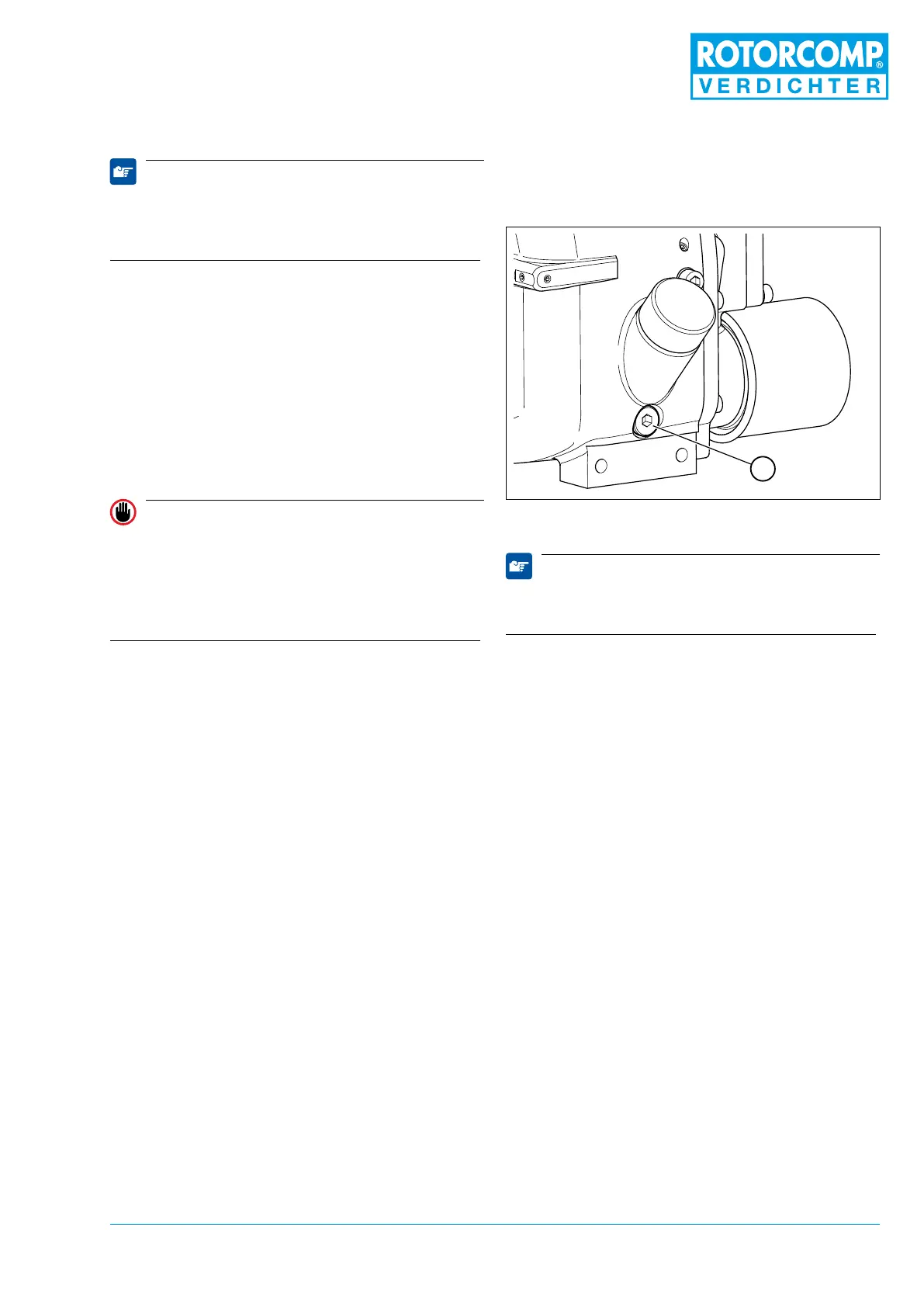
Figure 7-2
Note
Dispose of the used oil according to the appli-
cable regulations.
• Switch off the screw compressor and then
secure it against being switched on again by
removing the main switch.
• Completely release the pressure in the screw
compressor system.
• Slowly screw off the screw plug on the oil ller
neck.
• Carefully unscrew the oil drain screw 1 and
catch the used oil in a suitable container.
• Clean the oil drain screw 1 and screw in again.


 To Next Page