IN-E-HyFlex-V4_10
Rotronic AG
Bassersdorf, Switzerland
Document code Unit
Instruction Manual
Document Type
HygroFlex transmitter version 4: instruction
manual
Document title
Page 19 of 61
© 2006; Rotronic AG IN-E-HyFlex-V2_10.doc
5.2 Front cover removal
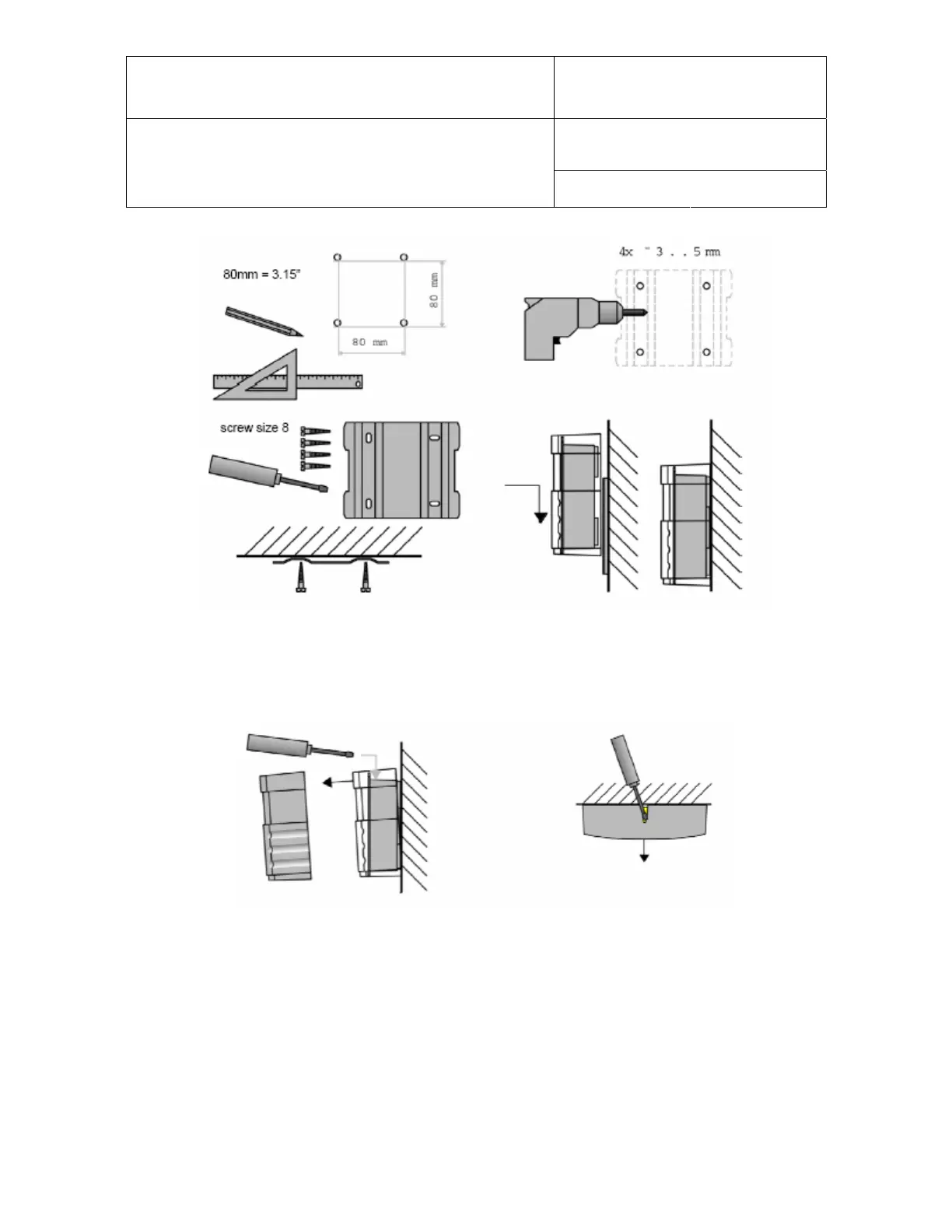
The front cover is held in place by 4 small tabs molded into the electronics housing. To remove the
cover, insert a screwdriver in the V-shaped slot on top of cover and press lightly to unlock prior to
pulling the cover away from the electronics housing.
Note: If the cover has the optional display and keypad, it is connected to the main circuit board by
a ribbon cable. When removing the front cover, this cable can easily become detached. This is
nothing to worry about since the cable can be just as easily re-attached.


 To Next Page