4
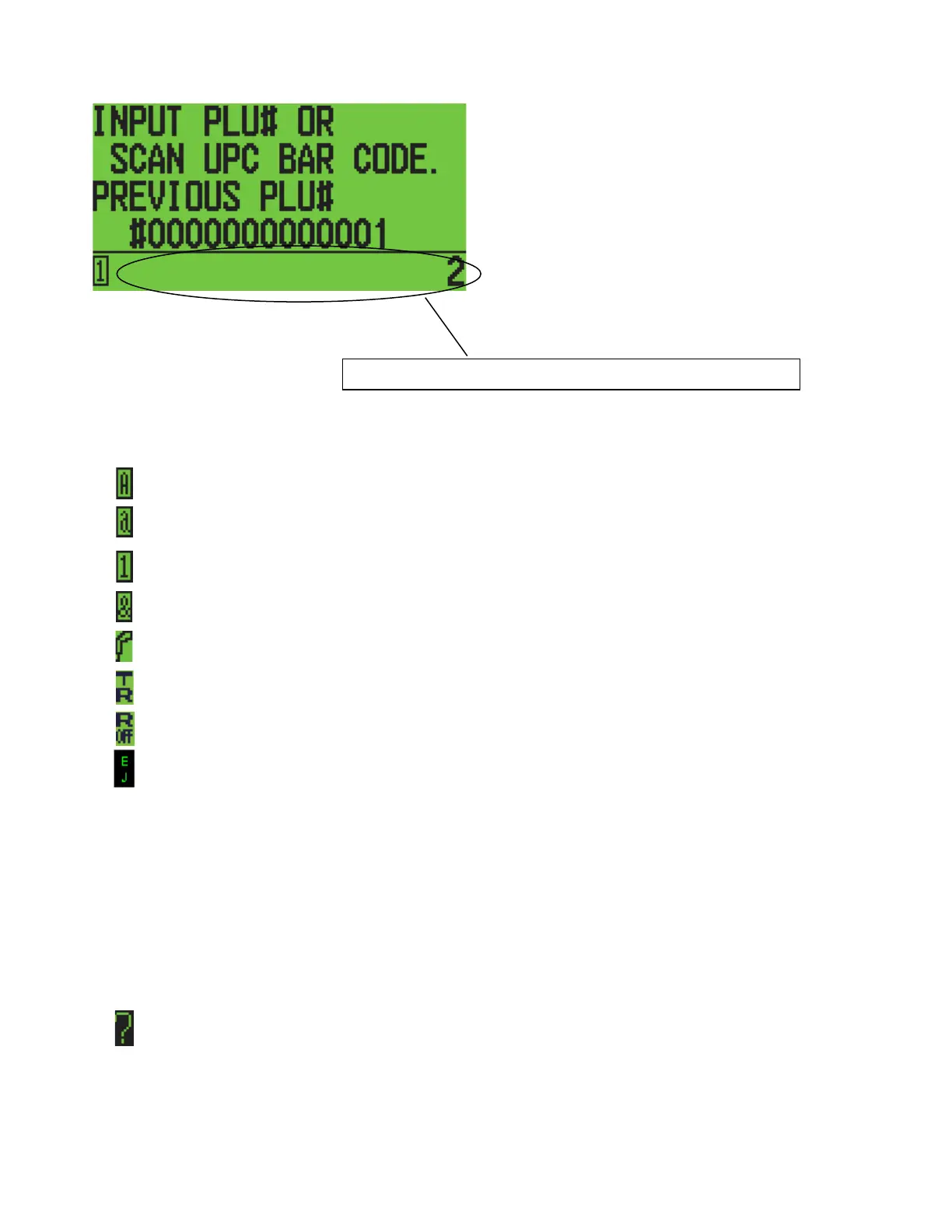
Entry Mode
Enables you to input letters and symbols using the DEPT key with the CAPS ON.
Enables you to input letters and symbols using the DEPT key with the CAPS OFF.
Enables you to input numbers using the TEN key.
Enables you to input symbols using the #/ns key (refer to soft keys).
Enables you to register by using the Bar Code Reader.
Training Mode in the registration mode.
Receipt OFF Mode in the registration mode.
EJ Mode in the registration & X modes.
The VOID key enables you to delete 1 character entry in the PRG mode.
[charge] = Double Word
[return] = CAPS
Help Message
The selected item will scroll in the Help Message area.
Scroll Bar
Appears to the right of the selected item.
Either a PLU number or a bar code number is inputted.



 To Next Page