RTI INTELLIGENT MEETINGS
Technical Support: support@rticontrol.com - Customer Service: custserv@rticontrol.com 28
GUI Elements Description / Options
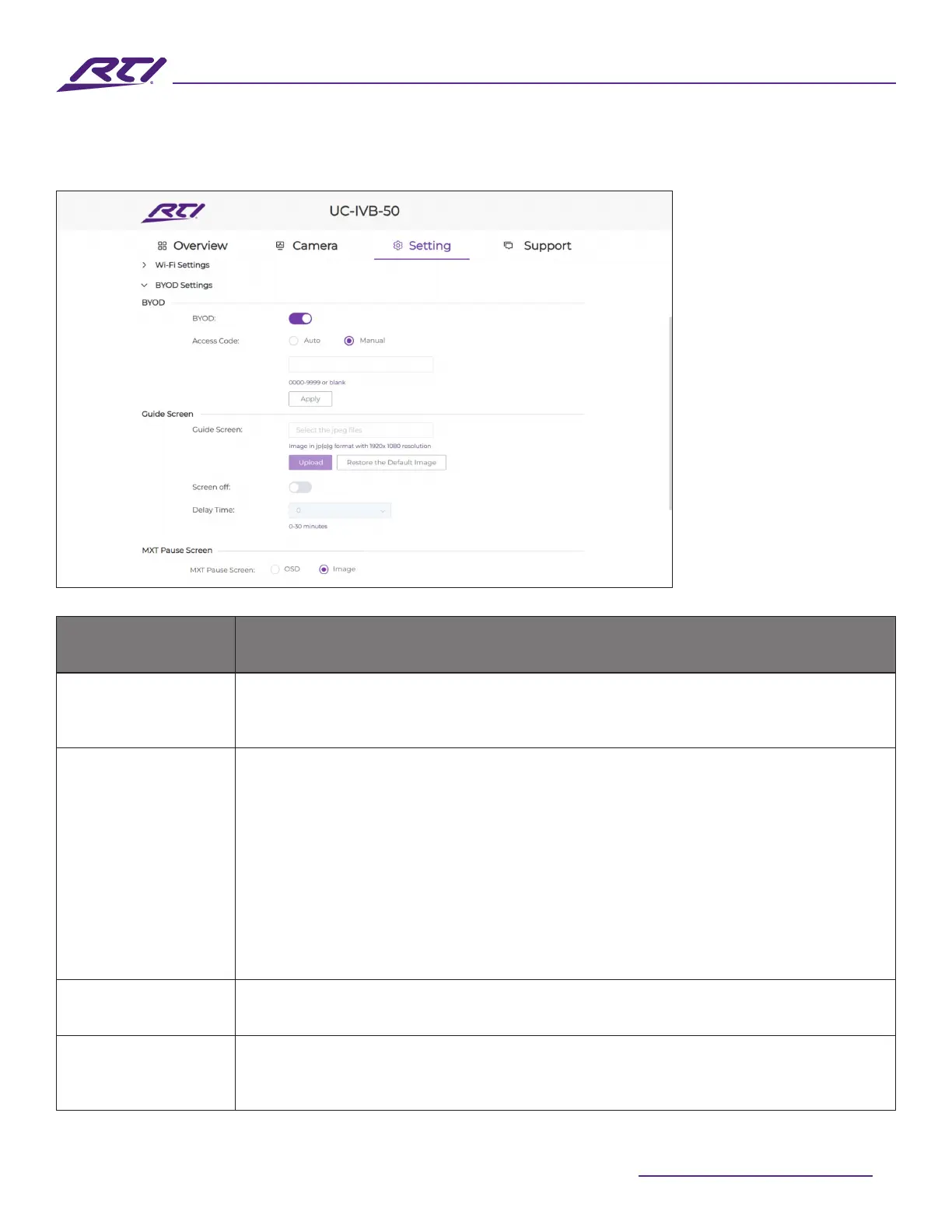
BYOD
• On (default setting): This enables access to the AirPlay and Miracast wireless
screen mirroring feature.
• O: Disables AirPlay and Miracast wireless screen mirroring access.
Access Code
The access code is used to help prevent users from accidentally connecting to
an unintended device as well as protecting the UC-IVB-50 from an unauthorized
access.
• Auto: The device will randomly generate a four-digit access code in the
following cases:
› The device switches to the Guide Screen.
› The device reboots.
• Manual: Select to allow manual input of a four-digit numeric code. By default,
the code is set as blank.
Apply Click to save and apply any setting changes.
Guide Screen
A user generated Guide Screen image can be uploaded to the UC-IVB-50 to
replace the default Guide Screen for customization purposes. Please refer to the
product page on the RTI website for localization and other templates.
7. BOYD Settings



 To Next Page