RTI INTELLIGENT MEETINGS
Technical Support: support@rticontrol.com - Customer Service: custserv@rticontrol.com 22
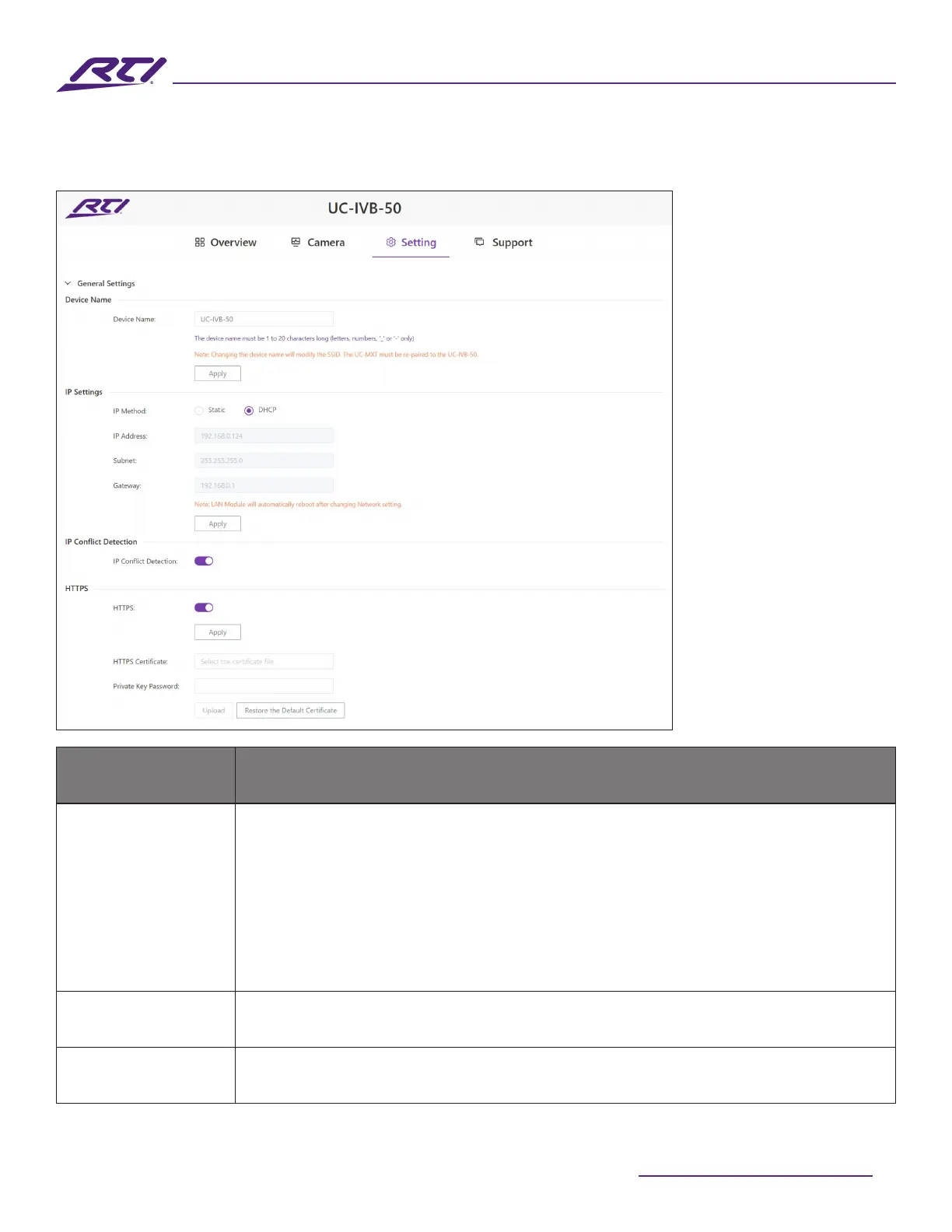
3. General Settings
GUI Elements Description / Options
Device Name
Rename the device to a more appropriate or familiar name.
Note: The name must be 1~20 characters in length and can only including letters,
numbers, “_” or “-”.
By default, it’s set to the product name UC-IVB-50.
• Apply: Click to save and perform above settings.
Note: The device name is also used as the Soft AP (Access Point) SSID. If you
modify the device name, you will need to re-pair any UC-MXT Media Xchange™
Transmitters with this device as well.
IP Method
• Static
• DHCP (default setting)
IP Address
This option is only available when the IP Method is set to Static.
• Manually set the IP address



 To Next Page