RTI INTELLIGENT MEETINGS
Technical Support: support@rticontrol.com - Customer Service: custserv@rticontrol.com 24
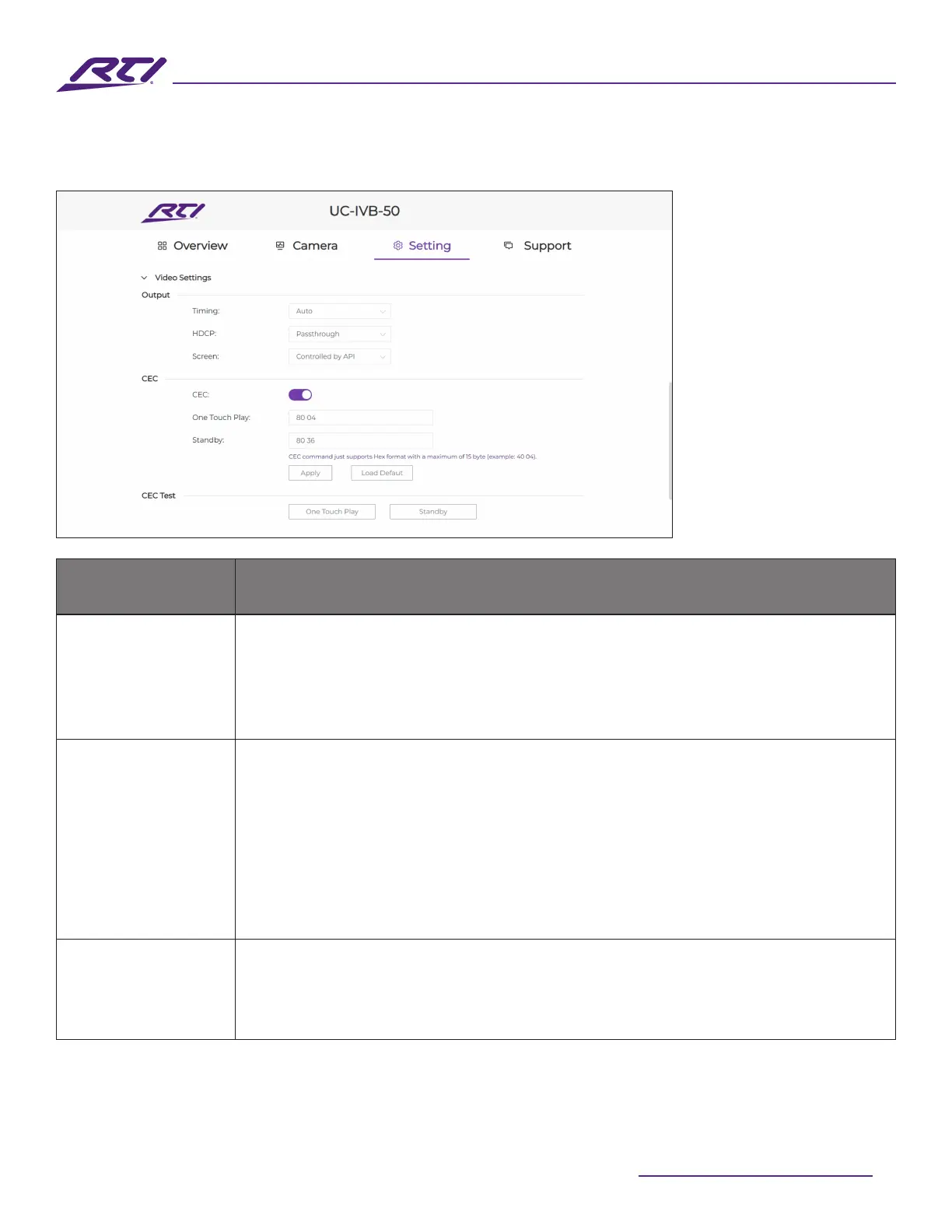
4. Video Settings
GUI Elements Description / Options
Timing
Set the resolution for the HDMI
®
output of the UV-IVB-50:
• Auto (default setting): Select to output the maximum resolution supported by
the display based on the connected display’s EDID.
• Resolution range list: Select a specic resolution from the dropdown menu to
output a xed resolution.
HDCP
Set the HDCP schema for the device’s HDMI
®
output.
Four options are oered:
• Pass-through (default setting): Follows the input sources HDCP version on the
HDMI
®
output.
• HDCP 2.2: Always encrypts output with HDCP 2.2
• HDCP 1.4: Always encrypts output with HDCP 1.4
• O: Disable output encryption (Note that the video output will be disabled if
HDCP encryption is detected in the source signal, following HDCP rules).
Screen
• Single Screen (default setting): Only a full screen source will be displayed on-
screen at any given time. Newly connected sources will be given priority using
the rst in last out rule.
• Split Screen: Dual view 2 sources on the screen at the same time.



 To Next Page