RTI INTELLIGENT MEETINGS
Technical Support: support@rticontrol.com - Customer Service: custserv@rticontrol.com 4
Panel Description
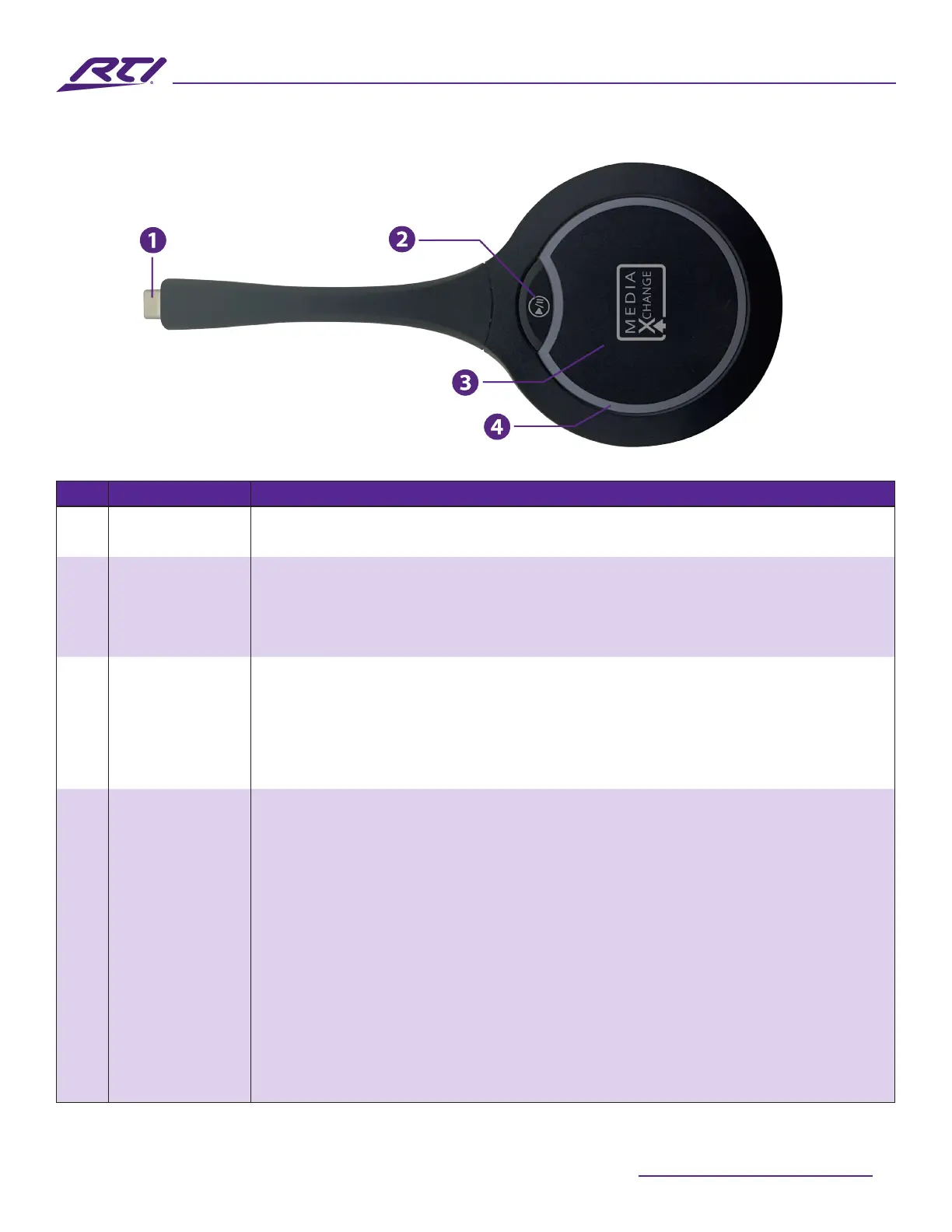
No. Name Description
1 USB Type-C • Connects to the UV-IVB-50 for pairing.
• Connects with a laptop or mobile device for media sharing.
2 Pause/Un-
pause Button
Press this button to Pause/Un-pause the shared media screen. The source
device is unaected by this action.
Note: Audio streaming is synchronized with video and will be paused/un-
paused in parallel with video.
3 Media Xchange™
Button
Short Press: Short pressing this button when linked to a UC-IVB-50 will begin/
end media sharing.
Long Press (~3 seconds): When using the Split Screen mode and displaying 2
sources on the UC-IVB-50, the mode will switch to Single Screen and the media
from the UC-MXT will be displayed in full screen.
4 LED Indicator
Ring
Blinking White - Bright:
• When connected to a UC-IVB-50 for pairing: The UC-MXT is in the process of
pairing.
• When connected to a laptop or mobile device: The UC-MXT is establishing a
link with the UC-IVB-50 that it is paired to.
Blinking White - Dim:
The UC-MXT is currently media sharing.
Solid White:
• When connected to the UC-IVB-50 for pairing: The UC-MXT has successfully
completed the pairing process.
• When connected to a laptop or mobile device: The UC-MXT is successfully
linked to the UC-IVB-50. Media sharing is now possible.



 To Next Page