RTI INTELLIGENT MEETINGS
Technical Support: support@rticontrol.com - Customer Service: custserv@rticontrol.com 4
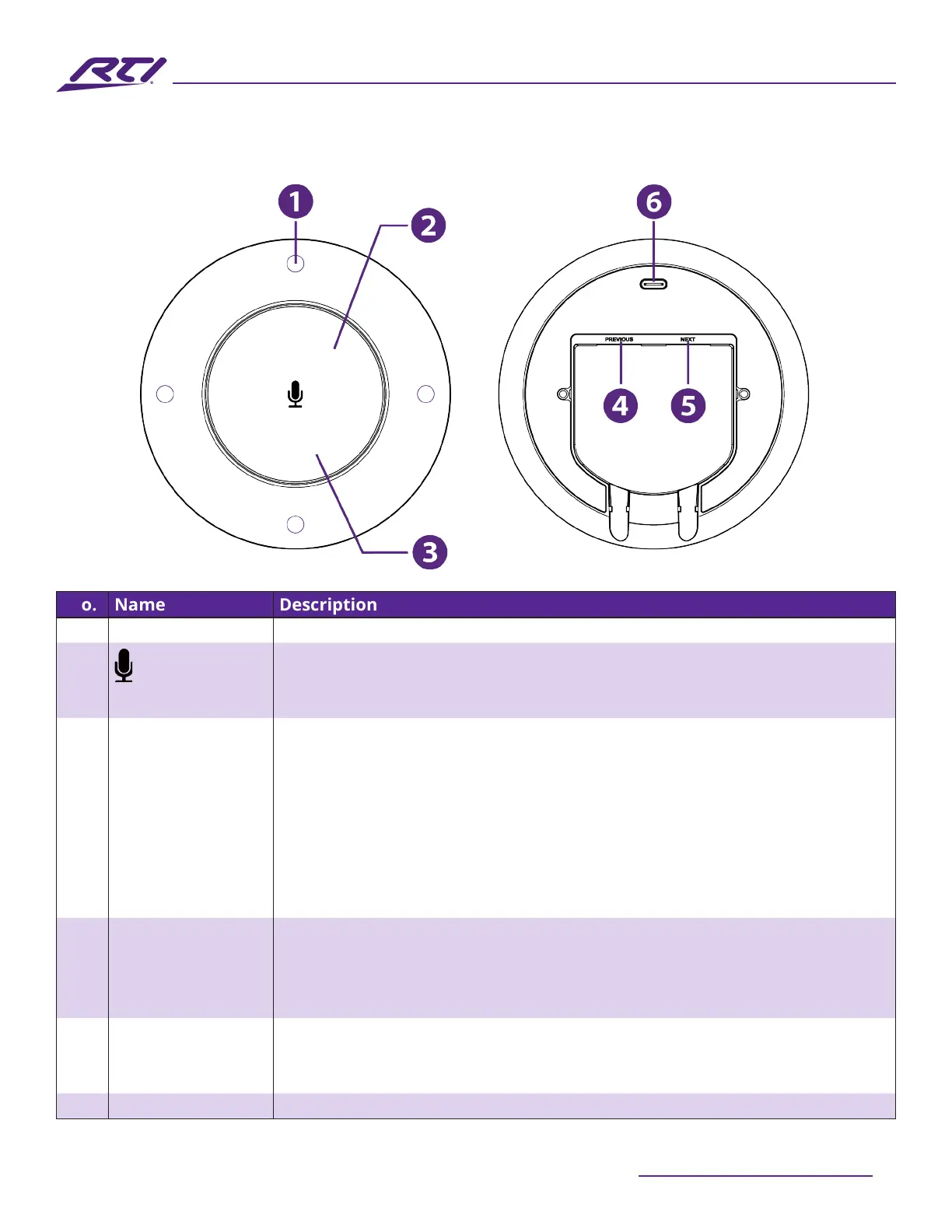
No. Name Description
1 Microphone Array • 4 x 360° Omnidirectional MEMS microphones
2 Press this button to toggle between mute and unmute states for all
connected microphones, including the attached UC-IVB-50 and any
connected UC-IVB-EXM microphones.
3 Status LED The Status LED indicator beneath the button indicated 5 states:
• Solid White: The UC-IVB-EXM is powered on.
• Blinking White: The UC-IVB-EXM is being upgraded.
• Solid Blue: The UC-IVB-EXM is detecting audio. Note: When no audio is
detected, the LED will be o.
• Solid Red: The UC-IVB-EXM is muted.
• Breathing White: The UC-IVB-EXM is in sleep mode (follows the standby
state of the UC-IVB-50).
4 PREVIOUS • If this is the only UC-IVB-EXM in use or the rst in a series of UC-IVB-EXM
microphones, connect this port to the UC-IVB-50.
• If this is a cascaded/additional UC-IVB-EXM microphone, connect this
port to the NEXT port on the upstream UC-IVB-EXM.
5 NEXT • If this is the only UC-IVB-EXM in use, do not use this port.
• If this is a UC-IVB-EXM in a series of microphones, connect this port to
the PREVIOUS port on the next downstream UC-IVB-EXM.
6 USB-C Port This port is only used for the rmware upgrading process.
Panel Description



 To Next Page