Chapter 2. Hardware Installation
This chapter provides information for the installation and removal of M.2 storage and mini
PCIe card.
M.2 Module
Prevention of EMI interference in this device is not guaranteed if the original components are
replaced.
A single M.2 2280 module slot is available for memory expansion. The device supports up to
256GB.
Installing/Removing a M.2 Module
1. Shut down the system properly and disconnect from all power sources.
2. Un-mount the device from the mounting apparatus; make sure that the display surface
is protected.
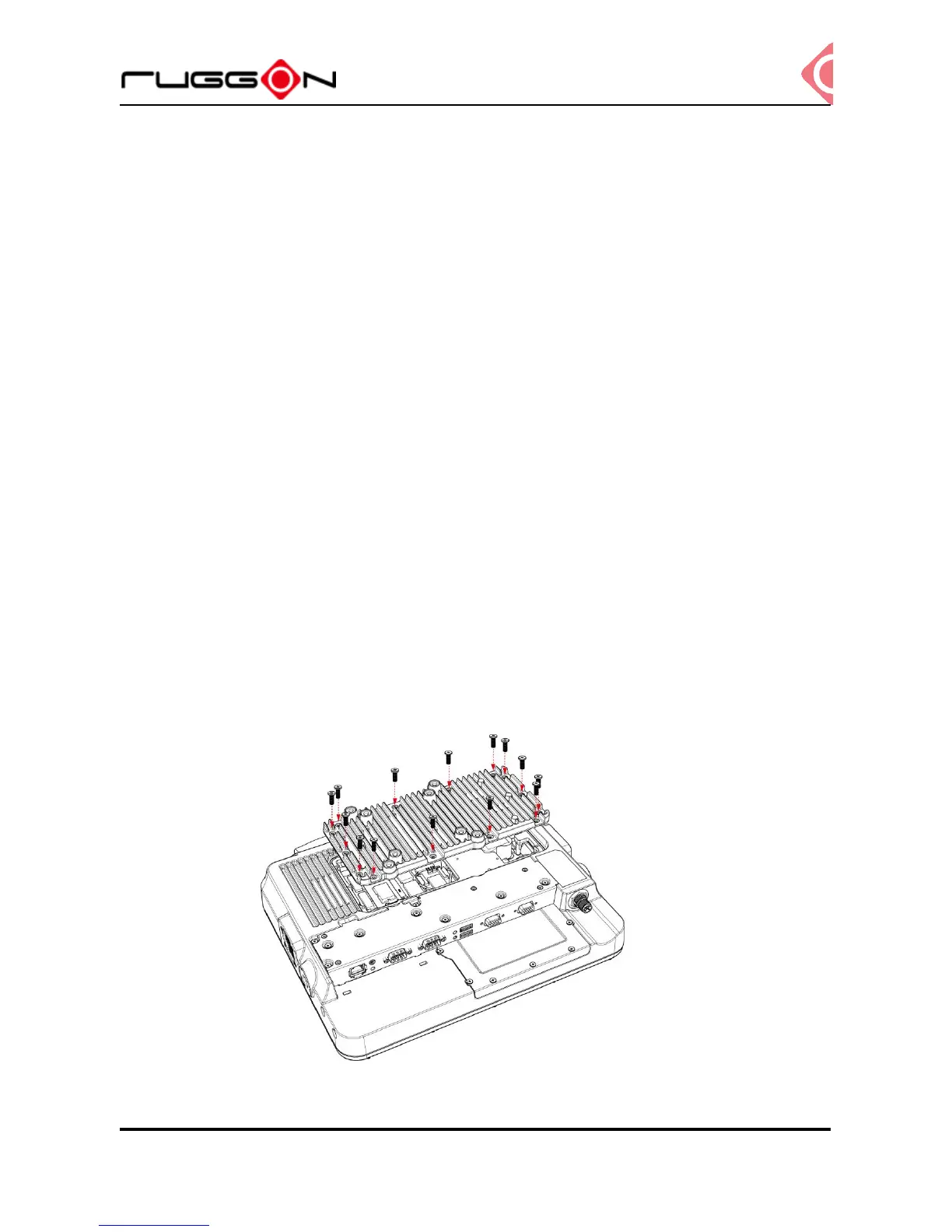
3. Remove the screws and the service cover.



 To Next Page