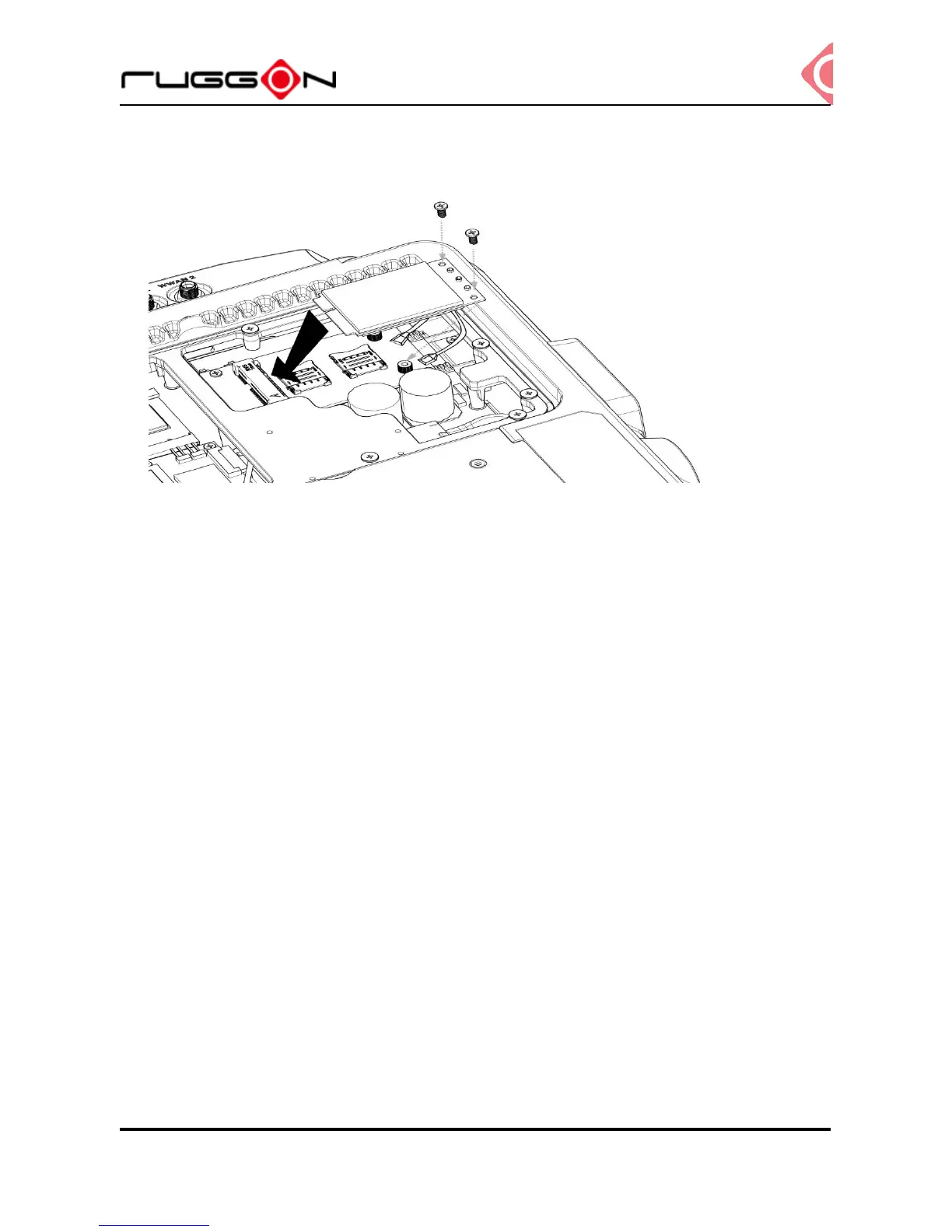
4. Install or remove the module.
Installing WWAN Antennas
After you installed the WWAN module, you need to connect the antenna for use. Please note
VX-601 support internal (optional) or external WWAN antenna. If you like to use the internal
or external WWAN antenna, you need to manually disable either one. The following section
will guide you how to change the internal/ external antenna.
External Antennas
1. Locate the antenna cables. (black cable & grey cable)
2. Use the black cable on the antenna cable and connect to the connector labeled MAIN.
Use the grey cable on the antenna cable to connect to the connector labeled AUX.



 To Next Page