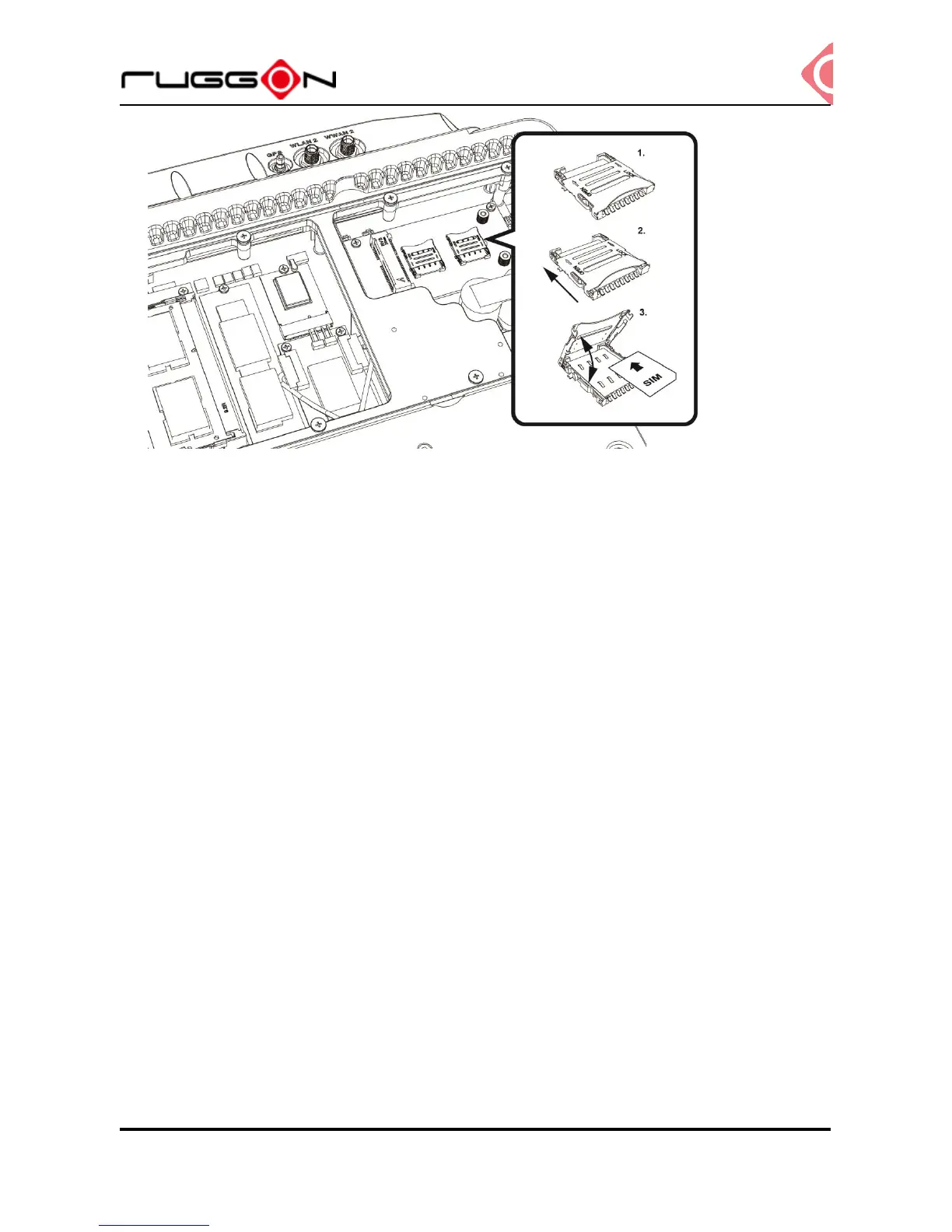
8. Turn your SIM card to the angled corner of your SIM card matches the angled corner of
the SIM card holder.
9. Insert the SIM card into the SIM card holder.
10. Close the cover of the SIM card holder.
Installing/Removing the WWAN module
WWAN card slot is also located on the rear side; it is up to the Wi-Fi module. Please follow
up the introduction to install or remove the module
1. Power down the device and disconnect from all power source.
2. Un-mount the device from the mounting apparatus; make sure that the display surface is
protected.
3. Open the service cover; locate the WWAN module slot on the VX-601.



 To Next Page