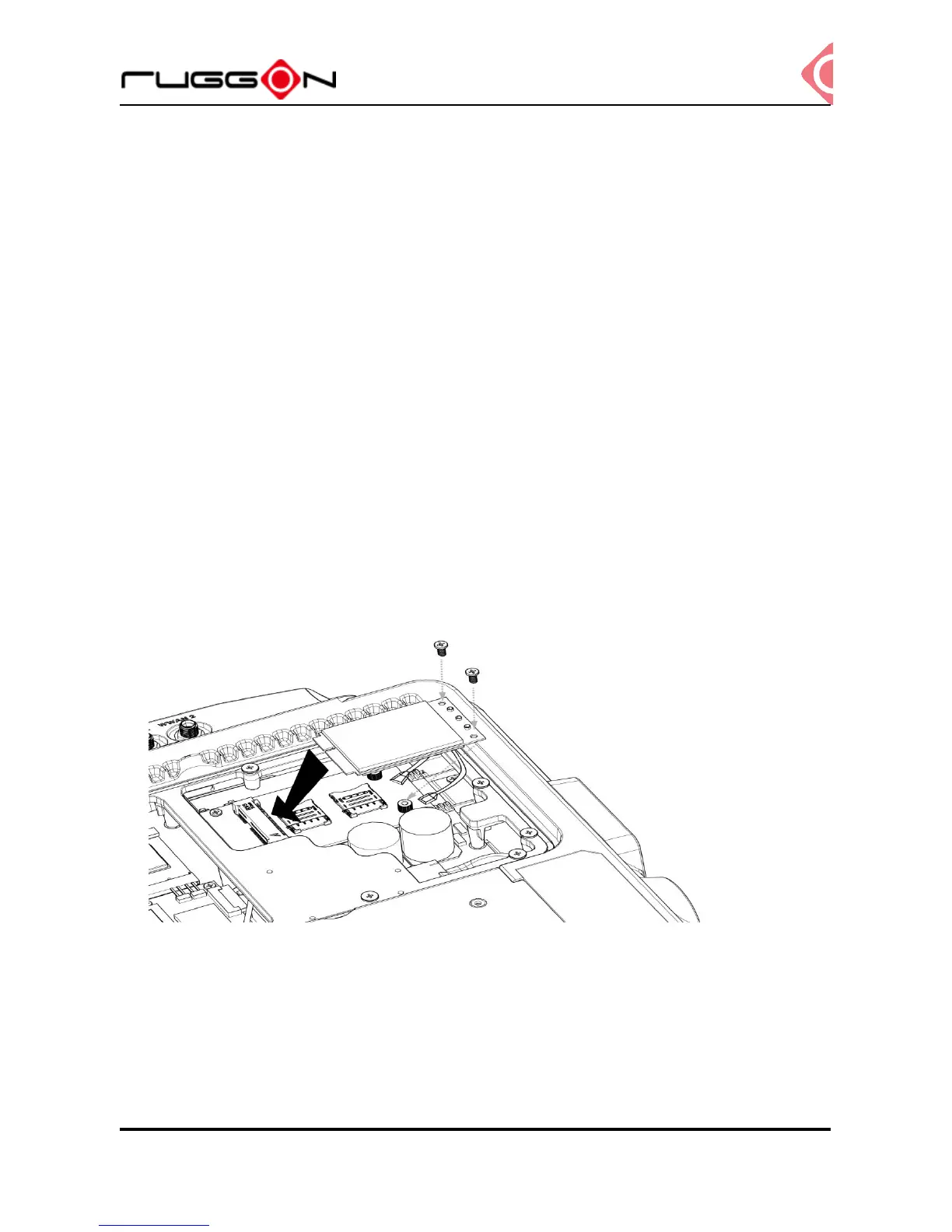
Installing/Removing the SIM card
VX-601 provides dual micro SIM slots, located inside the service door. Install the SIM card in
SIM 1 slot or SIM 2 slot. You can select different SIM slot via the SIM slot assignment option
in DashON interface. The factory default is SIM 1 slot. Please see the following guide to
install or remove the SIM card.
Internal SIM slot
1. Shut down the system properly and disconnect from all power sources.
2. Un-mount the device from the mounting apparatus; make sure that the display surface is
protected.
3. Remove the screws securing the cover and remove it.
4. Once the service cover is removed, you can see the Mini SIM card slot.
5. Slide to unlock the lock on the locking lid.
6. Lift the locking lid up and insert your SIM card.
7. Lock the locking lid back after insertion.



 To Next Page