Adjust the Speaker Volume
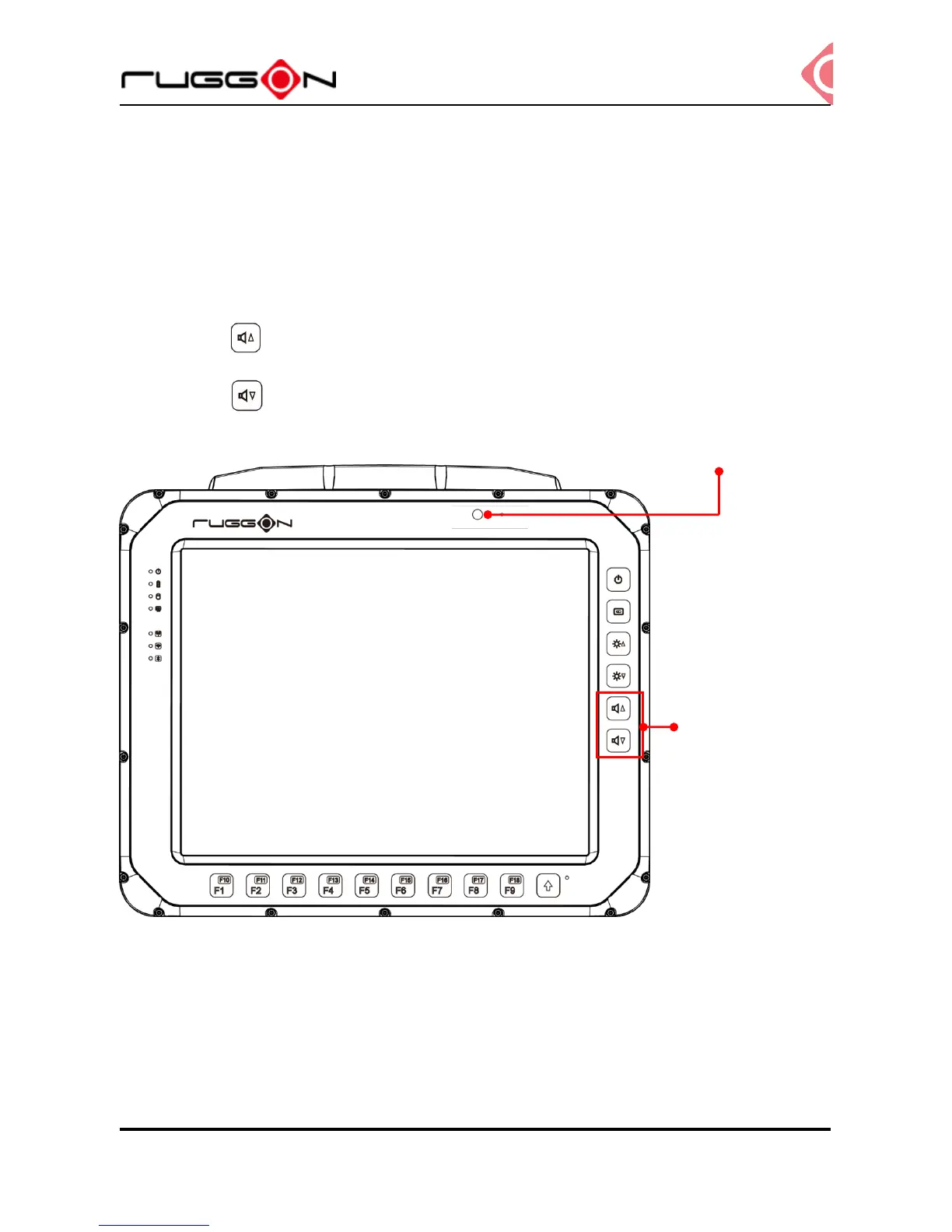
VX-601 has the volume control buttons to adjust the speakers’ volume; you also can control
the overall level of sound using Windows. When you press the top part of the volume button,
it makes the volume louder; pressing the bottom part makes the volume softer
Press the button to decrease the volume louder.
Press the button to increase the volume softer.
Auto-Brightness Adjustment
When you are using VX-601, you may well encounter different lighting conditions that make
it difficult to see the information on screen. VX-601 is built-in the ambient light sensor on the
front panel to supports auto-dimming, you also can disable this function and manually adjust
the brightness, the setting can be done via DashON.



 To Next Page