EasyManua.ls Logo

RUKO F11PRO 2 - Page 36

RUKO F11PRO 2
72 pages
Print Icon
To Next Page IconTo Next Page
To Previous Page IconTo Previous Page
Loading...
F11PRO
2
User
Manual
Remote
controller
battery
level
-
Display
the
current
remote
controller
battery
power,
and
the
power
progress
bar
displays.
Aircraft
status
indicator
bar
-
In
flight:
Display
the
flight
status
of
the
aircraft
and various
warning
information.
il
GPS
status
+
Used
to
indicate
GPS
signal
strength:
3
bars
mean
the
GPS
signal
is
strong
enough
for
flight,
while
1
or
2
bars
indicate
a
weak
GPS
signal,
requiring
a
change
in
takeoff
location.
Aircraft
battery
level
*
Display
the
current
smart
flight
battery
power,
and
the
power
progress
bar
displays.
+
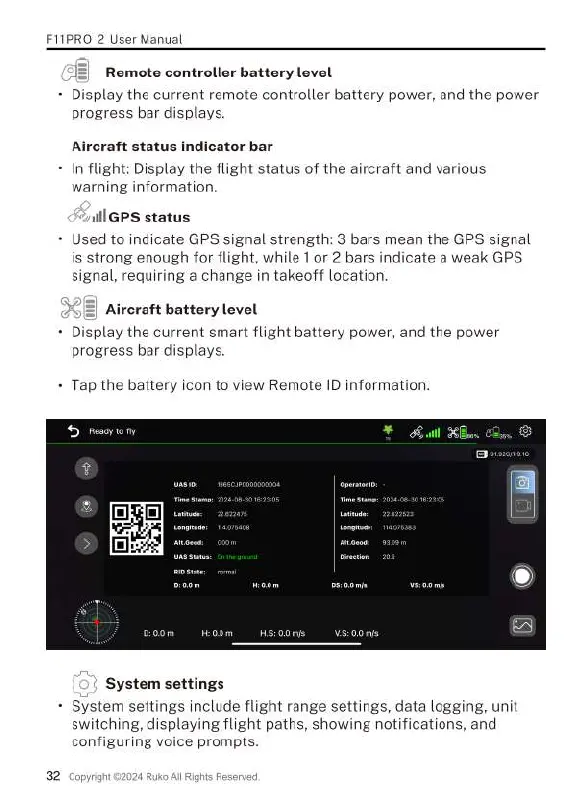
Tap
the
battery
icon
to
view
Remote
ID
information.
System
settings
-
System
settings
include
flight
range
settings,
data
logging,
unit
switching,
displaying
flight
paths,
showing
notifications,
and
configuring
voice
prompts.

Related product manuals