EasyManua.ls Logo

RUKO F11PRO 2 - Connect the Data Cable

RUKO F11PRO 2
72 pages
Print Icon
To Next Page IconTo Next Page
To Previous Page IconTo Previous Page
Loading...
F11PRO
2
User
Manual
6.4
Connect
the
Data
Cable
«
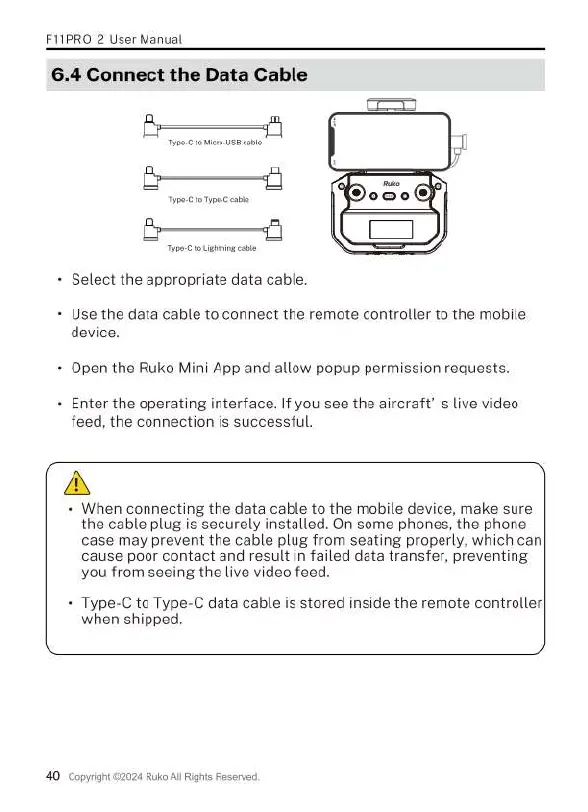
Select
the
appropriate
data
cable.
«
Use
the
data
cable
to
connect
the
remote
controller
to
the
mobile
device.
+
Open
the
Ruko
Mini
App
and
allow
popup
permission
requests.
«
Enter
the
operating
interface.
If
you
see
the
aircraft’
s
live
video
feed,
the
connection
is
successful.
A
«
When
connecting
the
data
cable
to
the
mobile
device,
make
sure
the
cable
plug
is
securely
installed.
On
some
phones,
the
phone
case
may
prevent
the
cable
plug
from
seating
properly,
which
can
cause
poor
contact
and
result
in
failed
data transfer,
preventing
you
from
seeing
the
live
video
feed.
+
Type-C
to
Type-C
data
cable
is
stored
inside
the
remote
controller
when
shipped.
40
copyight
&z
24
Ruko
All
Rights
Reserved.

Related product manuals