EasyManua.ls Logo

RUKO F11PRO 2 - Page 47

RUKO F11PRO 2
72 pages
Print Icon
To Next Page IconTo Next Page
To Previous Page IconTo Previous Page
Loading...
F11PRO
2
User
Manual
+
Follow
the
app's
instructions:
Hold
the
aircraft
at
a
height
of
1
meter
above
the
ground,
rotate
it
horizontally
2-3
times
until
you
hear
a
beep
and
the
app indicates
that
it's
time
to
begin
vertical
calibration.
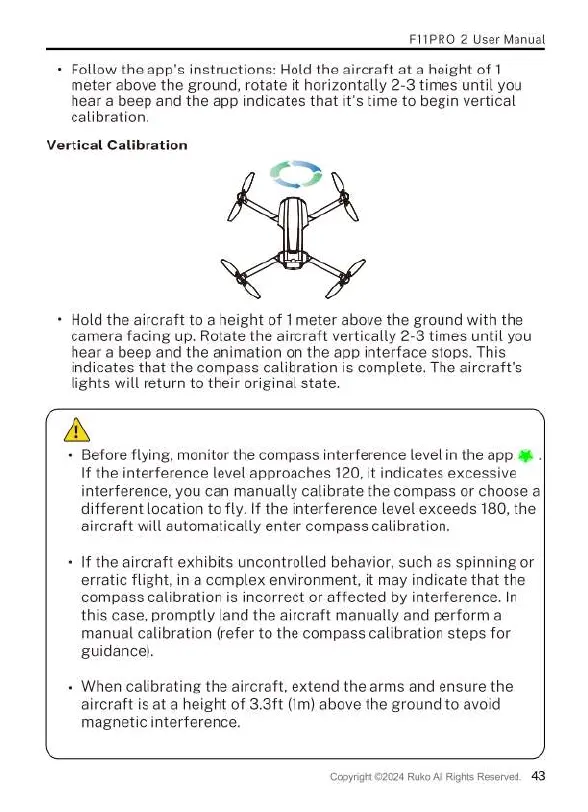
Vertical
Calibration
~
S
+
Hold
the
aircraft
to
a
height
of
T
meter
above
the
ground
with
the
camera
facing
up.
Rotate
the
aircraft
vertically
2-3
times
until
you
hear
a
beep
and
the
animation
on
the
app
interface
stops.
This
indicates
that
the
compass
calibration
is
complete.
The
aircraft's
lights
will
return
to
their
original
state.
A
«
Before
flying,
monitor
the
compass
interference
level
in
the
app
4
.|
If
the
interference
level
approaches
120,
it
indicates
excessive
interference,
you
can
manually
calibrate
the
compass
or
choose
a
different
location
to
fly.
If
the
interference
level
exceeds
180,
the
aircraft
will
automatically
enter
compass
calibration.
If
the
aircraft
exhibits
uncontrolled
behavior,
such
as
spinning
or
erratic
flight,
in
a
complex
environment,
it
may
indicate
that
the
compass
calibration
is
incorrect
or
affected
by
interference.
In
this
case,
promptly
land
the
aircraft
manually
and
perform
a
manual
calibration
(refer
to
the
compass
calibration
steps
for
guidance).
When
calibrating
the
aircraft,
extend
the
arms
and
ensure
the
aircraft
is
at
a
height
of
3.3t
(Im)
above
the
ground
to
avoid
magnetic
interference.

Related product manuals