EasyManua.ls Logo

RUKO F11PRO 2 - Page 61

RUKO F11PRO 2
72 pages
Print Icon
To Next Page IconTo Next Page
To Previous Page IconTo Previous Page
Loading...
F11PRO
2
User
Manual
How
to
Start
(1)
Set
the
desired
auto-flight
distance
and
altitude,
fly
the
aircraft
to
an
altitude
above
49ft
(15m)
(it
will
be
unavailable
while
below
49ft
(15m)).
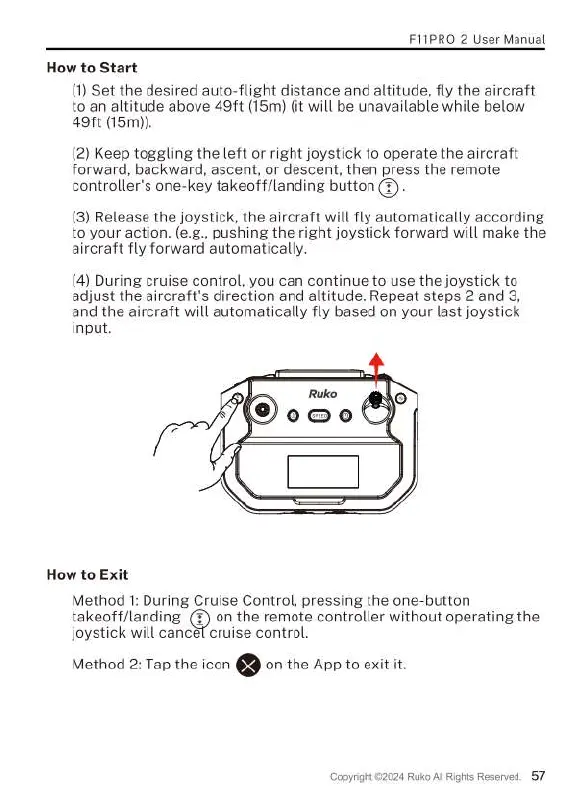
(2)
Keep
toggling
the
left
or
right
joystick
to
operate
the
aircraft
forward,
backward,
ascent,
or
descent,
then
press
the
remote
controllers
one-key
takeoff/landing
button
(3).
(3)
Release
the
joystick,
the
aircraft
will
fly
automatically
according
to
your
action.
(e.g.,
pushing
the
right
joystick
forward
will
make
the
aircraft
fly
forward
automatically.
(4)
During
cruise
control,
you can
continue
to
use
the
joystick
to
adjust
the
aircraft's
direction
and
altitude.
Repeat
steps
2
and
3,
and
the
aircraft
will
automatically
fly
based
on
your
last
joystick
input.
How
to
Exit
Method
1:
During
Cruise
Control,
pressing
the
one-button
takeoff/landing
(%)
on
the
remote
controller
without
operating
the
joystick
will
cancef
cruise
control.
Method
2:
Tap
the
icon
€9
on
the
App
to
exit
it
024
Ruko
Al
Rights
Reserved.
57

Related product manuals