PC and ERT Control/Gating Module
Revision C, August 2013
3-3
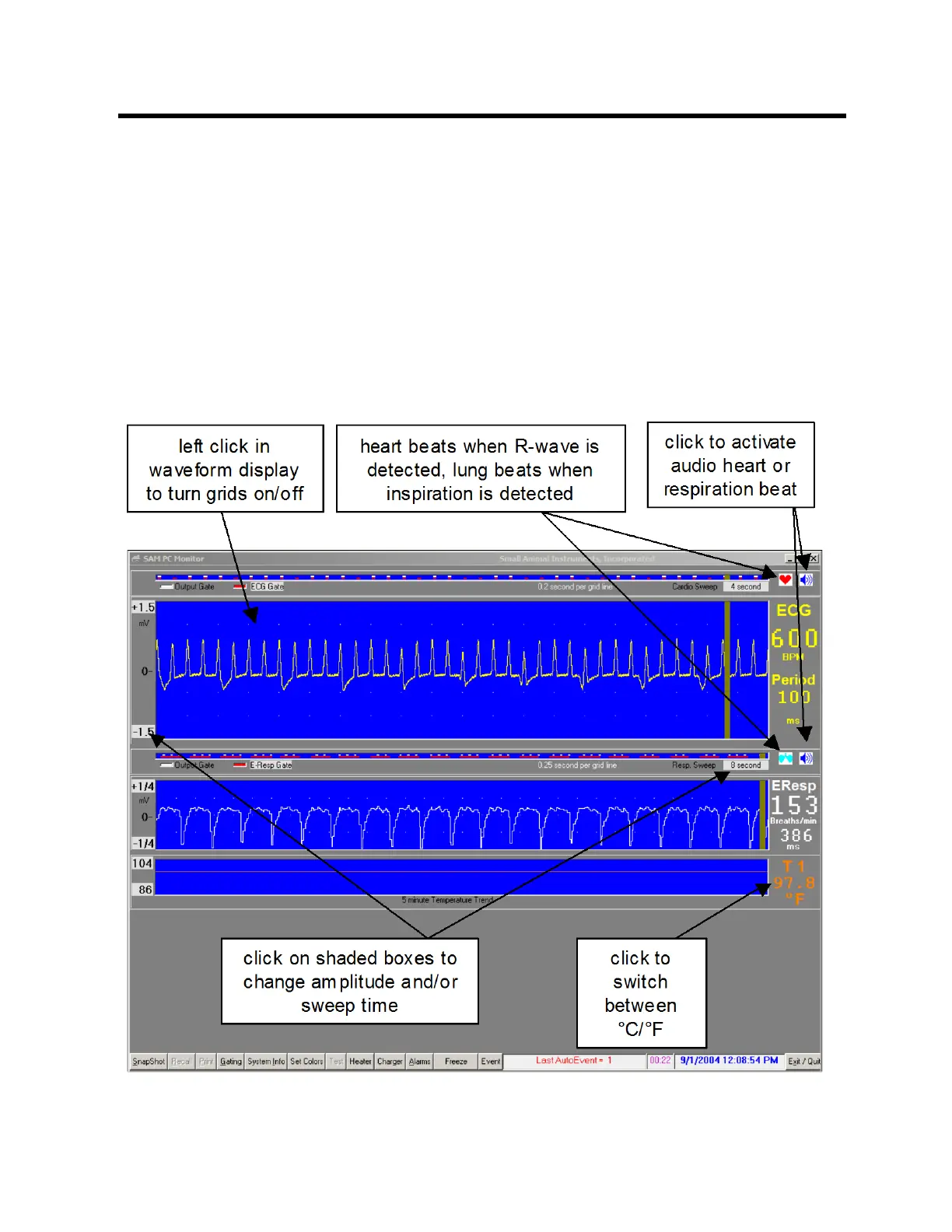
Temperature measurements are displayed in a 5 minute trend with the most recent
measurement on the right of the display. Each new temperature measurement is
displayed in digits as it is entered in the trend portion of the display.
Located along the bottom of the monitor display are several keys which perform special
functions, display data or allow user entry of operating parameters. Each of the keys
will be discussed in a later section of this chapter. In addition to the keys, there are
regions for display of error messages, a stop watch and the date and time.
The stop watch displays in hours and minutes. A bar flashes to indicate the stop watch
is running. Click on the stop watch display, to reset to zero.
Right click on the shaded waveform amplitude values to increase or left click to
decrease the maximum and minimum values. Right click on the shaded sweep time



 To Next Page