Additional Features
Revision C, August 2013
9-4
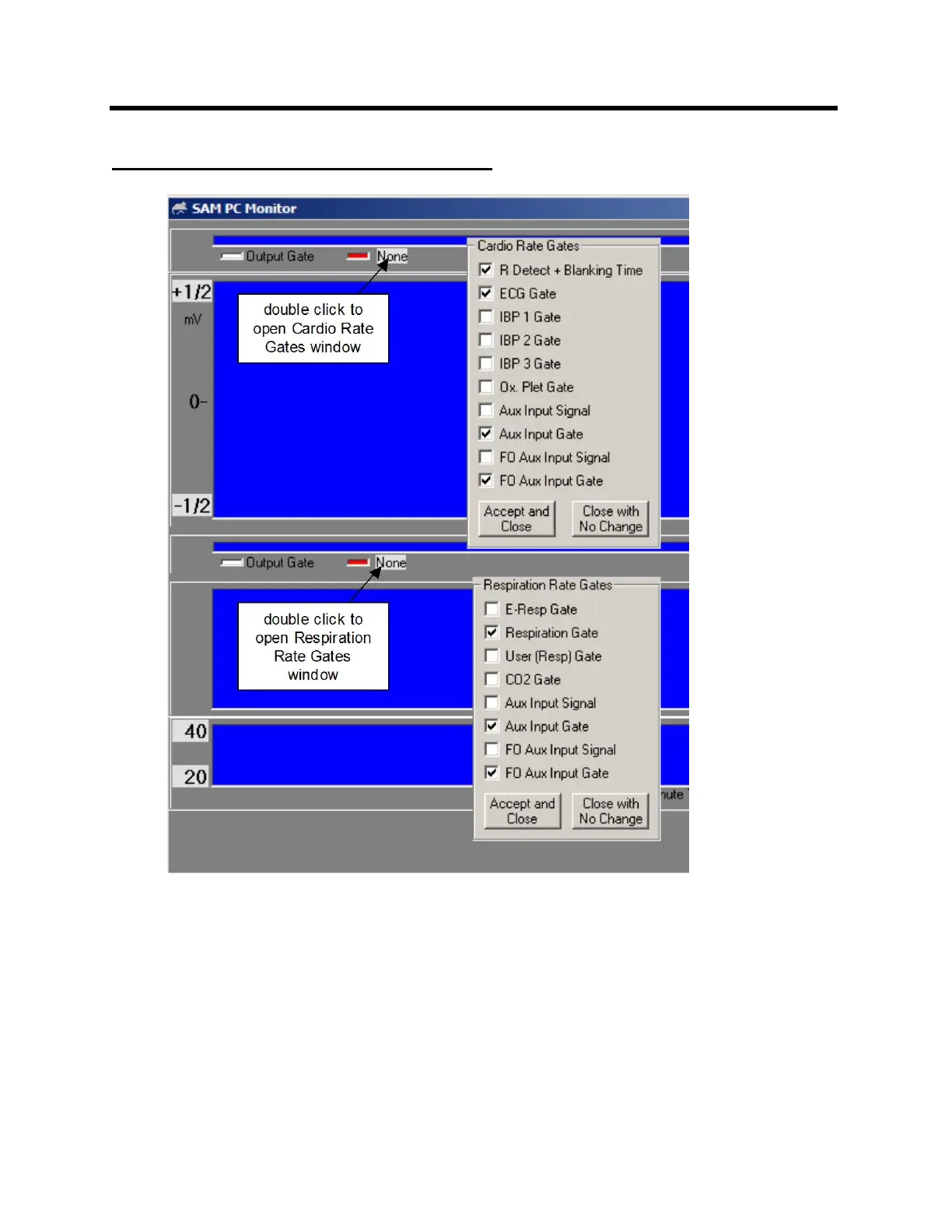
Cardiac and respiratory sweep gates
Double clicking on the gray panel area of the cardio sweep display will open a window
to allow other gates to be added to the selection list.
A indicator can be added to the ECG waveform to display timing of the selected cardio
rate gate or the output gate by clicking on the colored box to the left of the cardio rate
gate selection.
The respiration sweep display operates in a similar way to that on the cardio sweep
display. Be certain the gate selected for display matches the waveform. For example if
E-Resp™ is the waveform displayed for respiration, the selected gate should be E-Resp
gate not Resp gate or User Resp gate.



 To Next Page