Trends
Revision C, August 2013
7-3
Source Trend key
Clicking this key opens a window that allows selection of a trend data set. The window
opens when TrendMap is executed or when the Source Trend key is clicked.
Get and Save Setup keys
These keys allow files which define the setup to be retrieved and saved. It can be
useful after defining the order of trends in the data set (i.e. heart rate, temperature,
respiration rate, time stamp events, etc.) and the output format to save the setup for
future use.
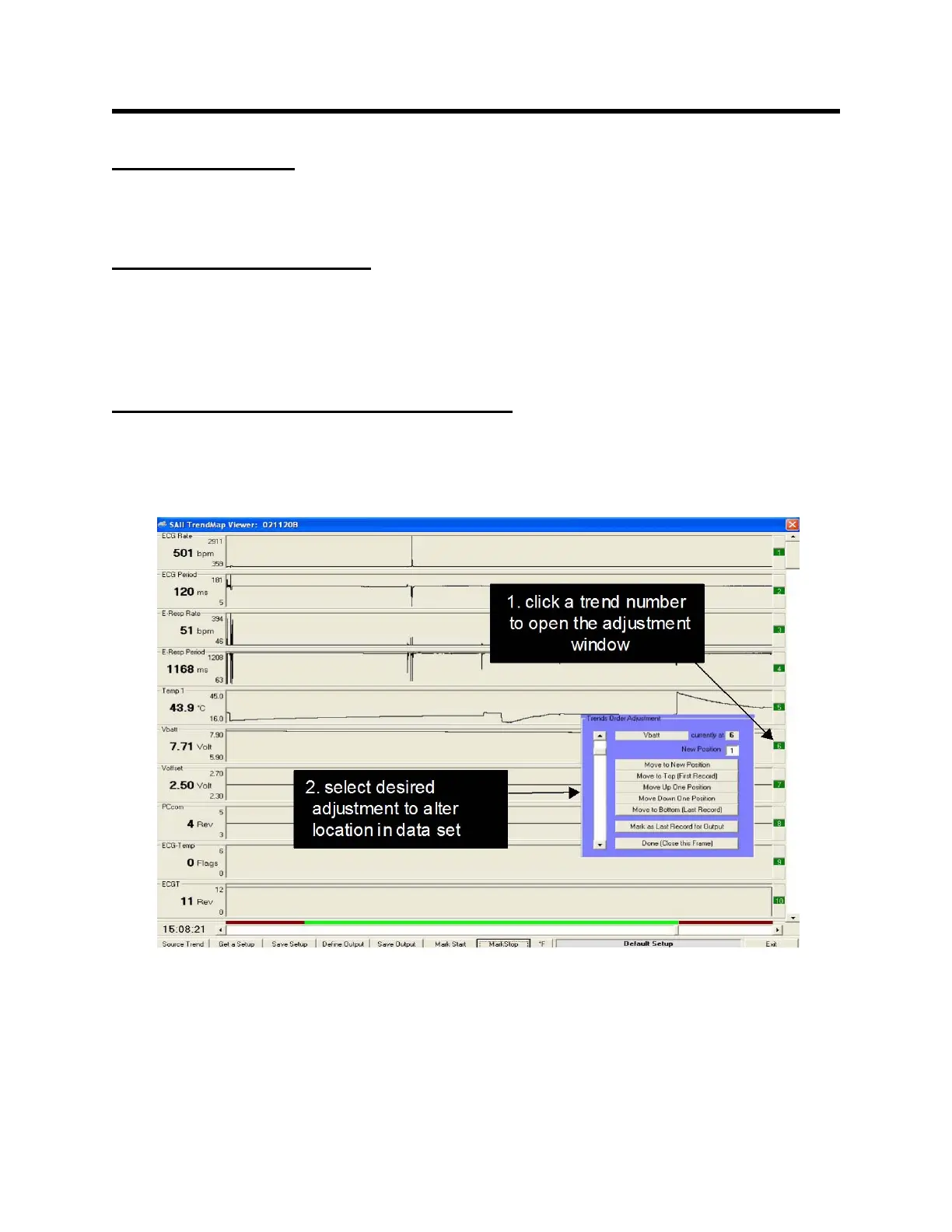
TREND ORDER ADJUSTMENT window
Clicking any trend number opens the TREND ORDER ADJUSTMENT window. The
scroll bar on the left of the window can select any trend location.
The trend selected is identified by name and current location number. Change the
location of the selected trend by entering a new position number and clicking the Move
to New Position key. Additional keys provide quick ways to move the trend up and
down in the data set.



 To Next Page