Trends
Revision C, August 2013
7-2
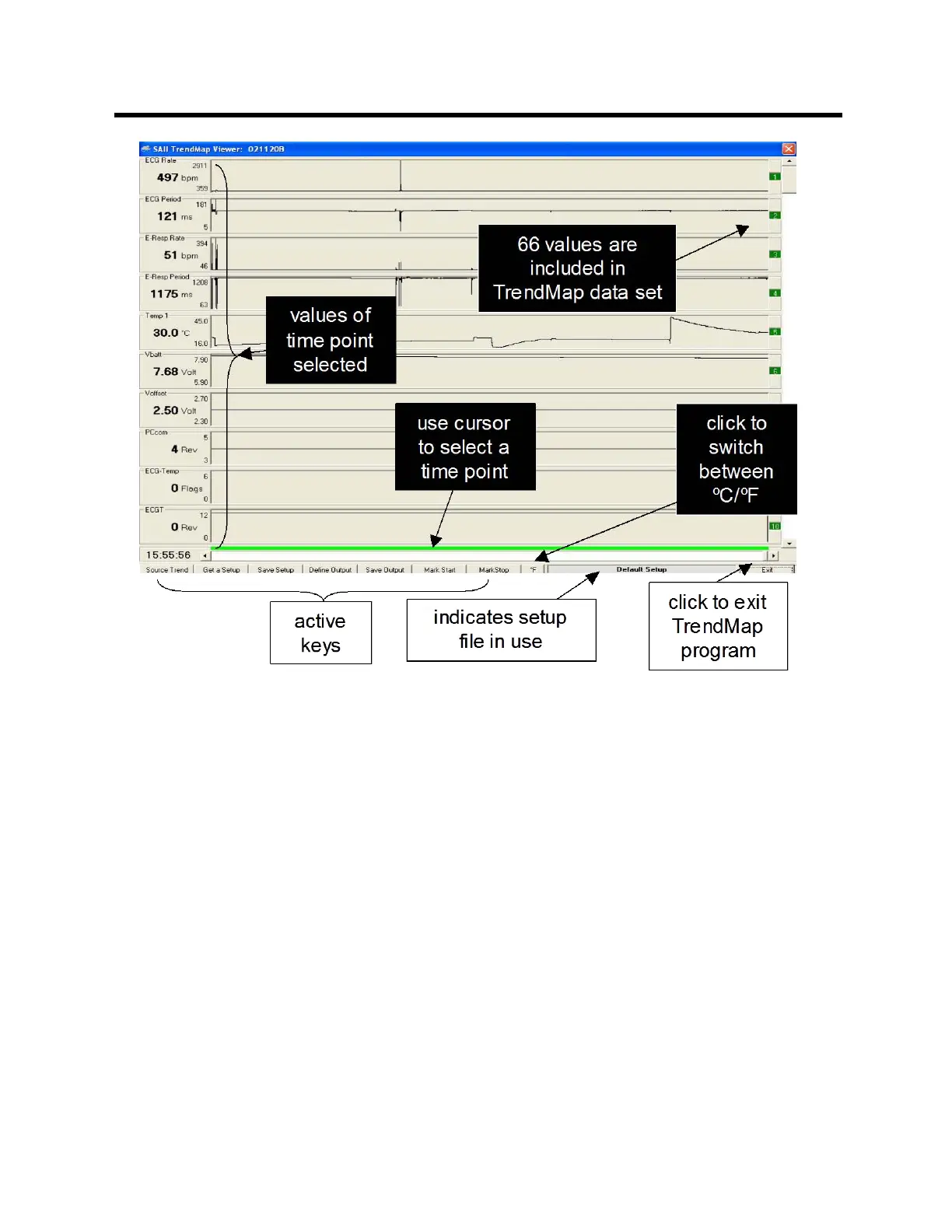
Several keys are located on the bottom of the display along with a message area. The
following keys allow the data set to be retrieved, reconfigured and exported:
Source Trend – opens a trend data file
Get a Setup – opens a setup file for display of data
Save a Setup – saves a setup file
Define Output – specifies format for the exported data file
Save Output – saves the exported data file
Mark Start – selects the start time for data to be exported
Mark Stop – selects the stop time for data to be exported
ºC/ºF – toggle units for temperature measurements
In addition to the keys, a TREND ORDER ADJUSTMENT window is available to allow
adjusting the order of trends in the data set. Click on any trend number on the right side
of the TrendMap Viewer display to obtain the TREND ORDER ADJUSTMENT window.
A window for adjusting the displayed max/min of each trend data set is opened by
clicking anywhere in the trend display



 To Next Page