Trends
Revision C, August 2013
7-4
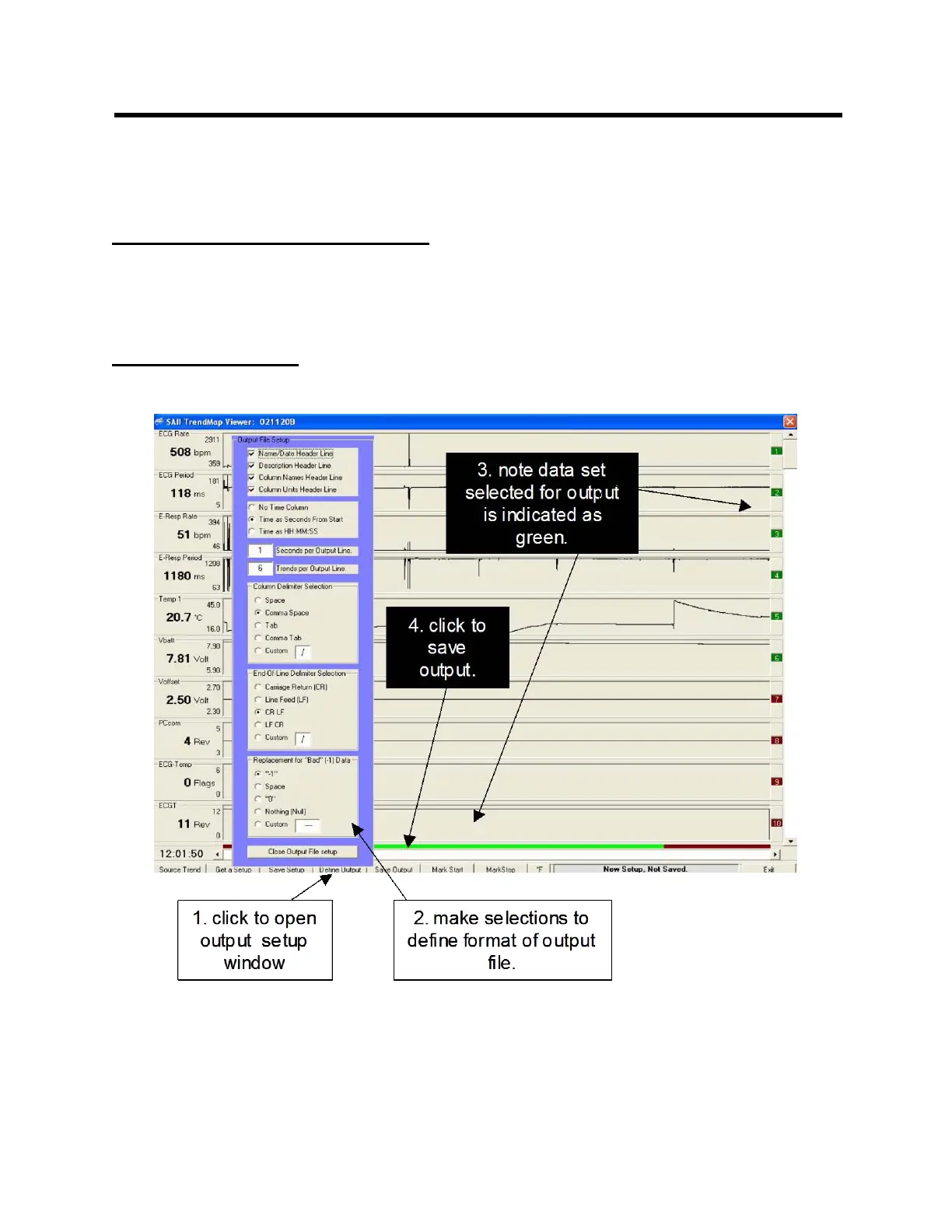
Clicking the “Mark as Last Record for Output” key defines the trends which will be
included in the exported data set. The trends to be exported (number 1 through the last
record) are indicated in green while all others are indicated in red.
Mark Start and Mark Stop keys
Mark Start and Mark Stop keys define the time portion of the exported data set. Select
the beginning and end time points with the cursor as shown and click the keys.
Define Output key



 To Next Page