PC and ERT Control/Gating Module
Revision C, August 2013
3-8
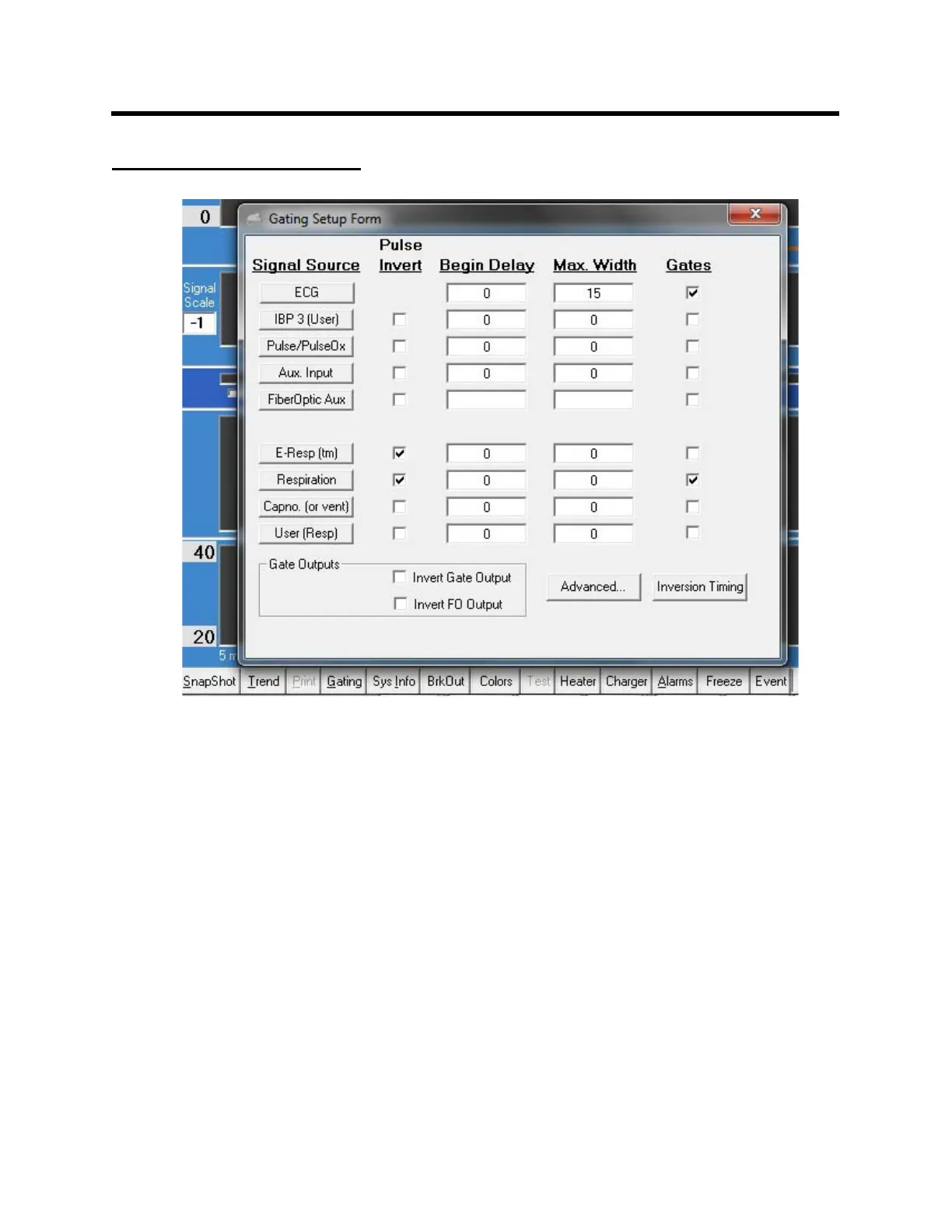
GATING SETUP window
Click the Gating key to open the GATING SETUP window. This window provides a
means to include one or more signals in the gating algorithm. In the window above,
both ECG and respiration gates must be satisfied for generation of an output gate (white
dot).
Gate width and delay can be controlled for each signal source. Delay and width entries
are in msec. A zero setting for Max Width is used to automatically determine the width
from the gate detection software.
A check in the “Pulse Invert” column inverts the gate logic. For example, the E-Resp
gate detection algorithm detects the dip in the waveform which occurs at inspiration. A
check is placed in the Pulse Invert column to switch the gate to the expiration portion of
the waveform. If desired, the expiration gate can be delayed in time or shortened in
width.
Clicking on either the Advanced or Inversion Timing keys expand the GATING SETUP
window. (Refer to Chapter 15).



 To Next Page