Mounting Page 35
Document id: 7000 108-011 A2
2.13 Desktop mounting
1) Determine where to install the R4 Display. The R4 Display can be mounted horizontally or
vertically. Make sure there is enough space around the R4 Display, see Figure 10.
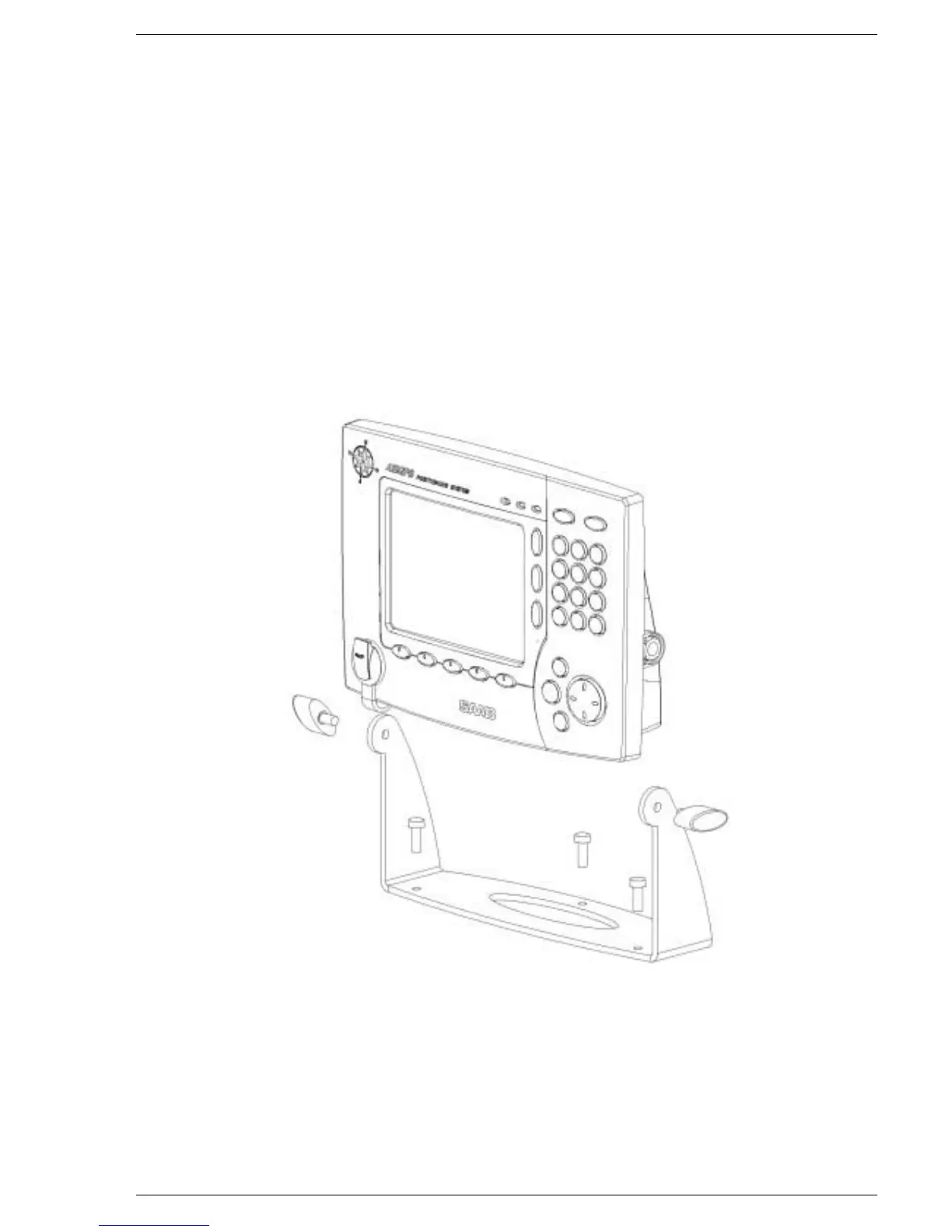
2) Fasten the bracket mount with three screws on a flat surface see Figure 9. The type of
screws has to be chosen considering the panel material. Note that the slots on the end of the
bracket mount have to face the direction in which the R4 Display is to be mounted.
3) Place the two o-rings in the grooves around the screw holes, one on each side of the R4
Display. Slide the R4 Display into the slots on the end of the bracket mount. Secure the R4
Display onto the bracket mount using the bracket locking knobs without over tightening.
4) Attach the signal cable (18 pin plug) and the power cable (3 pin socket). Note that the power
to the R4 Display must have a 2A fuse
5) Adjust the viewing angle after first loosening the bracket locking knobs. Securing the R4
Display without over tightening the bracket locking knobs.
Figure 9: Bracket mount



 To Next Page