English
10
48
10.2.2 Cleaning the Coffee Dispensing Spout
10.2.2.1 Manual Coffee Dispensing Spout Cleaning
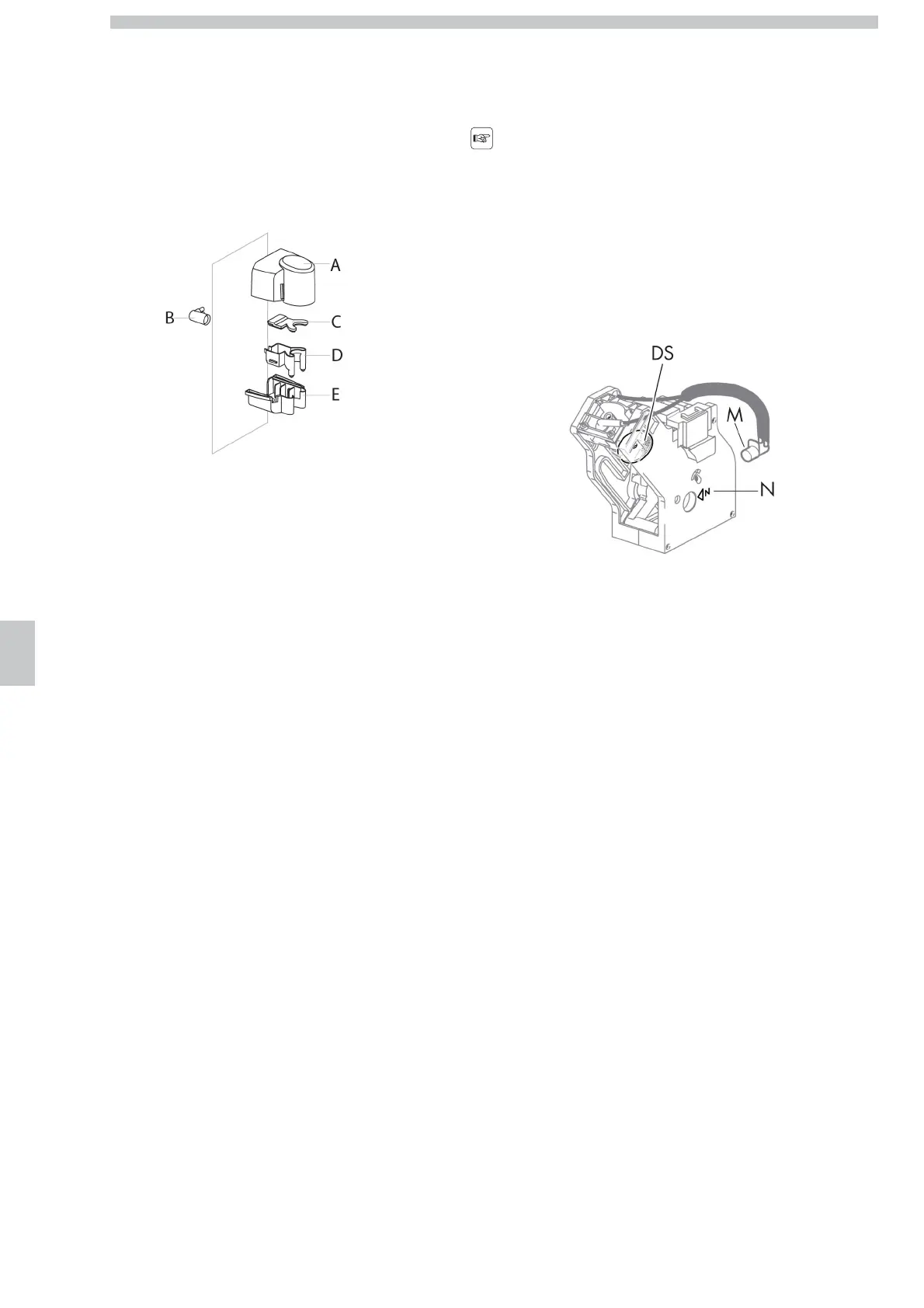
The following parts can be removed:
• the upper protection cover of the dispensing spout, by pulling it outwards;
• the lower protection cover of the dispensing spout, by unscrewing the lower knob;
• the coffee dispensing spout, by pulling it outwards;
• the coffee fitting, by turning it approx. of 90 degrees.
A upper protection cover
B coffee fitting
C-D Coffee dispensing spout
E lower protection cover
10.2.2.2 Automatic Coffee Dispensing Spout Cleaning
The procedure is explained in chapter “Description of Messages in
the Programming Menu”, option “DISPENSER RINSING”.
10.2.3 Brew group cleaning
10.2.3.1 Manual Cleaning of the Brew Group
Cleaning must be carried with no coffee
beans in the machine.
Clean the brew group periodically, using the special tablets.
• Remove the brew group by pulling the appropriate handle and
pressing the button marked by “PRESS”.
• Wash with lukewarm water.
Do not use detergents.
• Delicately scrape the upper screen with a plastic spoon.
DS Upper screen
M Handle
N Neutral position
10.2.3.2 Automatic Cleaning of the Brew Group
The procedure is explained in chapter “Description of Messages in
the Programming Menu”, option “GROUP RINSING”.




 To Next Page