21 Fan Coil FC600 Instruction Manual
2.10 STANDBY Mode
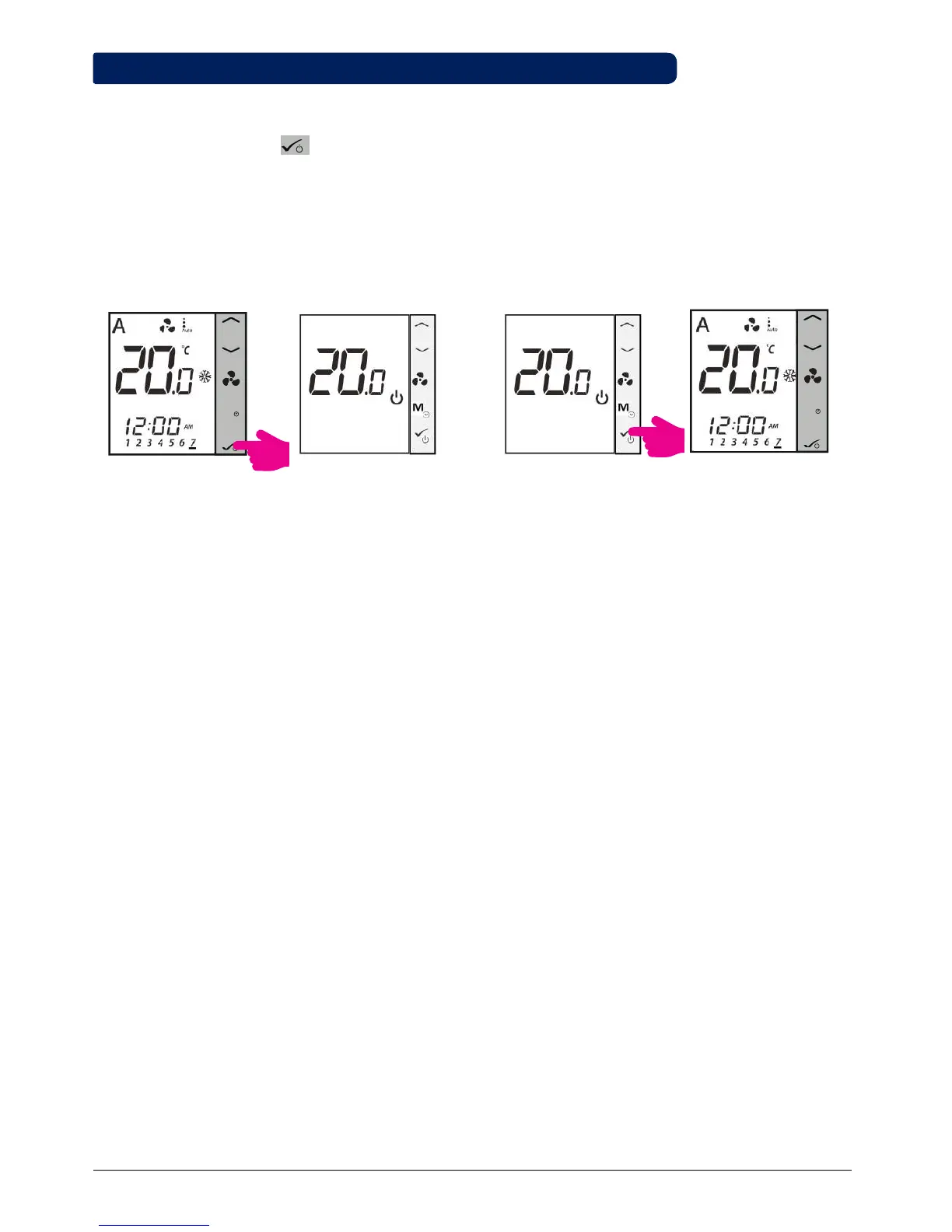
You can enter STANDBY Mode and protection setpoint will be activated. The clock continues running, as well
as the temperature sampling. Protection heating and cooling setpoints are activated. To enter STANDBY Mode,
long press the OK button on your thermostat. You can always switch back off STANDBY Mode by long
pressing the OK button. All relay outputs immediately change to OFF, regardless of the previous operating
mode (heat, cool, auto heat/cool). All your preset settings will be stored. When FC600 works in Standby mode,
the Frost Protection is running.
M
M
Enter STANDBY Mode
Exit STANDBY Mode
Press OK button for 3 seconds. Press OK button for 3 seconds.STANDBY Mode. Previous Mode.
• Note: Press any button to activate the LCD first!
3sec
3sec



 To Next Page