28 Fan Coil FC600 Instruction Manual
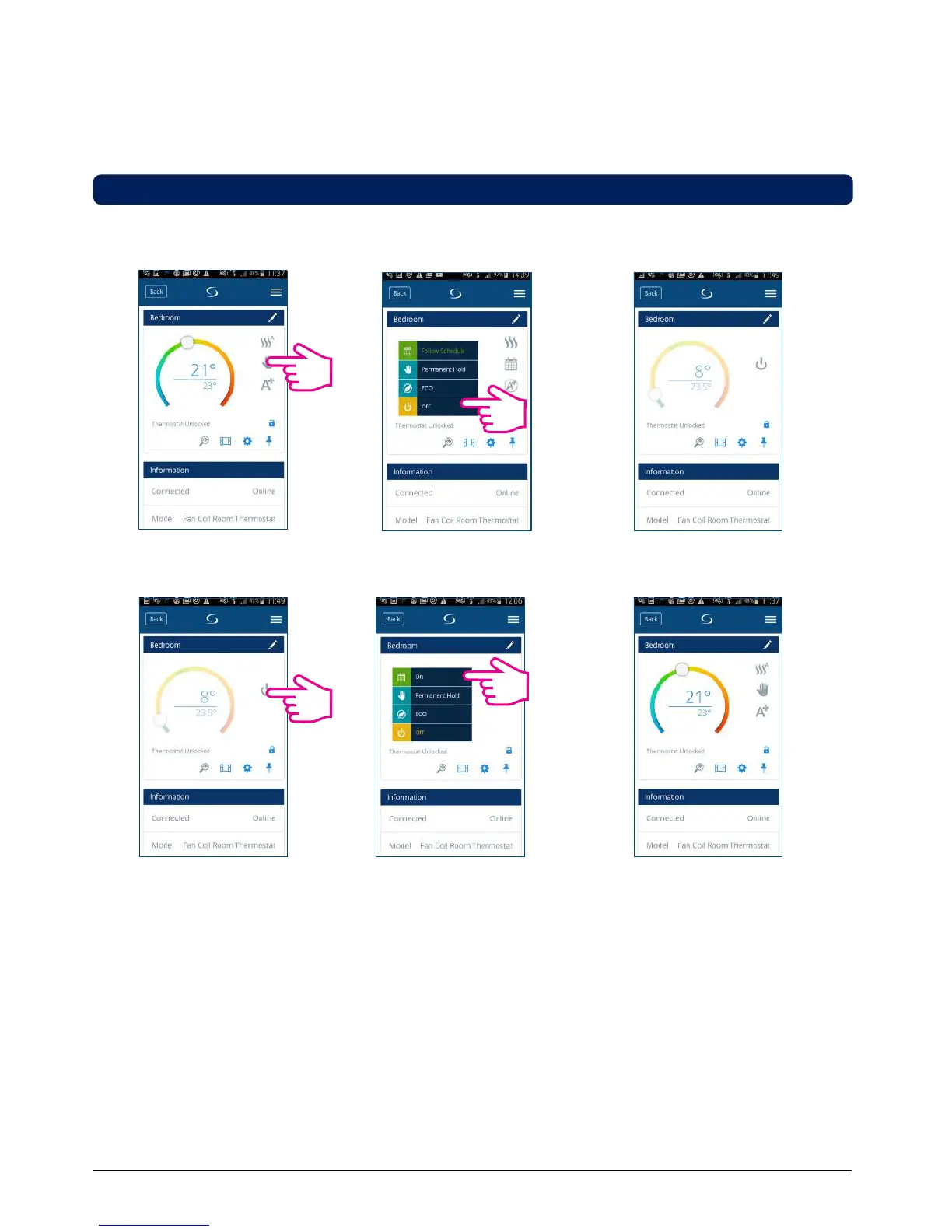
3.5. 4 STANDBY Mode
In STANDBY Mode all the outputs from the thermostat are off. It will still display the current room temperature
and the thermostat will be working in Frost Protection. When the thermostat is running in STANDBY Mode, you
cannot change the temperature set point or control the operations in any way.
Please follow the steps below.
Note: After the thermostat exits Standby Mode, all the settings will be restored.
Tap the work status icon.
The thermostat is running in
STANDBY Mode.
Select O.
Tap On/O icon. Select On. Thermostat in previous mode.



 To Next Page