29 Fan Coil FC600 Instruction Manual
3.6 Setting a schedule for the thermostat
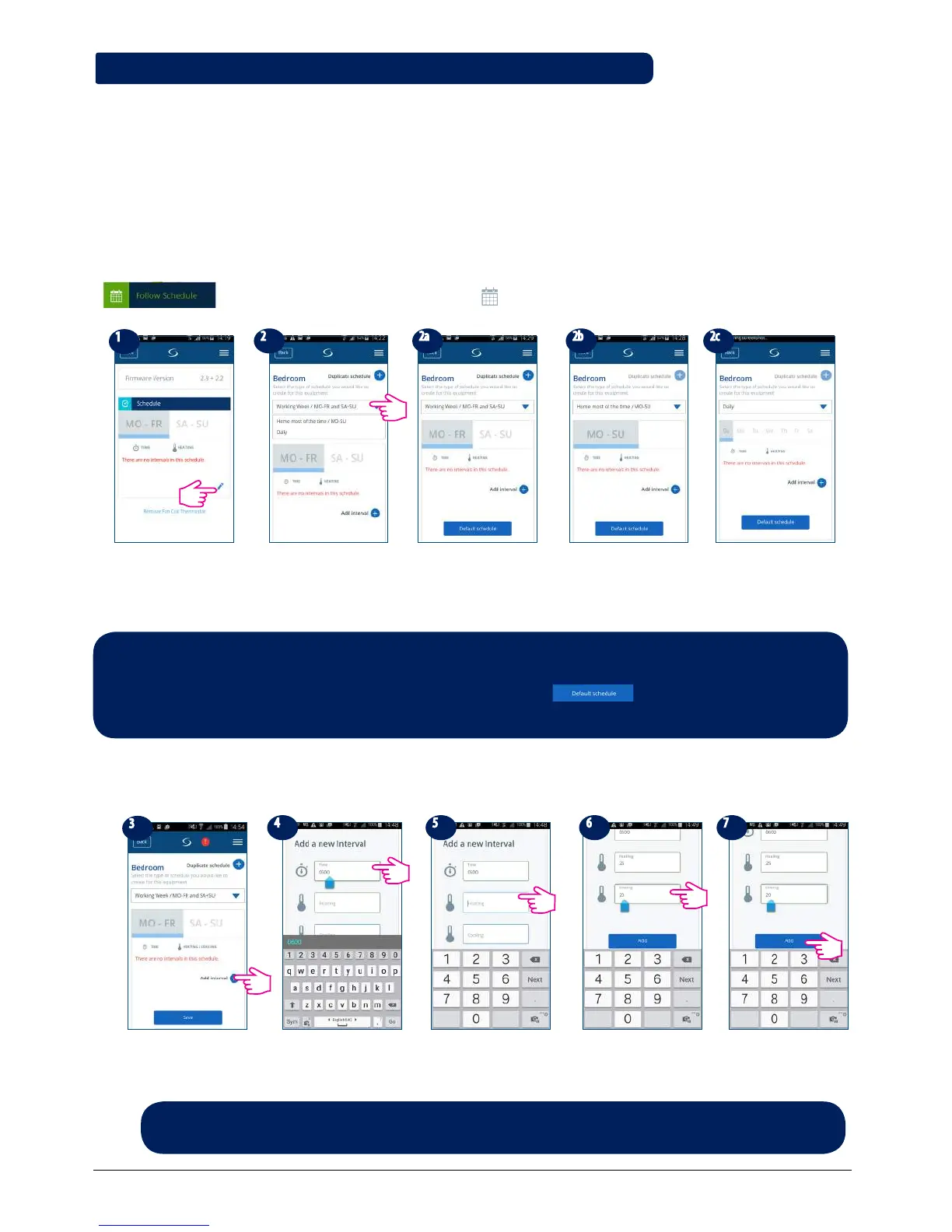
The Fan Coil gives you the possibility to set schedules for the thermostat. You can add up to 6 programs
during one day, by selecting the program's start time and temperature. You can choose from 3 different
schedule configurations:
• 5+2 (5 days same program + 2 days same program)
• Individual every week day
• All 7 days same program
Additionally, you can choose to set the Default schedules that already exist in the App, or to modify them
according to your preferences. The schedules are displayed on the bottom of screen of your App on the
selected thermostat. You can activate the schedules by pressing the Follow Schedule icon on your App.
Once activated, the calendar icon will appear on your screen.
Go to your thermostat,
scroll down and tap on
pen.
Click on arrow and a drop-
down menu with days
options will be displayed.
You can choose Mon-
Fri+Sat-Sun program
(5+2).
All 7 days same program. Individual every week
day.
To add a program to your thermostat, follow the following steps to add interval and repeat as many times as
needed.
Tap Add interval.
Add a start time.
Add temperature for
cooling.
To add interval, tap Add.
Note : Depending on your initial settings, whether you have selected or not a default schedule, the
intervals will be displayed. If you didn't choose any default schedules, there would be no time intervals
to display. You can always add default schedules by clicking the button. Default schedules
can be easily edited according to your preferences.
Add temperature for
heating.
Note: The time should be in hh:mm format and the temperature value should be a number
between 5 and 40. Decimal digits must end in 0 or 5.



 To Next Page