7 Fan Coil FC600 Instruction Manual
1 2 3 4 5 6
13
1718
16 15 14
725
24
23
22
21
20
19
12
10
11
9
8
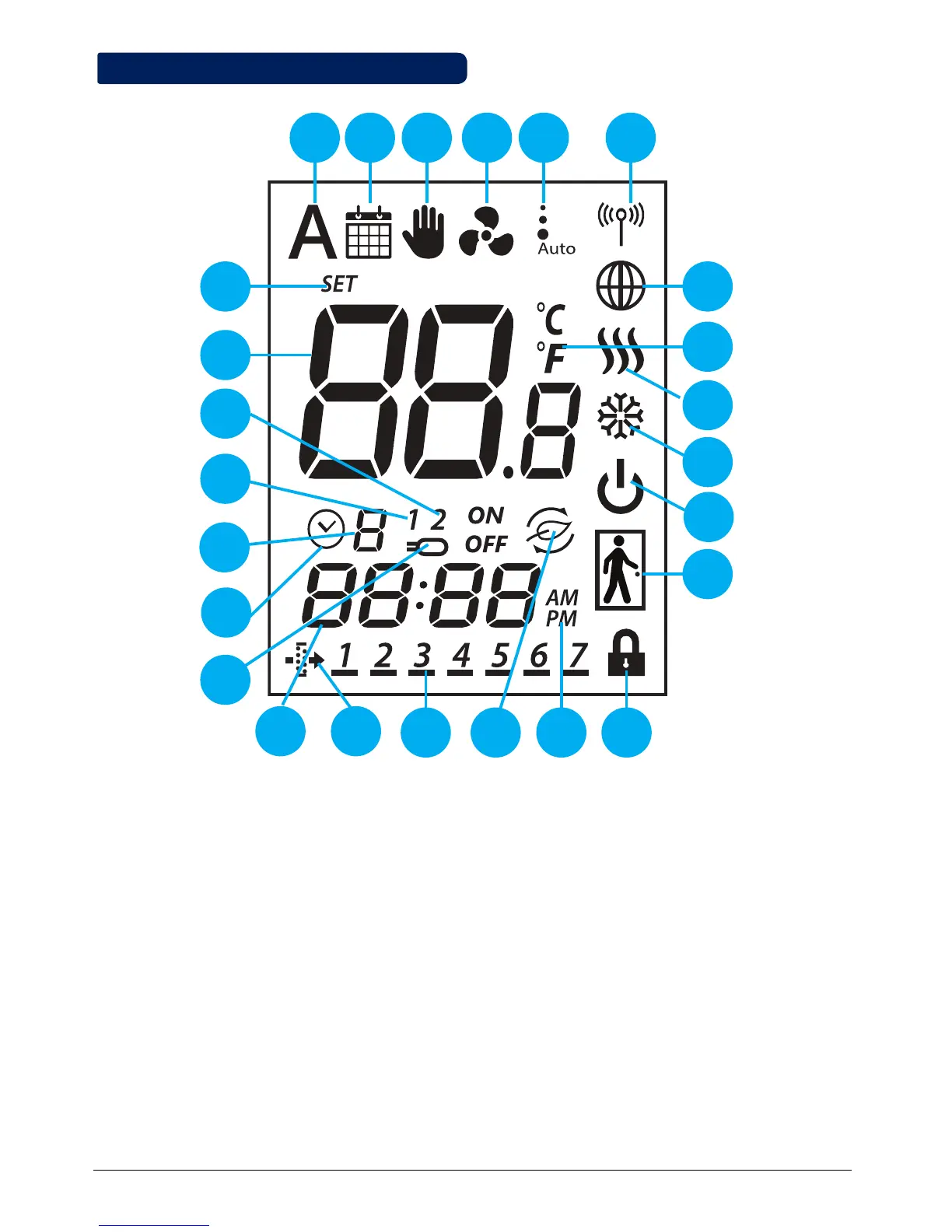
2.3 LCD Icon Description
1. Auto heat/cool selection
2. Schedule icon
3. Permanent/temporary override
4. Fan icon
5. Fan speed (low, medium, high, Auto, OFF)
6. Wireless communication icon
7. Glob icon
8. Temperature unit
9. Heating Mode ON
10. Cooling Mode ON
11. STANDBY mode
12. Occupancy/vacancy sensor
13. Lock function
14. AM/PM
15. Eco Mode
16. Day Indicator
17. Filter icon
18. Current time
19. Sensor indicators
20. Timer icon
21. Program number
22. S1/COM Sensor indicators
23. S2/COM Sensor indicators
24. Room/set point temperature
25. Set point temperature indicator



 To Next Page