19 Fan Coil FC600 Instruction Manual
Frost Protection is a function that prevents pipes from freezing. Auto Frost Protection is always on and it is set
to 5⁰C. In Frost Protection all outputs are Off. Frost protection is active during the Standby mode as well.
2.9.1 Frost Protection
M
Long Press to enter STANDBY/
Frost Protection Mode.
M
Thermostat in STANDBY/Frost
Protection Mode.
M
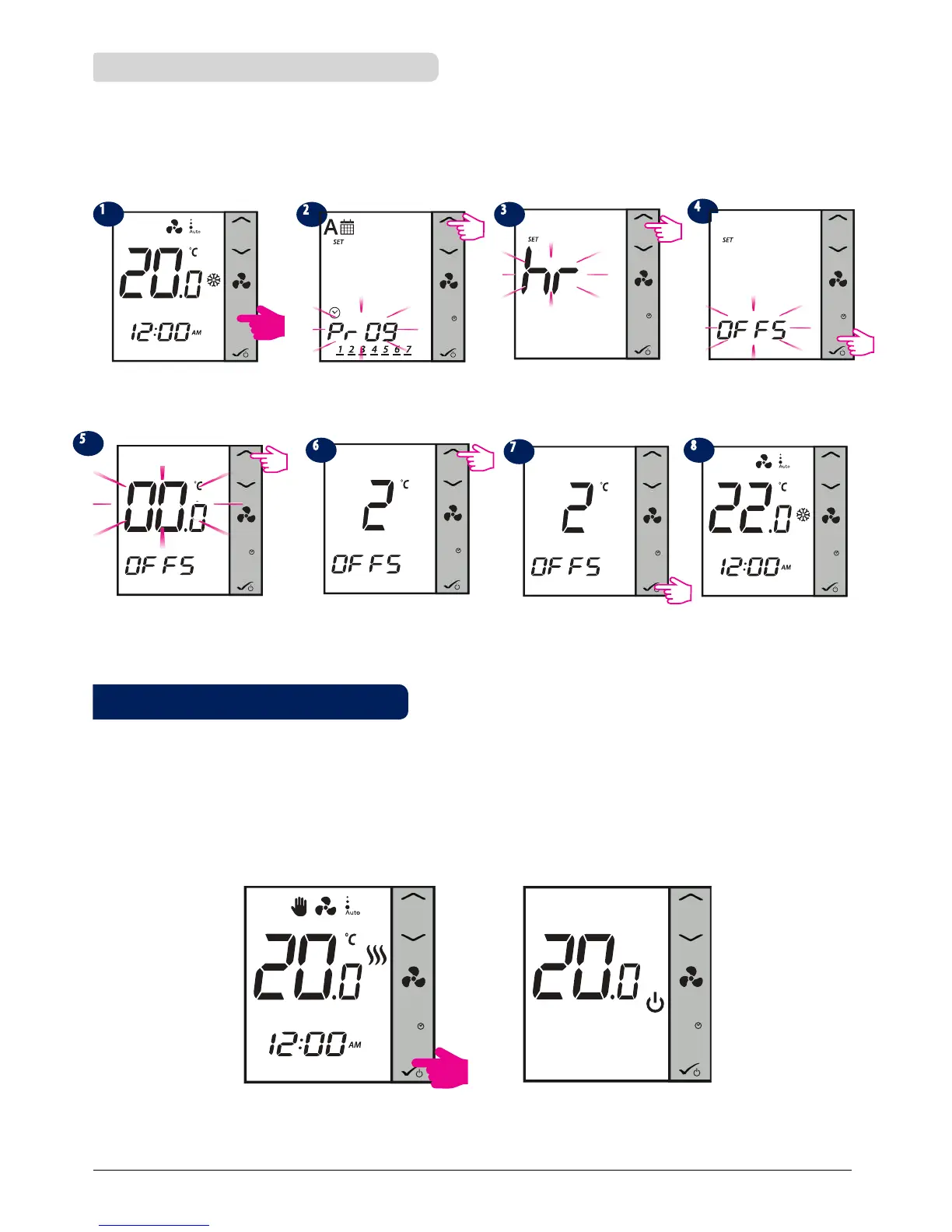
Temperature Offset is a feature that lets you adjust the room temperature reading +/- 3.0⁰C in 0.5 ⁰C steps.
This is handy if your thermostat is located in a spot with a slightly different temperature than the overall room
temperature. You can access the offset also by pressing the Mode button. Note: Press any button to activate
the LCD first!
M
Press Mode Button for 3
seconds.
Program menu will be
displayed. Press Up arrow.
Clock menu will be displayed.
Press Up arrow.
Oset menu will be displayed.
Press OK.
Use Up/Down arrows to set an
oset range.
Use Up/Down arrows to set an
oset range.
Press OK to conrm and exist to
home screen.
M
Home screen with new
oset temperature display.
2.9 Other Functions
2.8.3 Offset Function
3sec
3sec
M
M
M
M
M



 To Next Page