47 Fan Coil FC600 Instruction Manual
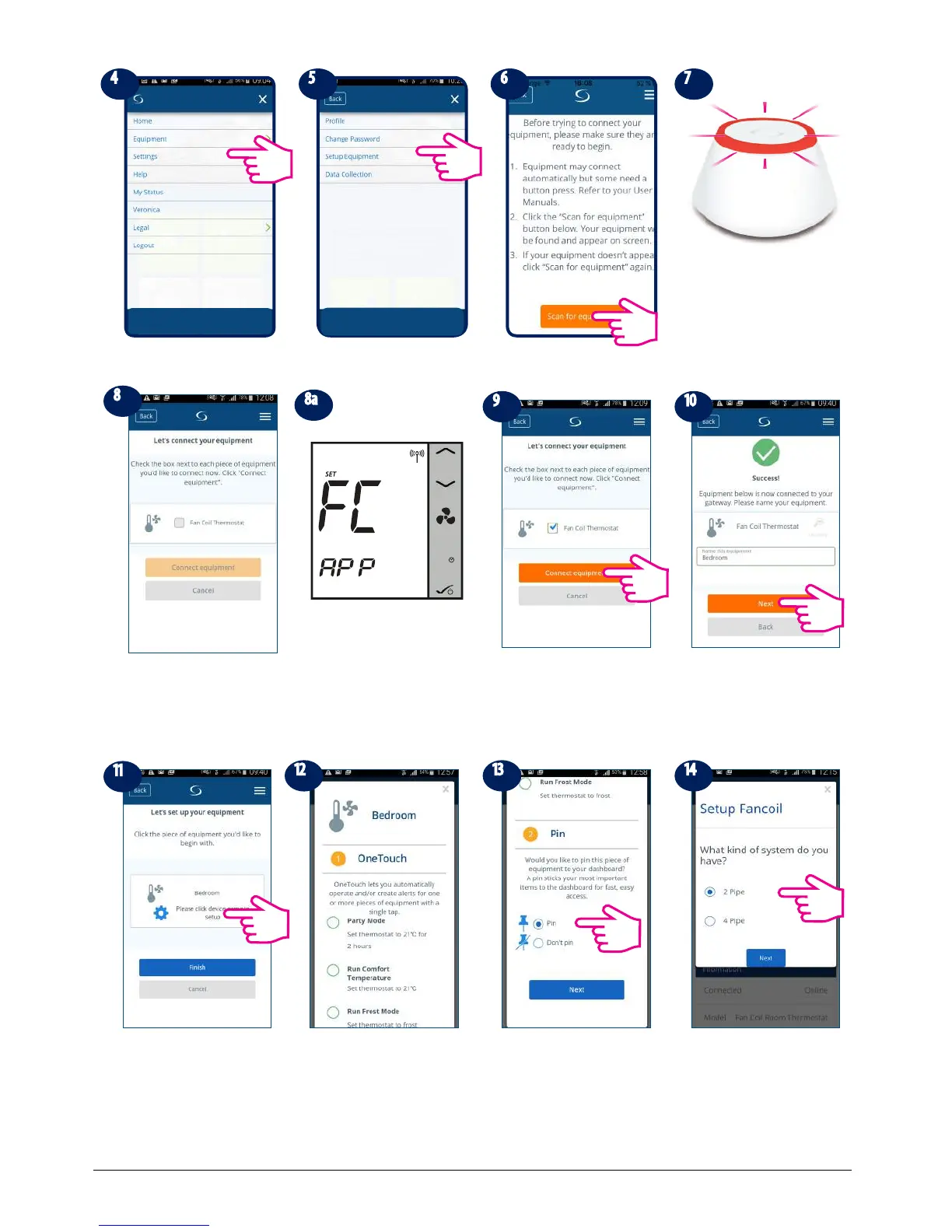
Tap settings Tap Setup Equipment Tap Scan for equipment
When new equipment is
being added, the UG should
ash red .
The Fan Coil should appear
on screen.
Select device and tap
connect equipment.
Rename your device and
tap Next.
Now, set your Fan Coil
accordingly to your system
You can choose the
OneTouch now or later. For
more info on one Touch,
please check p 35. This will
NOT inuence your settings.
Scroll down and choose
to pin the Fan Coil to your
dashboard. Tap Next
Select your type of system
- 2 or 4 pipe conguration
and then tap Next to go to
the next step.
M
The Fan Coil will go automatically
into FC App screen.



 To Next Page