CHAPTER 5
45
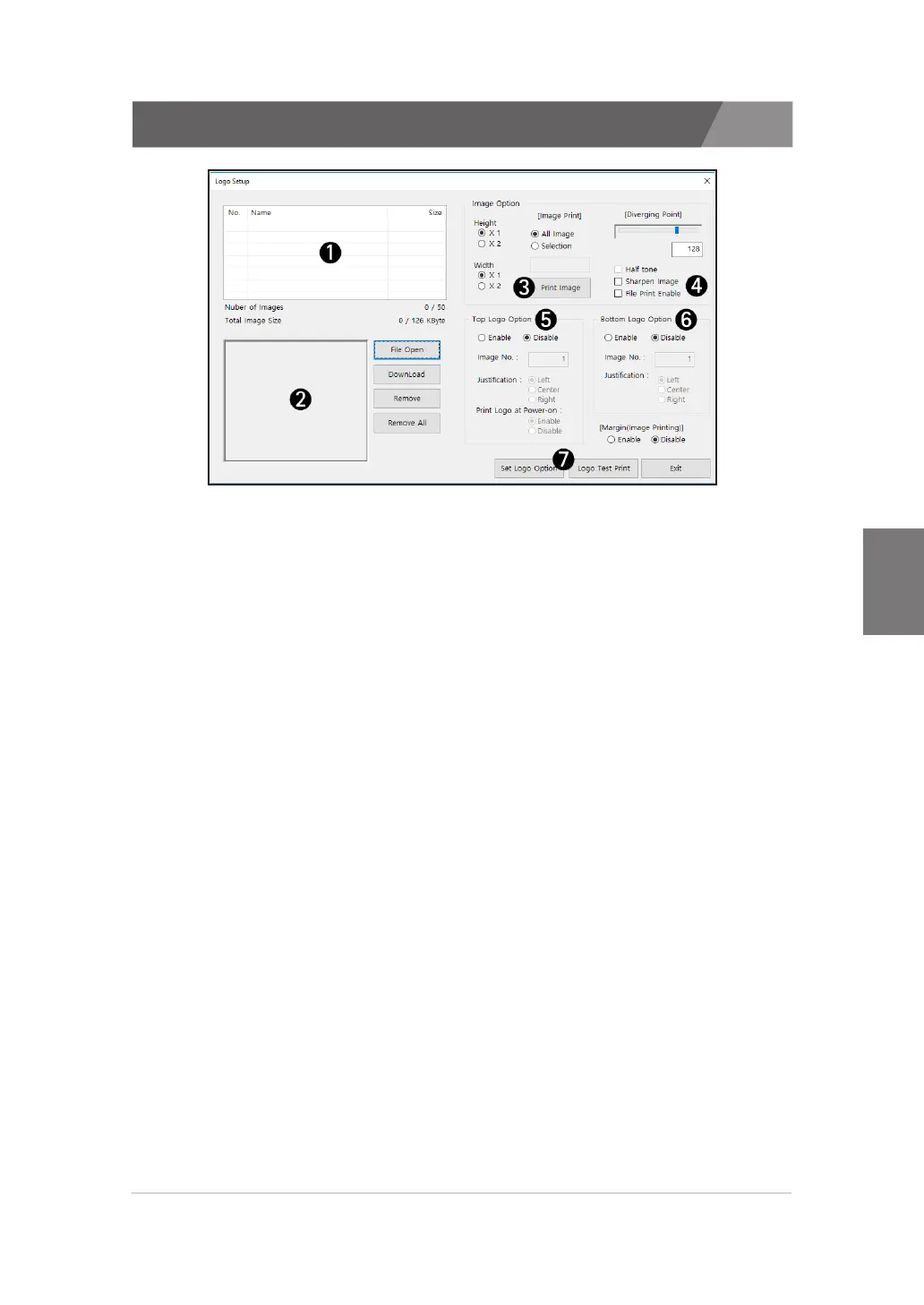
5.7.1. Advanced Settings (Logo Setup)
A description of the logo settings follows.
1) List of images
>>
When you add an image, the file name appears in the list. Afterwards, you can save
the image to the printer by clicking the 'DownLoad' button.
2) Preview
>>
You can see the images added to the list. Changes made in the dithering options are
not show.
3) Print Image
>>
You can print image stored in the printer by doubling the width or height.
4) Dithering options
>>
You can set the Contrast, Half tone and sharpen options.
5) Top Logo Options
>>
You can set the image and justification of the top logo.
6) Bottom Logo Options
>>
You can set the image and justification of the bottom logo.
7) Set Logo Option / Logo Test Print
>>
After setting the above options, click the 'Set Logo Options' button to complete the
setup. and, To test what has been set up, click the 'Logo Test Print' button.



 To Next Page