CHAPTER 5
47
5.7.3. Advanced Settings (User Setup-Printing)
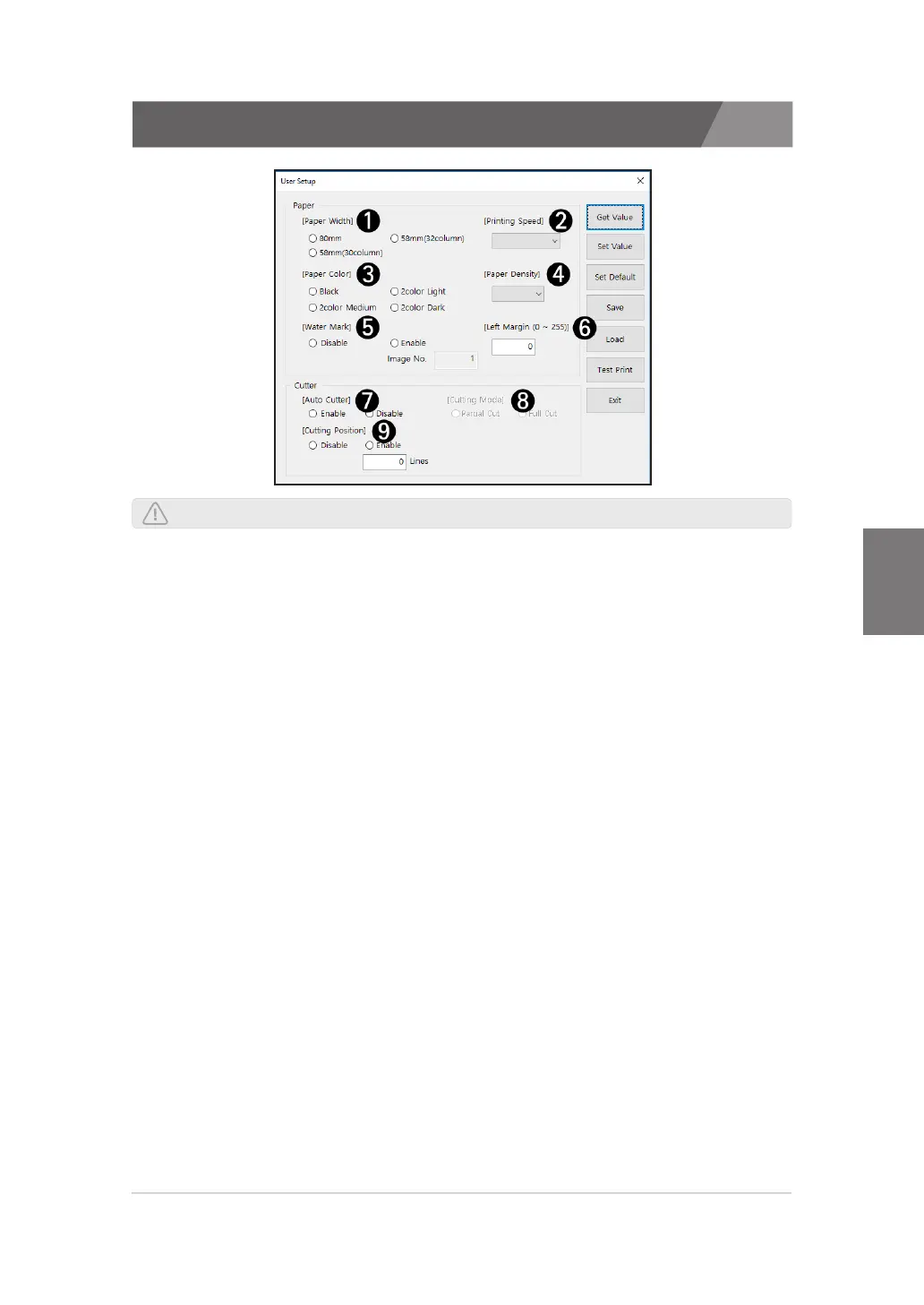
A description of the print items in the user settings is as follows.
1) Paper Width
>>
You can select 3inch mode(80mm) or 2inch mode(58mm).
2) Printing Speed
>>
You can select Printing Speed.
3) Paper Color
>>
You can select Paper Color. - Black or 2 color.
4) Density
>>
You can select the paper density. The default value is LV 2, The highest values is LV 4.
5) Water Mark
>>
You can select the water mark. This applies only to font printing, and the watermark
setting is ignored when printing images.
You can not set the Water Mark function when Two Color mode is set.
6) Left Margin
>>
You can set the left margin. Up to 255 characters can be specified. (Only ELLIX40 is
up to 512) It is the same as the value of 12 per one alphanumeric characters. It is the
same as the value of 24 characters per korean / Chinese characters.
7) Auto Cutter
>>
You can select 'Auto Cut' - enabled or disabled.
8) Cutting Mode
>>
You can select Cutting mode - Full cut or partial cut.
9) Cutting Position
>>
You can set the action that the paper is cut after it is fed by the value entered in the 'Lines'.
NOTE : Printing speed may be slow depending on paper width, type and density.


 To Next Page
 Loading...







