3. Installation and Operation
SAM4S ER-350 SERIES 3-3
3-1 System Configuration
3-1-3 Drawer Installation
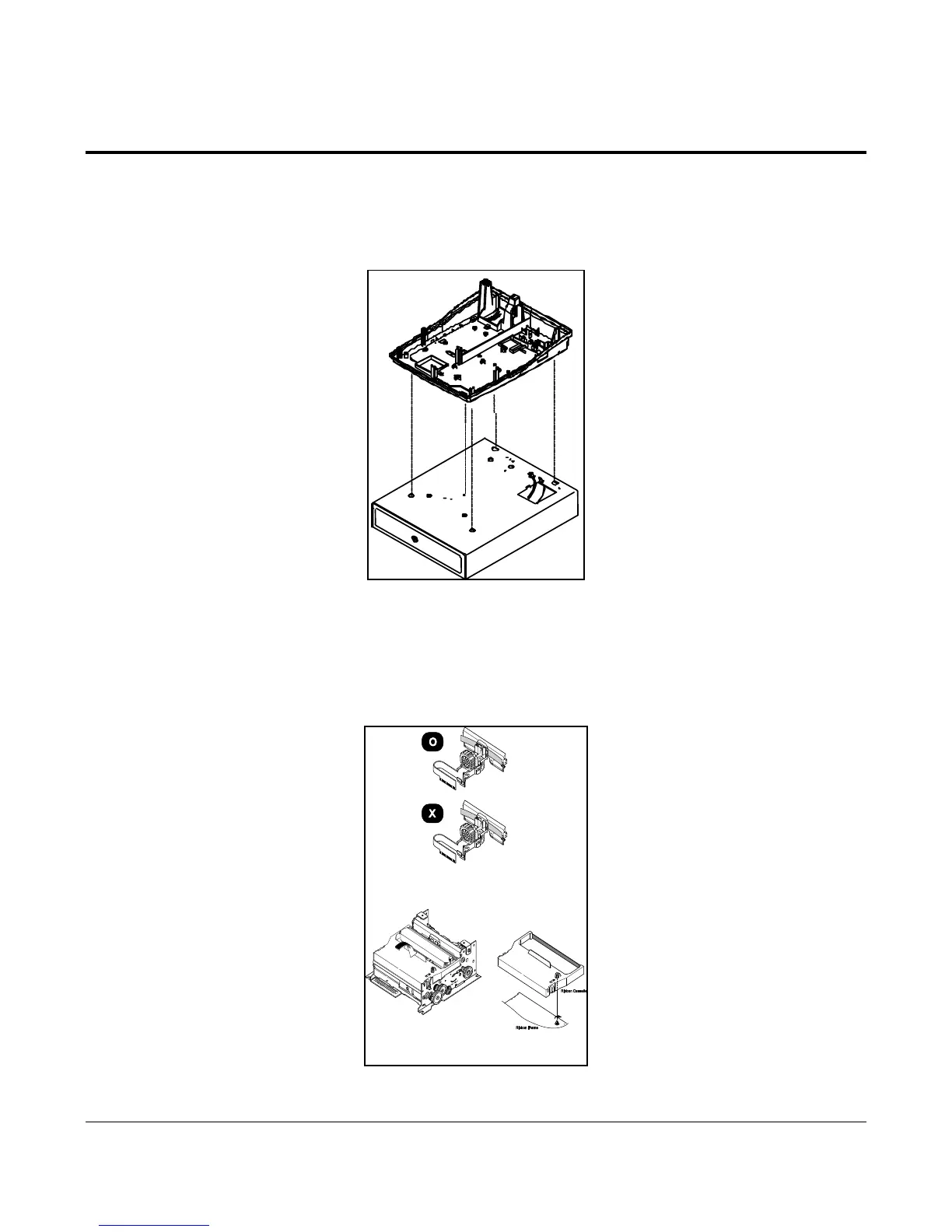
1. Position the Lower Case on top of the Drawer as shown in Figure 3-5.
2. Tighten the screw that secures the Drawer and Lower Case together. Refer to the Exploded Diagram for other
parts of the ECR.
Figure 3-5. Drawer Installation
1. Before inserting the ribbon cassette, turn the knob (see Figure 3-6) counterclockwise to prevent twisting
the ribbon.
2. Insert the ribbon cassette as shown in Figure 3-6.
Pay particular attention to the placement of the ribbon the Print Head.
3. After inserting the ribbon cassette, turn the knob counterclockwise again to make sure the ribbon
moves freely in the cassette.
Figure 3-6. Ribbon Cassette



 To Next Page