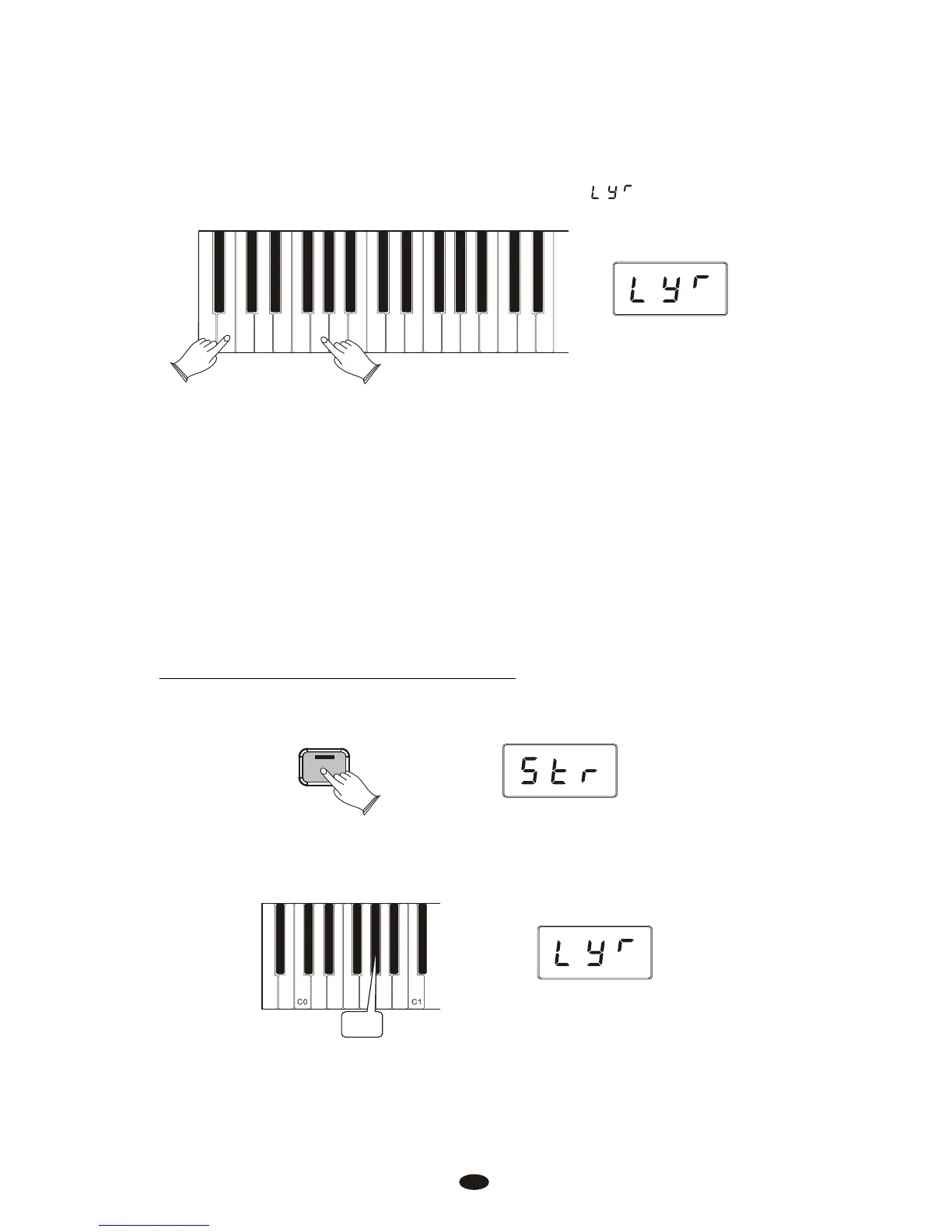
While continuing to hold the first Voice Select key, press a second Voice Select key.
This will select the Layer Voice.
While both keys are held down the display will show:
Upright Bass
Strings
Harpsichord
Church Organ
Bright Piano
Grand Piano
FM Electric Piano 2
Vintage Electric Piano 1
This piano is now in Layer Mode. Both the Main and Layer Voices will sound
when keys are pressed.(In the example illustration, Bright Piano is the Main
Voice (because it is selected first), and Strings is the Layer Voice (because it is
selected second).
If the Data Control knob is used to change voices while in Layer Mode, it will
affect the Layer Voice only. The Main Voice (original voice) will stay the same
until Layer Mode is turned off again.
Please note that polyphony may be reduced while Layer Mode is in use.
To Adjust the Volume of the Layer Voice:
Press the [Voice/Function] button to enter Edit Mode.
Voice / -
Function
Press the Layer Volume key (Ab0).
Ab0
17



 To Next Page