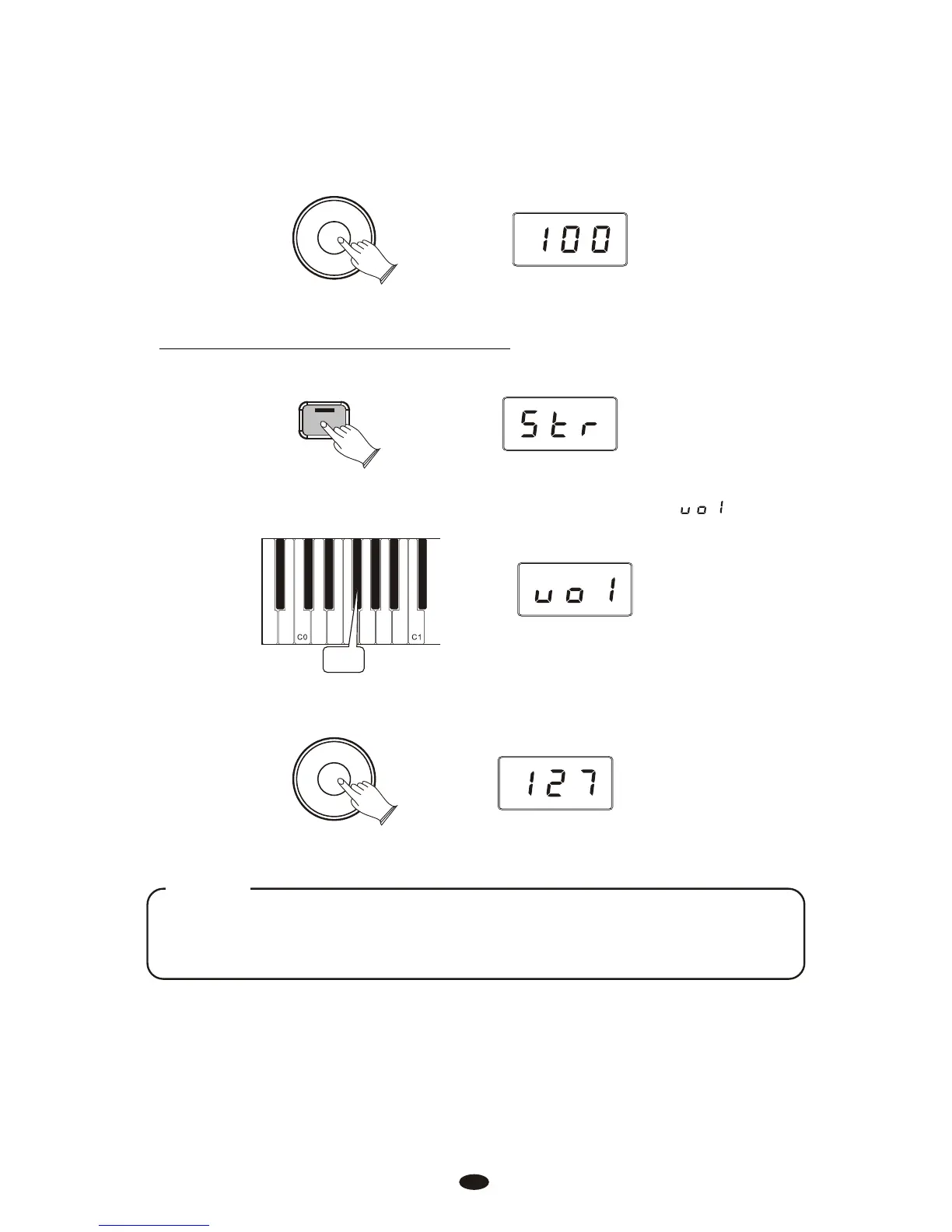
To Adjust the Volume of the Main Voice:
Use the Data Control knob to select a Layer Voice volume level between 0
(minimum) and 127 (maximum). You can play as you do this to hear the volume
change.
Data Control
[Assignable]
Press the [Voice/Function] button to enter Edit Mode.
Voice / -
Function
Press the Voice Volume key (F#0).The LED display will show:
F#0
NOTE
If Split Mode is engaged and Layer Mode is selected, the Layer Voice will only
be applied to the keys to the right of the split point. The Left Hand Voice will
remain the same as was specified for Split Mode.
Note to MIDI Users:
The Main Voice will be transmitted on the selected Main MIDI Transmit Channel. The
Layer Voice will be played on the selected MIDI Transmit Channel +2. So if the Main
Voice is transmitting on MIDI channel 1, the Layer Voice will be transmitted on MIDI
channel 3. For information on setting the Main MIDI Transmit Channel, please read
the section entitled Main MIDI Transmit Channel in the MIDI Functions portion of
this User Guide.
18
Use the Data Control knob to adjust the Voice volume.
Data Control
[Assignable]



 To Next Page