6 Operation
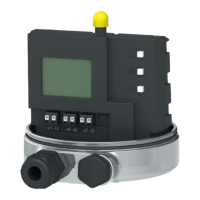
Three capacitive keys and a LCD are used to
operate the positioner.
To adapt the air capacity, the volume restric-
tion must be adjusted (section 7.2).
6.1 Operator controls
Press or to select parameter codes
(
P0
to
P20
). Press to confirm the se-
lected code.
NOTICE
Any parameter code settings that have been
changed are first saved in a non-volatile
memory after the display has returned to the
display with status indication. Go to Code
P0 by pressing or or wait three min-
utes until the display returns automatically.
The icon on the display indicates that the
changed parameter settings have not yet
been saved in the non-volatile memory.
Note: After changing settings in parameter
codes P2, P3, P4, P8 and P9, the positioner
must be re-initialized.
32 EB 8394 EN
Operation
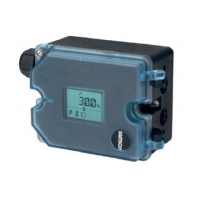
Fig. 16 · Capacitive keys and display
Confirm
Up
Down
Fail-safe position active
Parameter/error code
Unit
Bar graph for system deviation
Fault
Closed-loop operation
Settings not yet saved in a
non-volatile memory
Manual mode
Operation locked


 To Next Page
 Loading...