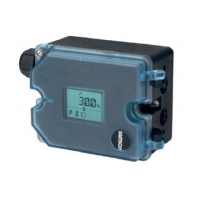
Display after connecting the electrical sig-
nal
The fault indication icon and S (fail-safe
position) appear on the display when the
positioner has not yet been initialized. The
reading indicates the lever positioner in de-
grees relative to the longitudinal axis.
4
Code 0 appears on the display after con-
necting the electrical signal to an initial-
ized positioner. The positioner goes to
the last active operating mode.
7.1 Enabling configuration
Note: Before changing parameter settings,
configuration must be enabled first by select-
ing Code P19.
If no settings are entered within three
minutes, the enabled configuration function
becomes invalid.
Press or until Code
P19
appears.
Press to confirm selected code.
P19
blinks.
Press until OPEN appears on the display.
Press to confirm unlocking.
WARNING!
During start-up the actuator stem moves.
Do not touch the actuator stem or obstruct it
to avoid risk of injury to hands or fingers.
If the left or right outer bar element blinks
(reading > 30°), the permissible angle of ro-
tation has been exceeded.
The positioner goes to the fail-safe position
(SAFE).
Make sure that the lever and pin position
match the details as described in section 4.
Note: The positioner has a function to moni-
tor the working range.
If the lever moves too close to the mechani-
cal stops (risk of mechanical damage), the
positioner vents the actuator and the valve
moves to its fail-safe position (S displayed
together with error code E8).
In this case, check the positioner attachment.
Reset the displayed error code by selecting
RST (see section 7.12).
34 EB 8394 EN
Start-up – Settings


 To Next Page
 Loading...