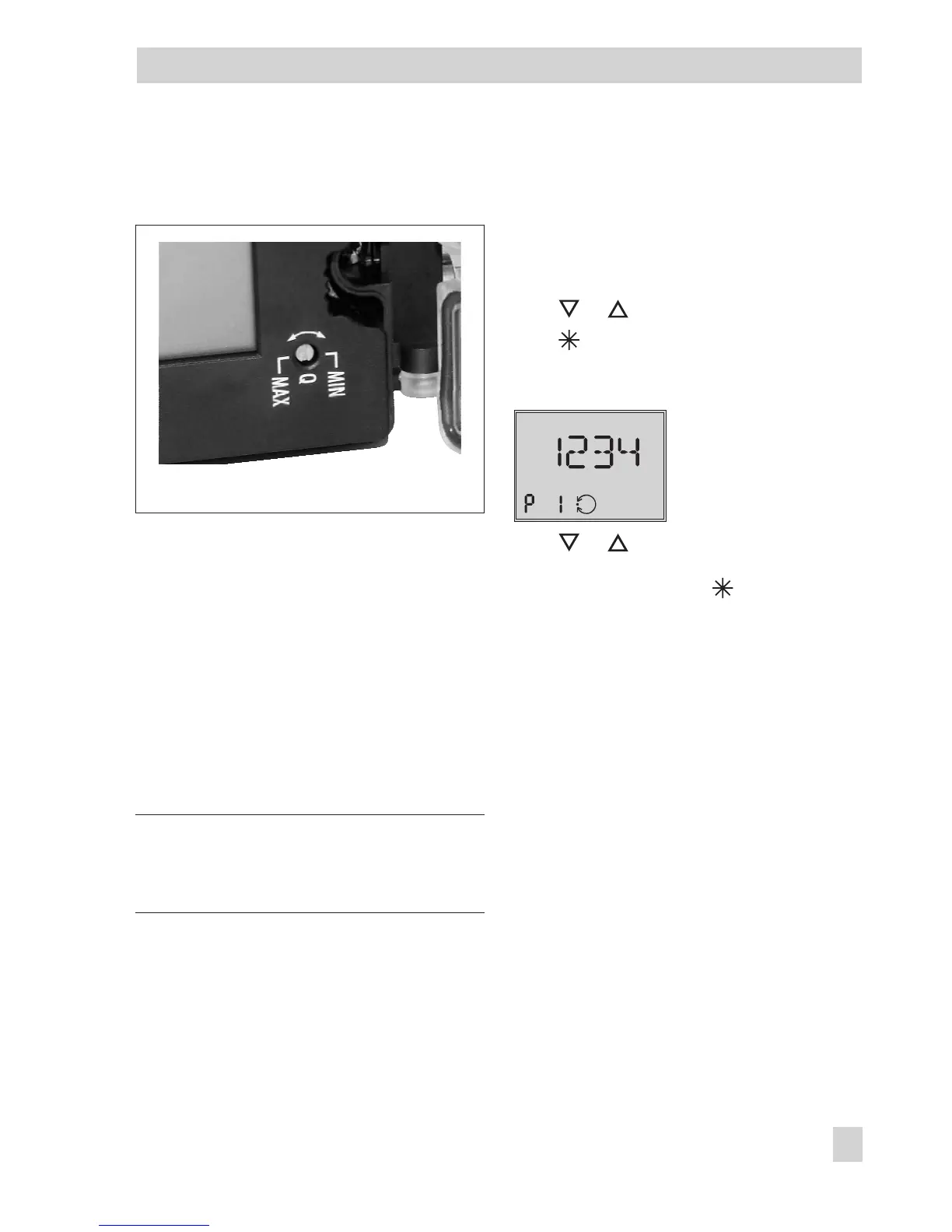
7.2 Setting the volume restriction
Q
The volume restriction Q is used to adapt the
air delivery to the size of the actuator:
4
Actuators with a transit time < 1 s, e.g.
linear actuators with an effective area
smaller than 240 cm², require a re-
stricted air flow rate (MIN setting).
4
Actuators with a transit time
³
1 s do not
require the air flow rate to be restricted
(MAX setting).
Intermediate settings are not permitted.
Note: The positioner needs to be initialized
again after the position of the restriction has
been changed.
7.3 Adapting the display
The data representation on the positioner
display can be turned by 180°.
If the displayed data appear upside down,
proceed as follows:
Press or until Code
P1
appears.
Press to confirm the selected code.
P1
blinks.
Reading direction for right
attachment of pneumatic
connections
Press or until the display is adjusted
to the desired direction, then confirm read-
ing direction by pressing .
EB 8394 EN 35
Start-up – Settings
Fig. 17 · Volume restriction Q
MAX/MIN setting











 To Next Page