Troubleshooting
Samsung Electronics 4-37
4-4-4 Troubleshooting for inspected items
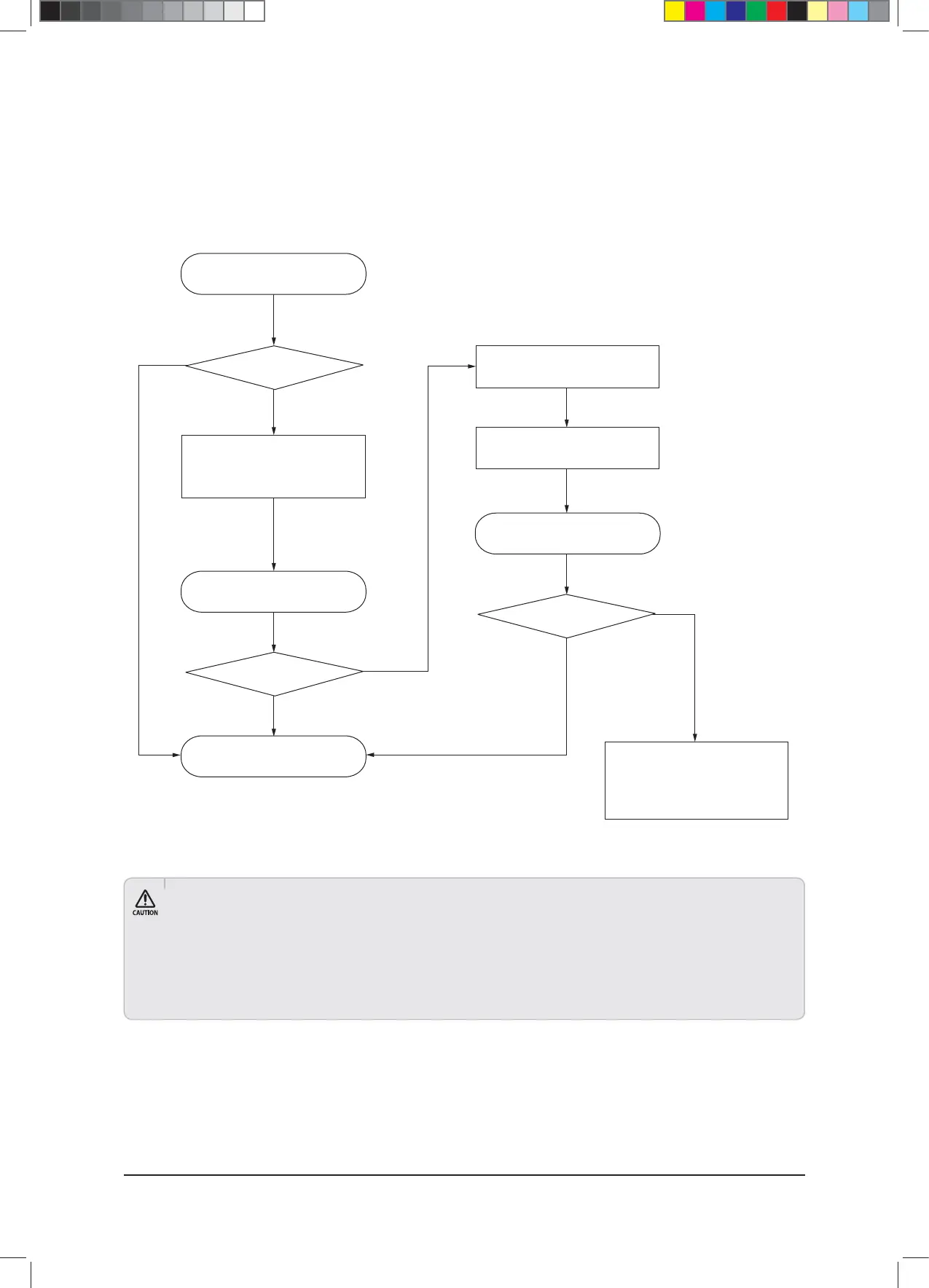
■ Troubleshooting flowchart for inspection diagnosis
● Inspections are made assuming that the auto inspection mode is operating in a stable condition.
●*GUIFSFTVMUJTi6ODPOmSNFEwUIJTNFBOTBOFWBMVBUJPOXBTOPUQFSGPSNFEBDDPSEJOHUPUIFDZDMFDPOEJUJPOTPSUIBUJUIBTFYDFFEFE
the normal evaluation standard (does not signify malfunction).
● If inspection requirements occur from the auto inspect mode, please check that it has done so within the guaranteed temperature range.
● Errors and inspection requirements may occur even if the installation location and conditions of the system are met. Therefore, if errors
or inspection requirements occur, please determine if there are any faults after running cycle operation data analyses and various sensor
inspections.
Yes
Yes
Yes
No
No
No
Start auto inspect mode
Is there an error/
inspected item?
Re-run auto inspect mode
- System reset & test-run
Test run data analysis
and handle problem
Re-run auto inspect mode
Resolve error/
inspected item
Send “auto inspect data” &
“test-run data” to head office or
corporate body
(Samsung Distributor)
- Resolve error/
inspected item
End (issue result report)
Check cycle operation
condition (air-kit back up data)
and handle problem
$9;&6+B$BaLQGG



 To Next Page