Troubleshooting
Samsung Electronics 4-5
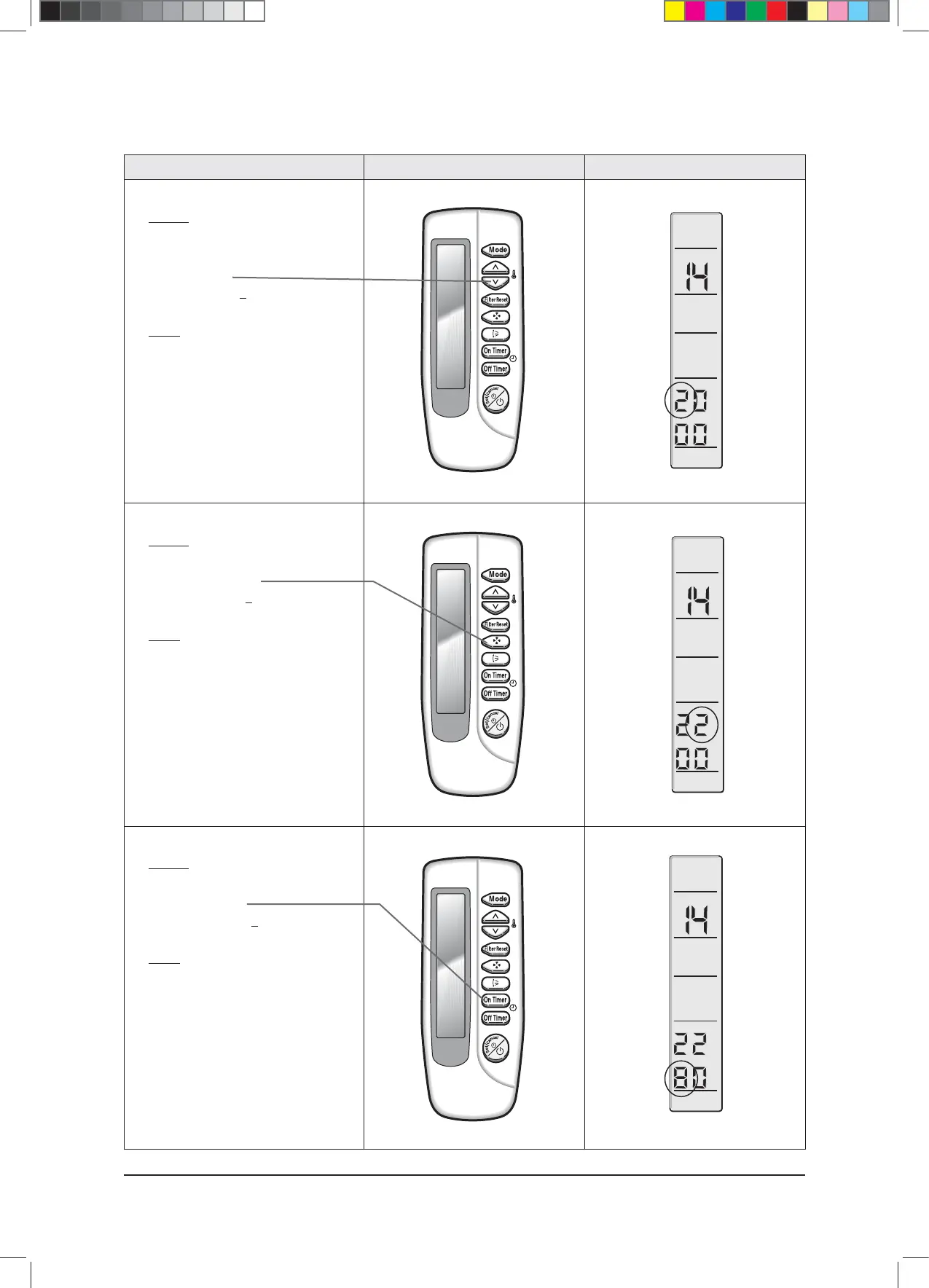
Operation method Applicable button Indicating state
✳ Step 10
✳ Method)
✳ Input the ninth digit by pressing the
temperature adjustment
button(down).
example) 021E31142285
✳ Result)
✳ If 2 displays, go to step 11.
✳ Step 11
✳ Method)
✳ Input the tenth digit by pressing fan speed
adjustment button.
example) 021E31142285
✳ Result)
✳ If 2 displays, go to step 12.
✳ Step 12
✳ Method)
✳ Input the 11st digit by pressing the
On timer button.
example) 021E31142285
✳ Result)
✳ If 8 displays, go to step 13.
$9;&6+B$BaLQGG



 To Next Page