Troubleshooting
4-6 Samsung Electronics
Operation method Applicable button Indicating state
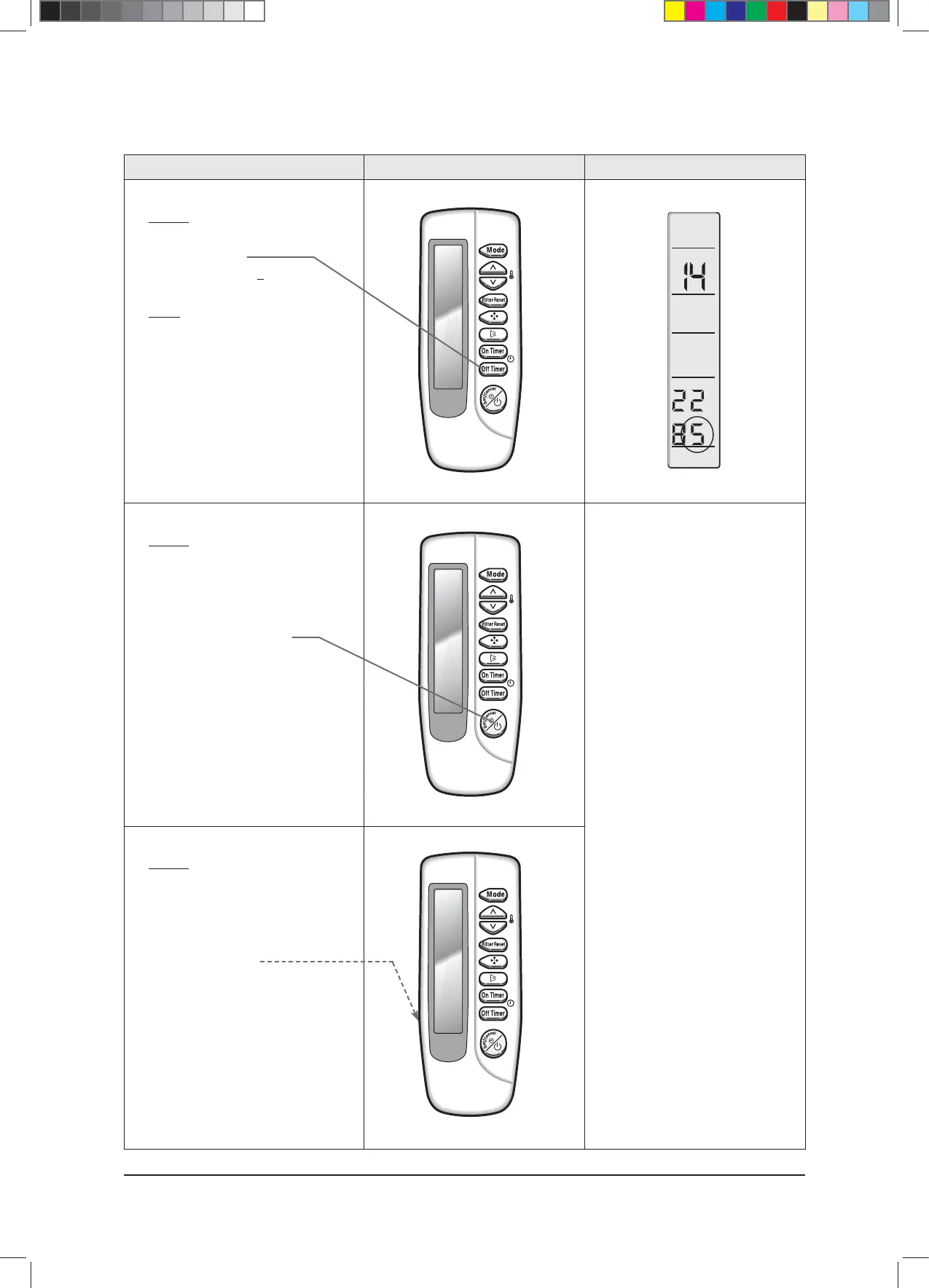
✳ Step 13
✳ Method)
✳ Input the 12th digit by pressing the
Off timer button.
example) 021E31142285
✳ Result)
✳ If 5 displays, go to step 14.
✳ Step 14
✳ Method)
✳ Turn the remote controller toward the
indoor unit and press the On/Off button,
and if the “Ting” or “Tiriring” sounds, the
input of option is completed.
✳ t*GFSSPSEJTQMBZTTPMWFUIF
problem with reference to the
right side.
✳ Step 15
✳ Method)
✳ If the steps 1 to 14 are completed,
remove the battery and insert it again to
return to the original display of remote
controller. (Operation mode/SET TEMP.
/fan speed displays.)
■ Error
① If the On/Off, Timer and Fan
indicator is flickering, the wrong
option code is input. Put off the power
of indoor unit and turn it on again and
then input the option code again.
If the same error occurs, it is the
EEPROM is defective or not inserted.
Replace the PCB.
② If all of On/Off, Timer, Fan and Filter
Sign indicator are flickering along with
the "Tiriring" sound, there is option
code already input which are
different from the current ones. Check
the option code and press the button
again if correct. Option code will be
input. (Check the option code
correctly. At the time, if the same error
continues to occur, the option code is
out of input range.
Check the option code again and
repeat the step 1~14.
rear side
$9;&6+B$BaLQGG



 To Next Page