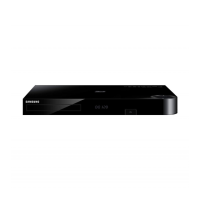
What to do if my iPod fails to connect to my Samsung Blu-ray Player?
- JJulie NguyenSep 2, 2025
If the iPod fails to connect, check the condition of the iPod connector and Dock. Also, ensure that the iPod software version is up to date.
What to do if my iPod fails to connect to my Samsung Blu-ray Player?
If the iPod fails to connect, check the condition of the iPod connector and Dock. Also, ensure that the iPod software version is up to date.
Why is my Samsung Blu-ray Player remote control not working?
The remote control might not be working because you are operating it outside of its operational range or at an improper angle to the sensor. Also, check if the batteries are drained or if you have correctly selected the mode (TV/BD) functions on the remote control.
What to do if iPod fails to connect to Samsung Home Theater System?
If your iPod fails to connect to your Samsung Home Theater System, check the condition of the iPod connector and Dock. Keep the iPod software version up to date.
What to do if Samsung Home Theater System playback doesn't start immediately?
If playback on your Samsung Home Theater System doesn't start immediately when you press the Play/Pause button, consider whether you're using a deformed or scratched disc. If so, wipe the disc clean.
Why won't my Samsung Home Theater System start playback?
If your Samsung Home Theater System won't start playback, check the region number of the Blu-ray/DVD disc; discs purchased from abroad may not be playable. Note that CD-ROMs and DVD-ROMs are not compatible with this product. Also, ensure that the rating level is correct for the content you're trying to play.
What to do if Samsung Home Theater System disc is rotating but no picture?
If the disc in your Samsung Home Theater System is rotating but no picture appears, first ensure that your TV is powered on. Next, check that the video cables are properly connected. Also, verify that the disc isn't dirty or damaged, as a poorly manufactured disc may not be playable.
How to fix no sound on Samsung Home Theater System?
If your Samsung Home Theater System isn't producing sound, remember that it doesn't play sound during fast, slow, or step motion playback. Check if the speakers are properly connected and the speaker setup is correctly customized. Also, examine the disc for severe damage.
Important warnings and cautions for safe operation of the device.
Instructions for connecting the power plug and wiring the mains supply.
Guidelines for disc care, handling, and 3D viewing safety precautions.
Legal notices and details on licensed technologies like Dolby and DTS.
Lists compatible and incompatible disc types and formats for playback.
Explains region codes and identifies playable disc logos.
Details supported video/music file extensions, codecs, and resolutions.
Notes for USB connection and AVCHD video playback.
Lists the accessories supplied with the product.
Overview of controls and connections on the front and rear panels.
Explains the functions of each button on the remote control.
Instructions for installing batteries and setting the remote for TV control.
How to attach ferrite core and position speakers for optimal sound.
Step-by-step guide to connecting speaker wires to the unit and speakers.
How to connect FM antenna and iPod/iPhone via USB or dock.
Methods for connecting the unit to a TV using HDMI or video cables.
Guides for connecting external components via HDMI, Optical, or AUX.
Instructions for wired and wireless network router connections.
Step-by-step guide for initial product setup and network connection.
How to update software and adjust picture aspect ratio.
How to navigate the Home screen and access the settings menu.
Options for 3D, aspect ratio, screen size, and resolution.
Options for speakers, equalizer, volume, and audio output.
Options for network status, Wi-Fi Direct, Soft AP, and device name.
Options for initial setup, device manager, Anynet+, and language.
Options for parental ratings, PINs, display, time, and software updates.
Steps to set up wired or wireless network connections.
Guides for automatic and manual wireless network configuration.
Easy wireless setup using WPS and connecting Wi-Fi Direct devices.
Connecting Wi-Fi devices via Soft AP and managing AllShare devices.
Options for upgrading software online, via USB, or disc.
Upgrading via downloaded files or in standby mode.
Introduction to AllShare Play and browsing content.
How to play media from USB devices and iPod/iPhone.
Selecting inputs and playing commercial video/audio discs.
Playing user content and setting up AllShare network.
Playing PC/DLNA files and controlling playback with a smartphone.
How to control video playback using remote buttons.
Accessing and using the TOOLS menu options during playback.
How to control music playback, shuffle tracks, and create playlists.
Copying music from CDs and understanding Bluetooth basics.
Steps to pair, connect, and disconnect Bluetooth devices.
How to play photo files and use the Tools menu for photos.
Options to sort photos and upload them to online services.
Creating, editing playlists, and playing current groups.
Tuning FM stations, presetting, and understanding RDS signals.
Viewing RDS information and searching programs by PTY code.
Using sound effects, adjusting 3D sound, and accessing internet radio.
Introduction to Smart Hub and how to use its applications.
Overview and usage of the built-in Web Browser.
How to use BD-LIVE services with compatible discs.
Additional notes on HDMI, 3D, aspect ratio, BD Wise, and digital output.
Notes on BD-LIVE, Anynet+, BD data, DivX, display, audio, and ARC.
Notes on video, subtitle, JPEG playback, USB device handling, and music.
How to watch iPod video and notes on model compatibility.
Tables detailing output resolutions for Blu-ray and DVD playback.
Table mapping setup to PCM and Bitstream audio outputs.
Solutions for common problems like disc eject, iPod connection, playback.
Solutions for product not working, forgotten password, TV issues.
Solutions for intermittent video, unstable network, BD-LIVE errors.
Technical details including weight, dimensions, power, and audio specs.
Samsung contact details, battery, and product disposal guidelines.
Important warnings and cautions for safe operation of the device.
Instructions for connecting the power plug and wiring the mains supply.
Guidelines for disc care, handling, and 3D viewing safety precautions.
Legal notices and details on licensed technologies like Dolby and DTS.
Lists compatible and incompatible disc types and formats for playback.
Explains region codes and identifies playable disc logos.
Details supported video/music file extensions, codecs, and resolutions.
Notes for USB connection and AVCHD video playback.
Lists the accessories supplied with the product.
Overview of controls and connections on the front and rear panels.
Explains the functions of each button on the remote control.
Instructions for installing batteries and setting the remote for TV control.
How to attach ferrite core and position speakers for optimal sound.
Step-by-step guide to connecting speaker wires to the unit and speakers.
How to connect FM antenna and iPod/iPhone via USB or dock.
Methods for connecting the unit to a TV using HDMI or video cables.
Guides for connecting external components via HDMI, Optical, or AUX.
Instructions for wired and wireless network router connections.
Step-by-step guide for initial product setup and network connection.
How to update software and adjust picture aspect ratio.
How to navigate the Home screen and access the settings menu.
Options for 3D, aspect ratio, screen size, and resolution.
Options for speakers, equalizer, volume, and audio output.
Options for network status, Wi-Fi Direct, Soft AP, and device name.
Options for initial setup, device manager, Anynet+, and language.
Options for parental ratings, PINs, display, time, and software updates.
Steps to set up wired or wireless network connections.
Guides for automatic and manual wireless network configuration.
Easy wireless setup using WPS and connecting Wi-Fi Direct devices.
Connecting Wi-Fi devices via Soft AP and managing AllShare devices.
Options for upgrading software online, via USB, or disc.
Upgrading via downloaded files or in standby mode.
Introduction to AllShare Play and browsing content.
How to play media from USB devices and iPod/iPhone.
Selecting inputs and playing commercial video/audio discs.
Playing user content and setting up AllShare network.
Playing PC/DLNA files and controlling playback with a smartphone.
How to control video playback using remote buttons.
Accessing and using the TOOLS menu options during playback.
How to control music playback, shuffle tracks, and create playlists.
Copying music from CDs and understanding Bluetooth basics.
Steps to pair, connect, and disconnect Bluetooth devices.
How to play photo files and use the Tools menu for photos.
Options to sort photos and upload them to online services.
Creating, editing playlists, and playing current groups.
Tuning FM stations, presetting, and understanding RDS signals.
Viewing RDS information and searching programs by PTY code.
Using sound effects, adjusting 3D sound, and accessing internet radio.
Introduction to Smart Hub and how to use its applications.
Overview and usage of the built-in Web Browser.
How to use BD-LIVE services with compatible discs.
Additional notes on HDMI, 3D, aspect ratio, BD Wise, and digital output.
Notes on BD-LIVE, Anynet+, BD data, DivX, display, audio, and ARC.
Notes on video, subtitle, JPEG playback, USB device handling, and music.
How to watch iPod video and notes on model compatibility.
Tables detailing output resolutions for Blu-ray and DVD playback.
Table mapping setup to PCM and Bitstream audio outputs.
Solutions for common problems like disc eject, iPod connection, playback.
Solutions for product not working, forgotten password, TV issues.
Solutions for intermittent video, unstable network, BD-LIVE errors.
Technical details including weight, dimensions, power, and audio specs.
Samsung contact details, battery, and product disposal guidelines.
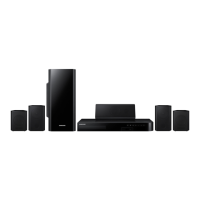
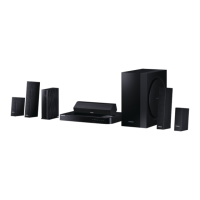
| Disc types supported | BD, CD, CD-R, CD-RW, DVD, DVD+R, DVD+RW, DVD-R, DVD-RW |
|---|---|
| Number of optical discs | 1 discs |
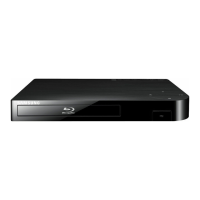
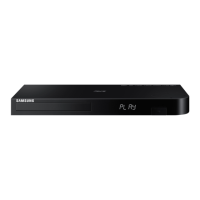
| Optical disc player type | Blu-Ray player |
| HDMI | Yes |
| Depth | 261 mm |
| Width | 430 mm |
| Height | 55 mm |
| Weight | 2560 g |
| Built-in HDD | - |
| Subwoofer depth | 285 mm |
| Subwoofer width | 168 mm |
| Subwoofer height | 350 mm |
| Image formats supported | JPG |
| Apple docking compatibility | iPhone, iPod |
| Video formats supported | AVCHD, DIVX, MKV, WMV |
| Audio decoders | Dolby Digital, Dolby Digital Plus, Dolby Pro Logic II, Dolby TrueHD, DTS, DTS 96/24, DTS-HD |
| RMS rated power | 500 W |
| Audio output channels | 2.1 channels |
| Audio formats supported | AAC, LPCM, MP3, WMA |
| Product color | Black |
| Consumer Electronics Control (CEC) | Anynet+ |
| Ethernet LAN | No |
| HDMI in | 2 |
| USB version | 2.0 |
| SCART ports quantity | 0 |
| Number of HDMI outputs | 1 |
| Power consumption (standby) | 0.45 W |
| Power consumption (typical) | 92.2 W |
| Package weight | 11600 g |
| Cables included | Composite |
| Subwoofer weight | 2600 g |
|---|
Loading...