Section 4
44 Entering Information into the Handheld Comput-
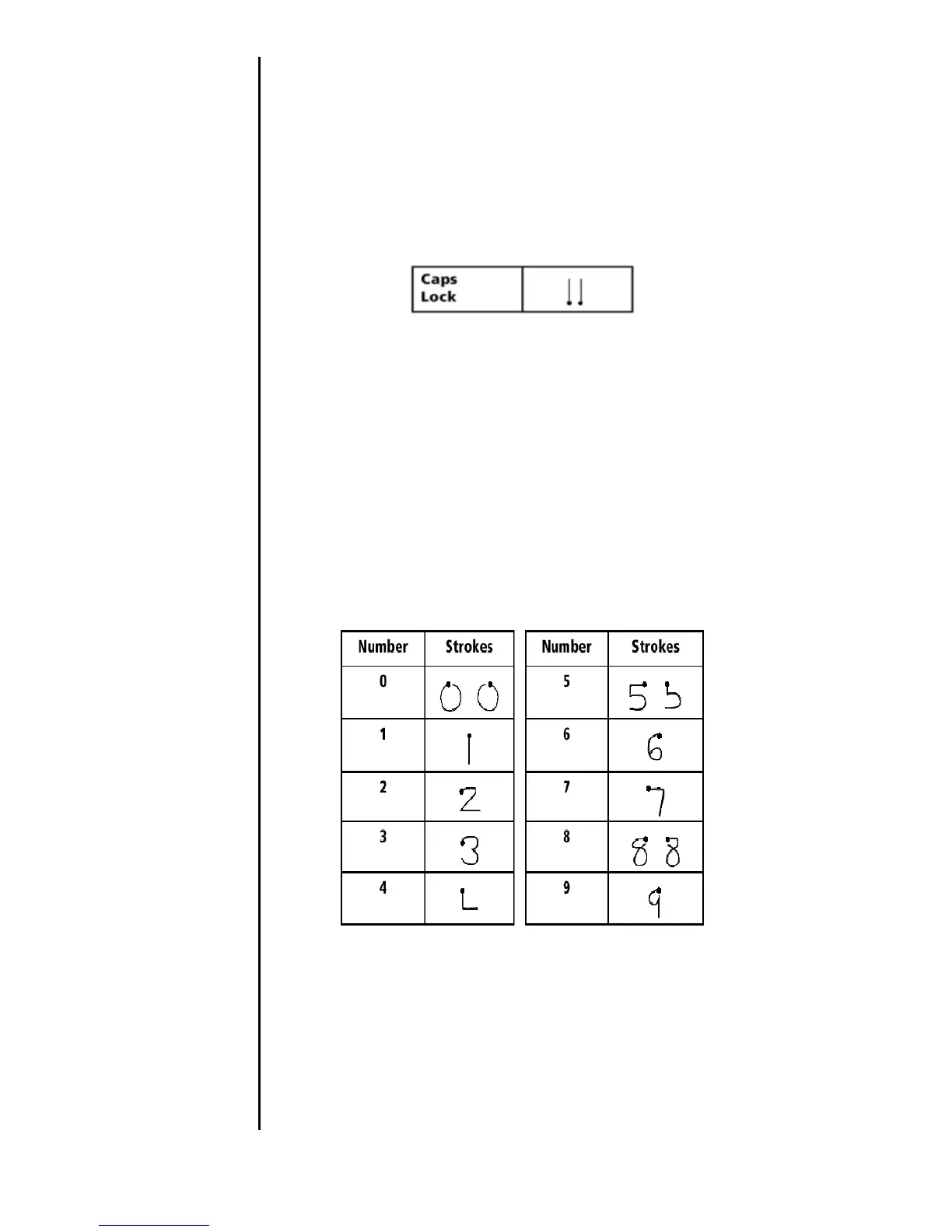
Cap Lock
Capital letters can be set to always on just like using a
standard Caps Lock key on a keyboard. To accomplish this
function, use the stylus to make two cap shift marks in a row.
Numbers
Writing numbers is done the exact same way as letters. Simply
use the numeric or right side of the Graffiti writing area.
Numbers also have a starting point, similar to the letters.
Here is a chart of how to write Graffiti numbers:












 To Next Page