Entering Information into the Handheld Computer 45
Writing
Punctuation
En
Entering
Information into
4
Writing
Punctuation
En 4
Sprint PCS
Wireless Web
En
Entering Information
into the Handheld
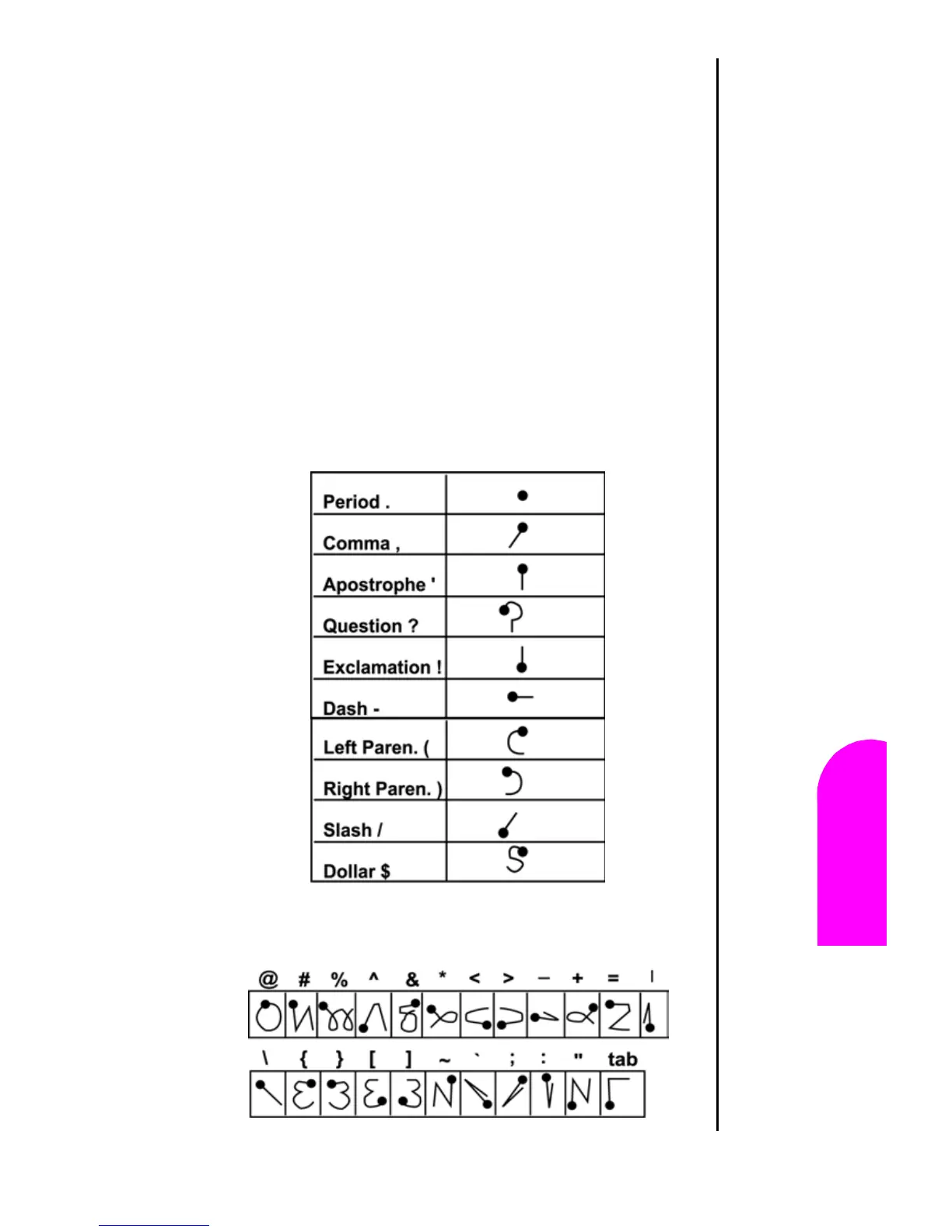
Writing Punctuation Marks
Any standard punctuation mark available on a keyboard can
be created using Graffiti writing.
All punctuation marks begin with a single tap in the Graffiti
alpha writing area. This tap activates the punctuation shift,
indicated by a dot on the display screen. The next stroke is
designed to create a punctuation mark. When the punctuation
stroke is active, the character can be written on either side of
the Graffiti area.
Here is a chart of how to write punctuation marks:












 To Next Page