29
GB
● PLAYBACK
Repeat Playback
BAD
Repeat playback allows you to repeatedly play a chapter,
title, track (song), or directory (MP3 fi le).
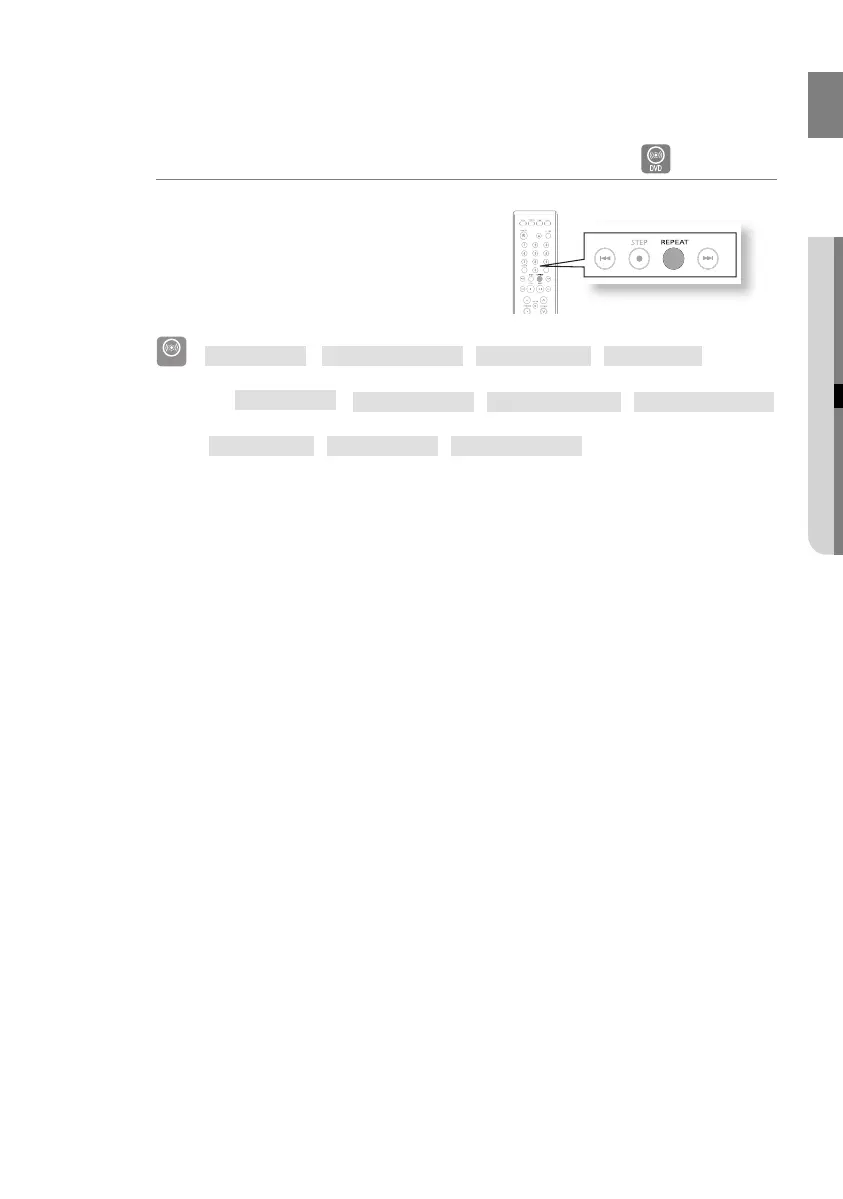
Press the REPEAT button.
Each time the button is pressed during playback, the
repeat playback mode changes as follows:
DVD-VIDEO
REPEAT : OFF REPEAT : CHAPTER REPEAT : TITLE REPEAT : A-B
AB
REPEAT : OFF
REPEAT : TRACK
REPEAT : FOLDER
REPEAT : RANDOM
D
REPEAT : OFF
REPEAT : TITLE
REPEAT : FOLDER
CHAPTER : Repeatedly plays the selected chapter.
TITLE : Repeatedly plays the selected title.
TRACK : Repeatedly plays the selected track.
FOLDER : Repeatedly plays the selected folder
OFF : Cancels Repeat Playback.
RANDOM : You can listen to songs randomly or in the desired sequence.
•
02107H-RTSE10-XME.indd 2902107H-RTSE10-XME.indd 29 6/20/08 11:05:05 AM6/20/08 11:05:05 AM






 To Next Page