25
Setting the Security Function
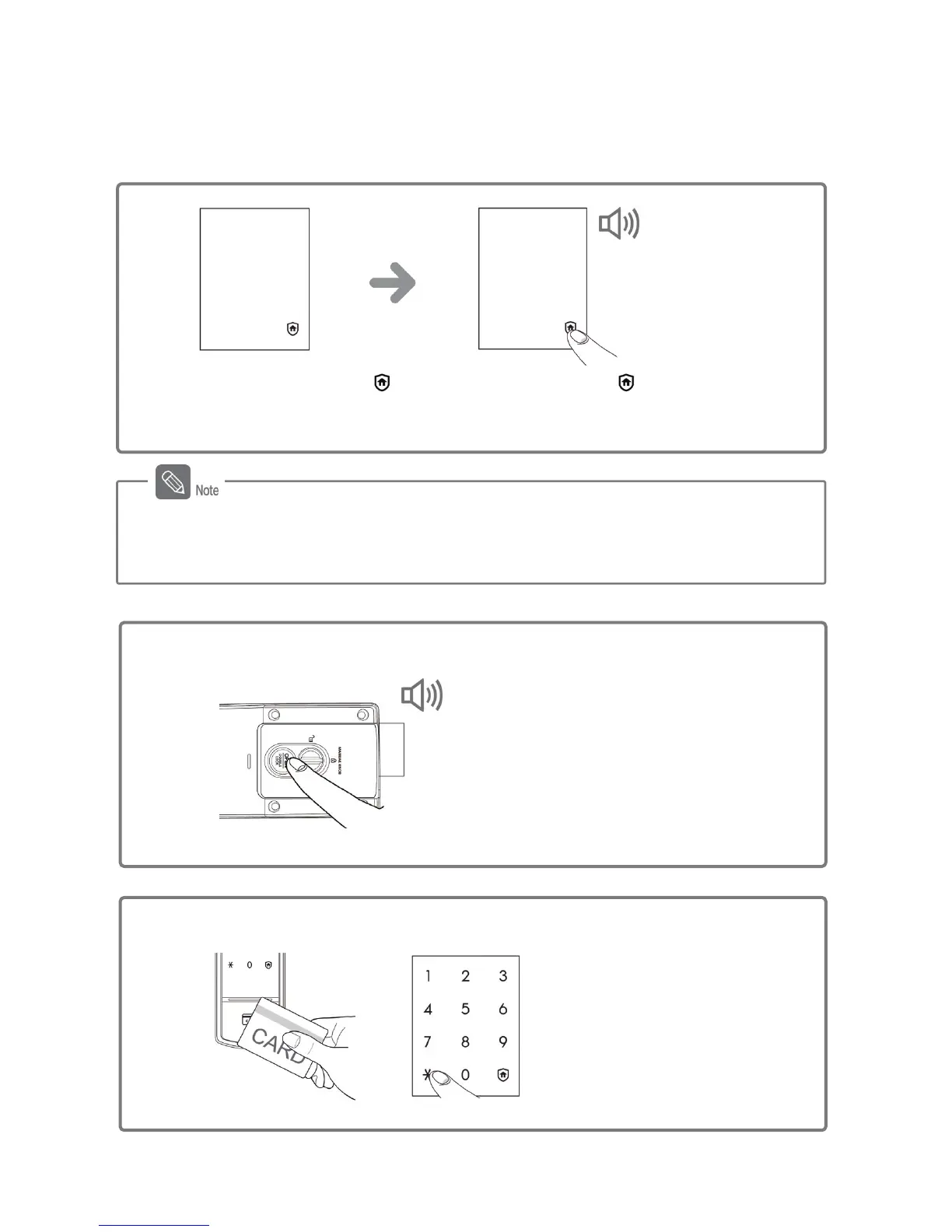
Function that allows alarm to be rung in case the door lock is manipulated from the inside.
Setting the Security
Function
Press and hold the [ ] button on the
outer body for 3 seconds while the
door is locked.
DING DONG DENG
When the door is closed [ ]
of the outside body's number
pad will light up.
The security function is automatically released when the locked door is opened from
outside by entering the registered password or applying the card or key tag to the card
reader.
Activating the Security
Function
This alarm sounds if an attempt is made to
open the door from inside by pressing the
[OPEN] button.
[Inside]
Peep
(for 5 minutes)
Apply the registered card or key tag to
the card reader, or enter the password
and then press the [º] button.
[Outside]
Releasing the
Security Function
Or



 To Next Page